Dell S2721DGF or HP X27q Which QHD Gaming Monitor is Best
When choosing between the Dell S2721DGF and HP X27q, gamers are looking at two formidable 27-inch QHD IPS monitors offering 165Hz refresh rates and rapid 1ms response times. The Dell often presents a slightly more premium feature set, including better ergonomics and official HDR400 support, while the HP X27q consistently delivers exceptional gaming performance and image quality at a more aggressive price point, making it a stellar value pick for many. Ultimately, your choice boils down to whether subtle enhancements and ergonomic flexibility are worth the potential price difference for your gaming experience.
Dell S2721DGF or HP X27q Which QHD Gaming Monitor is Best
Hey there, fellow gamers and tech enthusiasts! Are you on the hunt for a fantastic QHD gaming monitor that won’t break the bank but still delivers a buttery-smooth, visually stunning experience? You’ve landed in just the right spot! The 27-inch, 1440p (QHD) segment has become incredibly competitive, offering what many consider the sweet spot for PC gaming: a noticeable step up in clarity from 1080p without the extreme hardware demands of 4K. Today, we’re diving deep into a head-to-head battle between two titans in this category: the Dell S2721DGF vs HP X27q.
Both of these monitors have garnered rave reviews for their incredible performance and value. They promise rapid refresh rates, quick response times, and vibrant IPS panels, making the choice incredibly tough. But don’t worry, we’re going to break down every aspect, from design and ergonomics to display performance and gaming features, so you can confidently decide which QHD gaming monitor is best for your specific needs. Let’s unravel the intricacies of the Dell S2721DGF vs HP X27q and help you find your next desktop companion!
Key Takeaways
- Core Performance is Similar: Both the Dell S2721DGF and HP X27q offer a 27-inch QHD (2560×1440) IPS panel with a 165Hz refresh rate and 1ms response time, ensuring smooth and responsive gaming.
- Ergonomics Favors Dell: The Dell S2721DGF provides superior stand adjustability, including height, tilt, swivel, and pivot (portrait mode), whereas the HP X27q is limited to height and tilt.
- Image Quality is Neck-and-Neck: Both monitors boast excellent color reproduction and wide viewing angles thanks to their IPS panels. The Dell S2721DGF officially supports DisplayHDR 400, offering a slight edge in HDR content, though neither provides a true HDR experience.
- Response Time Metrics Differ: The Dell S2721DGF quotes 1ms GtG (Grey-to-Grey) while the HP X27q typically lists 1ms MPRT (Moving Picture Response Time). GtG is generally a more relevant measure of pixel transition speed for ghosting, while MPRT relates to motion blur reduction. Both perform very well in practice.
- Connectivity is Comprehensive: Both monitors offer a good selection of ports, including DisplayPort 1.4 and HDMI 2.0, catering to both PC and console gamers. Dell includes a USB hub, which HP lacks.
- Price-to-Performance Value: The HP X27q often comes at a more budget-friendly price, making it an outstanding value proposition for gamers prioritizing raw performance without all the bells and whistles. The Dell S2721DGF, while sometimes more expensive, justifies it with enhanced ergonomics and a USB hub.
- Adaptive Sync Support: Both monitors support AMD FreeSync Premium, and crucially, they are G-Sync Compatible, ensuring tear-free gaming for users with either AMD or NVIDIA graphics cards.
Quick Answers to Common Questions
Can the Dell S2721DGF or HP X27q be used with a PlayStation 5 or Xbox Series X?
Yes, both monitors have HDMI 2.0 ports, allowing them to display 1440p at up to 120Hz from the PlayStation 5 and Xbox Series X, which is excellent for console gaming.
Do both monitors come with DisplayPort and HDMI cables?
Typically, both the Dell S2721DGF and HP X27q include at least one DisplayPort cable in the box, and often an HDMI cable as well, but it’s always good to double-check product listings.
Is a 27-inch QHD resolution too small for gaming?
No, 27-inch QHD (1440p) is widely considered the sweet spot for gaming, offering a great balance of screen real estate and sharpness without being overly demanding on your GPU like 4K is.
What’s the main difference between 1ms GtG and 1ms MPRT response times?
1ms GtG (Grey-to-Grey) measures how quickly pixels change color, directly impacting ghosting. 1ms MPRT (Moving Picture Response Time) measures how long a pixel remains visible, often achieved through backlight strobing to reduce perceived motion blur. GtG is typically a more direct measure of pixel speed.
Are these monitors good for non-gaming tasks like office work or browsing?
Absolutely! Both the Dell S2721DGF and HP X27q, with their QHD resolution, IPS panels, and excellent color accuracy, are fantastic for productivity, web browsing, and general office work, providing plenty of screen real estate and clear text.
📑 Table of Contents
- First Impressions: Design and Ergonomics
- Under the Hood: Display Technology and Performance
- Gaming Features and Responsiveness
- Connectivity Options and Extra Features
- Value and Pricing: Where the Rubber Meets the Road
- Who Should Buy Which QHD Gaming Monitor?
- Conclusion: The Verdict on Dell S2721DGF vs HP X27q
First Impressions: Design and Ergonomics
When setting up a new gaming space, the physical presence of your monitor matters. It’s not just about what’s on the screen, but how the screen itself fits into your aesthetic and workflow. Let’s compare the Dell S2721DGF vs HP X27q in terms of their build quality and adjustability.
Dell S2721DGF: The Premium Look and Feel
Dell has a strong reputation for producing monitors with excellent build quality and thoughtful design, and the S2721DGF is no exception. It sports a sleek, modern look with thin bezels on three sides, which is fantastic for multi-monitor setups. The matte black finish and subtle Dell branding give it a professional yet understated gaming vibe.
But where the Dell truly shines is its stand. The Dell S2721DGF offers a highly versatile stand that allows for a full range of ergonomic adjustments. You can:
- Adjust the height to find your perfect eye level.
- Tilt the screen forward and backward.
- Swivel it left and right, handy for showing something to a friend.
- Pivot it 90 degrees into portrait mode, which is surprisingly useful for coding, browsing long documents, or even some specific gaming genres like vertical shmups.
This level of adjustability is a huge plus, as it helps prevent neck and eye strain during long gaming sessions. The stand is sturdy, holding the monitor firmly in place with minimal wobble.
HP X27q: The Sleek and Streamlined Approach
The HP X27q, while equally modern in its aesthetics, takes a slightly more minimalist approach. It also features thin bezels, giving you an immersive edge-to-edge viewing experience. The design is clean and unobtrusive, making it blend well into various setups.
However, when it comes to ergonomics, the HP X27q is a bit more limited compared to the Dell S2721DGF. Its stand allows for:
- Height adjustment, which is crucial for comfort.
- Tilt adjustment.
What you won’t find on the HP X27q is swivel or pivot functionality. While many users might not miss these features, if you frequently need to adjust your monitor’s angle or desire a portrait mode, this could be a deciding factor in the Dell S2721DGF vs HP X27q debate. The stand itself is still solid and well-built, providing good stability.
Under the Hood: Display Technology and Performance
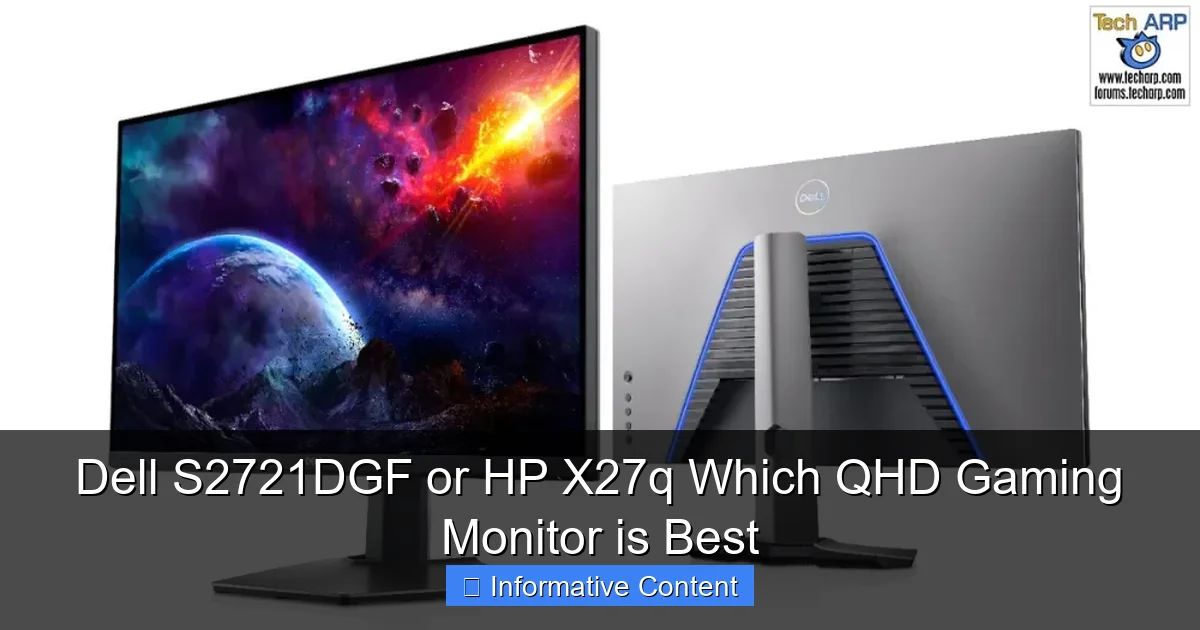
Visual guide about Dell S2721DGF or HP X27q Which QHD Gaming Monitor is Best
Image source: i0.wp.com
Now, let’s talk about the heart of any monitor: its display panel. Both the Dell S2721DGF and HP X27q utilize IPS (In-Plane Switching) panels, which are celebrated for their excellent color reproduction and wide viewing angles. But there are always nuances.
Panel Type and Resolution: QHD Sweet Spot
Both monitors are 27-inch QHD (2560×1440) IPS displays. This resolution on a 27-inch screen offers a great pixel density of around 108 pixels per inch (PPI). This means images and text look sharp without requiring any scaling in Windows for most users, unlike 4K where scaling is often a must. For gaming, QHD strikes an excellent balance, providing significantly more detail than 1080p without being as demanding on your graphics card as 4K.
Color Accuracy and Brightness: A Visual Treat
The IPS panels in both monitors ensure vibrant colors and consistent image quality, even when viewed from extreme angles. This is a massive advantage over older TN panels, which often suffer from poor color accuracy and narrow viewing angles.
- Dell S2721DGF: This monitor boasts excellent color coverage, typically covering around 99% of the sRGB color space and a respectable percentage of the DCI-P3 gamut (often around 95% for Dell). This makes it suitable not just for gaming but also for casual content creation or photo editing. It also carries a DisplayHDR 400 certification, meaning it can reach a peak brightness of at least 400 nits, offering a modest improvement for HDR content.
- HP X27q: The HP X27q also delivers impressive color accuracy, often matching or even slightly exceeding the Dell in sRGB coverage and DCI-P3 percentage in some reviews. Its typical brightness is also around 350-400 nits, providing a bright and clear image. While it may not have an official DisplayHDR 400 certification, it can still process HDR signals, though the actual HDR effect might be similar to the Dell’s given the limitations of edge-lit local dimming and peak brightness.
In practical terms, both monitors will provide a beautiful, colorful, and bright picture for gaming and general use. The Dell’s official HDR400 might give it a slight edge on paper for HDR content, but neither offers a truly transformative HDR experience found in much more expensive monitors with full-array local dimming.
Gaming Features and Responsiveness
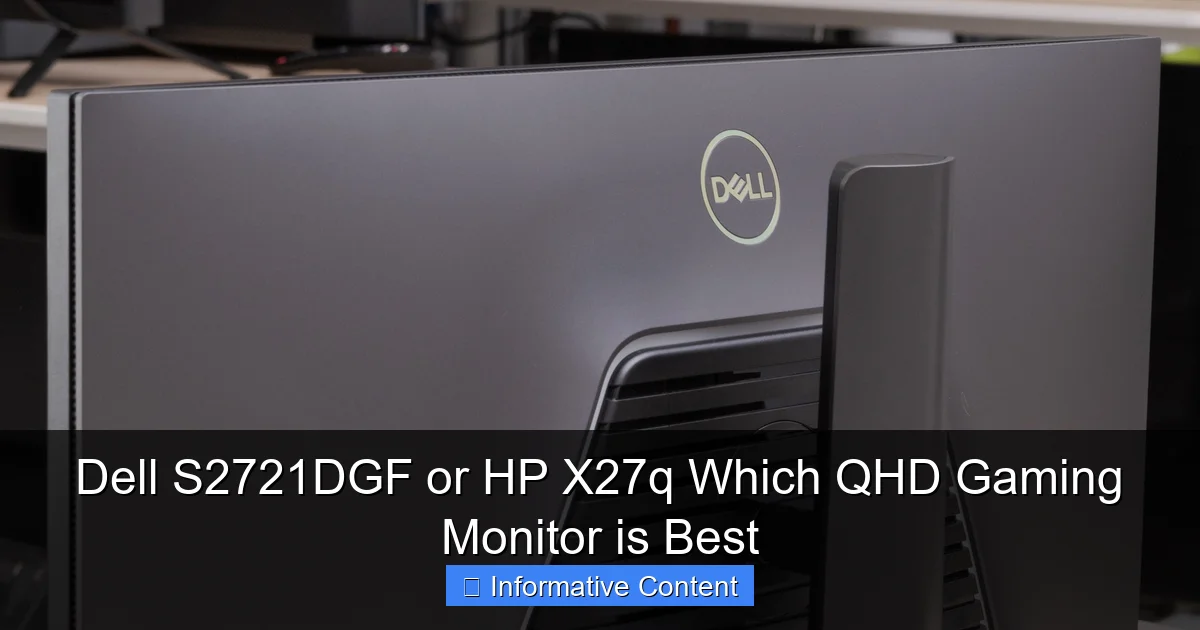
Visual guide about Dell S2721DGF or HP X27q Which QHD Gaming Monitor is Best
Image source: i.rtings.com
This is where the rubber meets the road for a gaming monitor comparison like the Dell S2721DGF vs HP X27q. Refresh rate, response time, and adaptive sync technology are paramount for a fluid gaming experience.
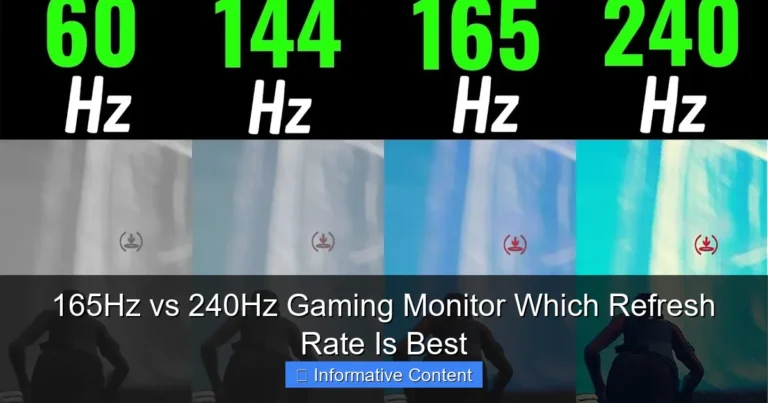
Refresh Rate: 165Hz for Both
Both the Dell S2721DGF and HP X27q feature a blazing-fast 165Hz refresh rate. This means the display can update the image 165 times per second, significantly smoother than standard 60Hz or even 144Hz monitors. Higher refresh rates translate to more fluid motion, allowing you to react quicker in fast-paced games. If you’re coming from a 60Hz monitor, the jump to 165Hz is truly game-changing.
Response Time: GtG vs MPRT
This is an important distinction when comparing the Dell S2721DGF vs HP X27q.
- Dell S2721DGF: Dell advertises a 1ms GtG (Grey-to-Grey) response time. GtG measures how long it takes for a pixel to change from one shade of grey to another. This is generally considered a more accurate representation of pixel transition speed and directly impacts ghosting. A true 1ms GtG is excellent and means very little trailing or blur behind fast-moving objects.
- HP X27q: HP typically lists a 1ms MPRT (Moving Picture Response Time). MPRT measures how long a pixel remains visible on the screen. It’s often achieved through backlight strobing (a feature like HP’s FreeSync Premium Pro often includes it), which can reduce perceived motion blur but often comes with a trade-off, like reduced brightness or flickering. While effective at reducing blur, it doesn’t directly measure pixel transition speed in the same way GtG does.
In practice, both monitors offer incredibly fast response times with minimal ghosting, especially when their respective overdrive settings are properly configured. You’ll experience crisp motion on both, making them fantastic choices for competitive gaming.
Adaptive Sync: G-Sync Compatible and FreeSync Premium
Excellent news for all gamers: both the Dell S2721DGF and HP X27q support AMD FreeSync Premium and are officially G-Sync Compatible. This means that whether you have an AMD Radeon or NVIDIA GeForce graphics card, you can enjoy tear-free and stutter-free gaming. Adaptive Sync dynamically matches the monitor’s refresh rate to your GPU’s frame rate, eliminating screen tearing without the input lag penalties of traditional V-Sync. This is a non-negotiable feature for modern gaming monitors, and it’s great to see both deliver.
Connectivity Options and Extra Features
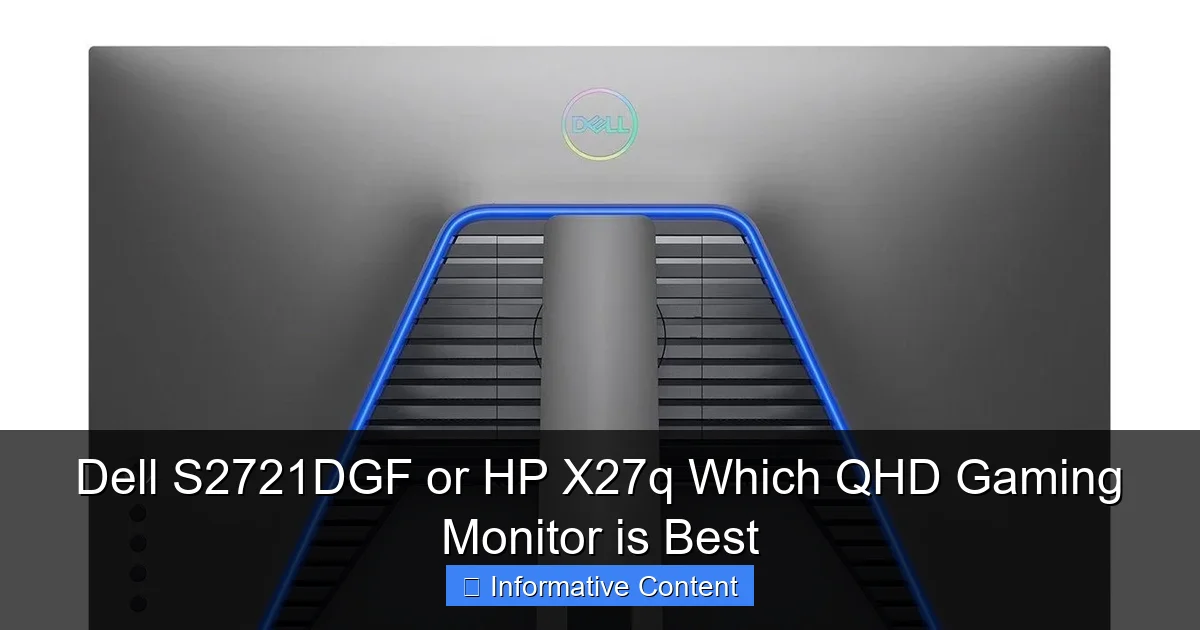
Visual guide about Dell S2721DGF or HP X27q Which QHD Gaming Monitor is Best
Image source: i.pinimg.com
A monitor’s usefulness extends beyond just its display panel. The ports it offers and any additional features can significantly impact your user experience.
Dell S2721DGF: A Comprehensive Hub
The Dell S2721DGF is quite generous with its connectivity:
- 1 x DisplayPort 1.4 (for 165Hz QHD)
- 2 x HDMI 2.0 (for 144Hz QHD, or 120Hz for consoles)
- 1 x USB 3.0 Upstream Port (to connect to your PC)
- 4 x USB 3.0 Downstream Ports (convenient for peripherals like mouse, keyboard, webcam)
- 1 x Audio Line-Out (for connecting external speakers or headphones)
The integrated USB hub is a fantastic addition, reducing cable clutter on your desk and providing easy access to extra USB ports. This is a significant advantage for the Dell S2721DGF vs HP X27q comparison if you value convenience.
HP X27q: Solid but Simpler
The HP X27q provides a solid array of essential ports for gaming and productivity:
- 1 x DisplayPort 1.4 (for 165Hz QHD)
- 2 x HDMI 2.0 (for 144Hz QHD)
- 1 x Audio Out (for connecting headphones or speakers)
While it covers all the bases for connecting your PC and a console, it notably lacks a USB hub. This isn’t a dealbreaker for everyone, but if you rely on monitor-mounted USB ports for peripherals, you’d need to consider an external hub or plug directly into your PC.
Value and Pricing: Where the Rubber Meets the Road
For many, the final decision often comes down to budget. The Dell S2721DGF vs HP X27q price comparison can fluctuate, but there’s a general trend.
HP X27q: The Budget-Friendly Powerhouse
The HP X27q has consistently been lauded for its incredible value. It often retails at a significantly lower price point than the Dell S2721DGF, making it an exceptionally attractive option for budget-conscious gamers who still demand top-tier performance. If your primary goal is to get a fast, beautiful QHD IPS panel with adaptive sync without breaking the bank, the HP X27q is incredibly hard to beat. You’re getting 95% of the gaming performance of higher-priced alternatives for less money.
Dell S2721DGF: Premium Features for a Premium (Sometimes)
The Dell S2721DGF typically sits at a slightly higher price point. However, this premium often comes with justified additions: superior ergonomics (full adjustability), a handy USB hub, and official DisplayHDR 400 certification. If these extra features are important to you – perhaps you spend a lot of time adjusting your monitor, need the extra USB ports, or occasionally consume HDR content – then the Dell S2721DGF represents excellent value for its comprehensive feature set. Keep an eye out for sales, as Dell monitors often see significant discounts, narrowing the price gap in the Dell S2721DGF vs HP X27q battle.
Who Should Buy Which QHD Gaming Monitor?
After diving deep into the Dell S2721DGF vs HP X27q, it’s clear that both are fantastic choices. The “best” monitor ultimately depends on your individual priorities and budget.
Choose the Dell S2721DGF if…
- You prioritize ergonomics: The full range of adjustments (height, tilt, swivel, pivot) is unmatched and crucial for comfort during long sessions or specific use cases.
- You need a USB hub: The convenience of built-in USB ports for your mouse, keyboard, or webcam is a significant advantage.
- You appreciate official HDR certification: While not true HDR, the DisplayHDR 400 certification offers a slightly more validated experience for HDR content.
- You prefer a slightly more “premium” feel and design: Dell’s build quality and aesthetics are consistently top-notch.
- You find it on sale at a comparable price: If the price difference is minimal, the Dell’s extra features are a no-brainer.
Choose the HP X27q if…
- You are on a tighter budget but demand top-tier gaming performance: The HP X27q delivers exceptional QHD 165Hz IPS gaming at an often unbeatable price.
- Ergonomics are less of a concern: If height and tilt adjustments are sufficient for your setup, you won’t miss the swivel and pivot.
- You don’t need a USB hub: If your PC has plenty of accessible USB ports, or you use an external hub, this isn’t a drawback.
- You prioritize raw performance-to-cost ratio: It’s hard to find a better performance bang-for-buck in this segment.
- You want a clean, minimalist setup: Its straightforward design and fewer features can lead to a simpler desk.
Conclusion: The Verdict on Dell S2721DGF vs HP X27q
Both the Dell S2721DGF and the HP X27q stand as exemplary QHD gaming monitors, offering outstanding performance that will elevate any gaming setup. They both deliver crisp 1440p visuals, fluid 165Hz refresh rates, rapid 1ms response times, and essential adaptive sync technology. For the majority of gamers, either of these displays will be a phenomenal upgrade.
The Dell S2721DGF edges out the HP X27q in terms of ergonomics and features, offering a more versatile stand and a convenient USB hub, alongside official HDR400 support. These are valuable additions for productivity and a more refined user experience. However, the HP X27q fiercely competes by offering virtually identical core gaming performance, often at a more attractive price point. It’s a true champion of value, proving that you don’t always need to spend more to get an incredible gaming experience.
Ultimately, the choice between the Dell S2721DGF vs HP X27q boils down to your personal priorities. If you appreciate the bells and whistles, the superior adjustability, and the added convenience of a USB hub, and are willing to pay a slight premium, the Dell S2721DGF is an excellent pick. If you’re looking for the absolute best performance-per-dollar, prioritizing raw gaming prowess above all else, and don’t mind a slightly less versatile stand or the lack of a USB hub, then the HP X27q is an undeniable winner. Whichever you choose, you’re in for a fantastic QHD gaming experience!
Frequently Asked Questions
What is the typical price difference between the Dell S2721DGF and HP X27q?
While prices fluctuate, the HP X27q often retails for a noticeably lower price than the Dell S2721DGF. This makes the HP a very strong contender for budget-conscious buyers who prioritize core performance.
Does the Dell S2721DGF’s official DisplayHDR 400 make a big difference?
DisplayHDR 400 is an entry-level HDR certification. While it allows the Dell to process HDR signals and reach a peak brightness of 400 nits, it does not provide the dramatic HDR effect seen on monitors with full-array local dimming or higher peak brightness. The difference might be subtle for most users.
Can I mount either of these monitors on a VESA arm?
Yes, both the Dell S2721DGF and HP X27q are VESA compatible, typically using a 100x100mm mounting pattern. This allows you to easily attach them to third-party monitor arms or wall mounts for greater flexibility.
Are there any known issues with backlight bleed or IPS glow on these models?
As with most IPS panels, some degree of IPS glow or backlight bleed can be present, especially in dark room conditions. Both the Dell S2721DGF and HP X27q generally have good panel uniformity, but it can vary by individual unit.
Which monitor is better for competitive esports gaming?
Both monitors are excellent for competitive esports due to their 165Hz refresh rate and low response times. For pure competitive gaming, there’s very little practical difference in performance between the Dell S2721DGF and HP X27q; either will serve you incredibly well.
Is the lack of pivot on the HP X27q a significant drawback?
The lack of a pivot (portrait mode) on the HP X27q is only a significant drawback if you specifically need that functionality, perhaps for coding, streaming overlays, or document editing. For most general gaming and productivity use, height and tilt adjustments are sufficient.