Dell S2721DGF vs LG 27GP850 Ultimate Gaming Monitor Battle
Embark on the ultimate gaming monitor battle as we pit the Dell S2721DGF vs LG 27GP850. Both are top-tier 1440p IPS displays, offering incredible refresh rates and response times, making them fantastic choices for competitive and immersive gaming. While the LG often takes a slight edge in raw speed and color vibrancy, the Dell provides exceptional value and a slightly more robust feature set, making your final decision a thrilling contest of priorities.
Hey there, fellow gamers and tech enthusiasts! Are you on the hunt for that perfect 1440p gaming monitor that truly elevates your setup? Well, you’ve landed in just the right spot. Today, we’re diving deep into an epic showdown between two titans of the gaming display world: the Dell S2721DGF and the LG 27GP850. Both of these monitors have garnered immense praise from the gaming community, and for good reason. They promise blistering refresh rates, crisp QHD visuals, and vibrant IPS panels, but which one truly deserves a spot on your desk?
Choosing a gaming monitor can feel like navigating a maze of technical specifications, marketing jargon, and conflicting opinions. You want something that’s fast enough for competitive esports, beautiful enough for immersive single-player adventures, and kind enough to your wallet. The Dell S2721DGF and LG 27GP850 are both strong contenders in the sweet spot of the 1440p gaming monitor market, offering a fantastic balance of performance and features without breaking the bank. Let’s peel back the layers and see how these two industry giants stack up against each other.
In this ultimate gaming monitor battle, we’ll scrutinize every aspect, from raw panel performance and gaming responsiveness to ergonomic design and overall value. By the end of this article, you’ll have a clear understanding of the strengths and weaknesses of each monitor, empowering you to make an informed decision that perfectly aligns with your gaming style and budget. So, grab a snack, settle in, and let the Dell S2721DGF vs LG 27GP850 showdown begin!
Key Takeaways
- Panel Technology & Resolution: Both monitors feature 27-inch IPS panels with QHD (2560×1440) resolution, offering excellent viewing angles and sharp visuals suitable for gaming and productivity.
- Refresh Rate & Response Time: The LG 27GP850 boasts a slightly higher overclocked refresh rate (180Hz vs 165Hz) and often achieves marginally faster pixel response times, making it a favorite for competitive gamers. However, the Dell S2721DGF’s 165Hz and 1ms GtG is still incredibly fast.
- Adaptive Sync: Both monitors support AMD FreeSync Premium Pro and are NVIDIA G-Sync Compatible, ensuring a tear-free and smooth gaming experience with compatible graphics cards.
- Color & HDR Performance: The LG 27GP850 generally offers a wider color gamut (DCI-P3 coverage) and better factory calibration, making colors pop more vividly. Both support VESA DisplayHDR 400, which provides a basic HDR experience, but neither truly excels in high-end HDR.
- Ergonomics & Design: Dell’s stand on the S2721DGF is often praised for its superior adjustability and robust build quality. LG’s stand on the 27GP850 is good but slightly less flexible, although its slimmer bezels are visually appealing.
- Connectivity & Features: Both offer a good selection of ports including DisplayPort and HDMI. Dell often includes more USB ports, making it a slightly better hub for peripherals, while LG’s OSD joystick is often preferred for navigation.
- Value Proposition: The Dell S2721DGF frequently comes at a more attractive price point, especially during sales, offering exceptional performance per dollar, while the LG 27GP850 often commands a premium for its slightly superior speed and color accuracy.
Quick Answers to Common Questions
Which monitor is better for competitive gaming?
Both are excellent for competitive gaming. The LG 27GP850 has a slight edge with its overclockable 180Hz refresh rate and marginally faster pixel response times, making it technically superior for the most demanding competitive players, but the Dell S2721DGF at 165Hz is still incredibly fast.
Does either monitor support G-Sync with NVIDIA GPUs?
Yes, both the Dell S2721DGF and the LG 27GP850 are officially NVIDIA G-Sync Compatible, meaning they provide a tear-free gaming experience with NVIDIA graphics cards.
Which monitor has better color accuracy?
The LG 27GP850, with its Nano IPS panel, typically offers a wider color gamut (closer to 98% DCI-P3) and better out-of-the-box color accuracy compared to the Dell S2721DGF, making it slightly better for color-sensitive tasks.
Is the HDR performance good on these monitors?
Both monitors support VESA DisplayHDR 400, which is the entry-level for HDR. While they can display HDR content, neither offers a truly impactful HDR experience with deep contrast or bright highlights due to the lack of local dimming zones and lower peak brightness than higher-tier HDR displays.
Which monitor has a more adjustable stand?
The Dell S2721DGF generally has a more versatile and robust stand, offering height, tilt, swivel, and pivot adjustments. The LG 27GP850’s stand offers height, tilt, and pivot but lacks swivel adjustment.
📑 Table of Contents
- The Contenders: Dell S2721DGF vs LG 27GP850 at a Glance
- Panel Performance and Picture Quality
- Gaming Performance: Speed and Responsiveness
- Ergonomics, Design, and Build Quality
- Connectivity and Additional Features
- Price, Value, and Warranty
- Who is Each Monitor For?
- Conclusion: The Ultimate Gaming Monitor Battle Decided?
The Contenders: Dell S2721DGF vs LG 27GP850 at a Glance
Before we get into the nitty-gritty details, let’s establish a baseline for what makes these two monitors so popular. Both are 27-inch, 1440p (QHD) IPS displays with high refresh rates and low response times. This combination hits a sweet spot for many PC gamers, offering significantly sharper visuals than 1080p without the extreme GPU demands of 4K, all while delivering the fast, fluid motion competitive gaming demands. The Dell S2721DGF has been a long-standing favorite for its incredible value, while the LG 27GP850 (and its predecessor, the 27GL850) is often cited as a benchmark for fast IPS panels.
Dell S2721DGF: The Value King
The Dell S2721DGF often gets praised as one of the best bangs-for-your-buck gaming monitors. It packs a 165Hz refresh rate and a 1ms GtG (Grey-to-Grey) response time, combined with AMD FreeSync Premium Pro and G-Sync compatibility. Dell’s reputation for build quality and excellent customer service also adds to its appeal. It’s a monitor that consistently delivers a premium experience without necessarily carrying a premium price tag, making the Dell S2721DGF vs LG 27GP850 comparison particularly exciting for budget-conscious gamers.
LG 27GP850: The Speed Demon
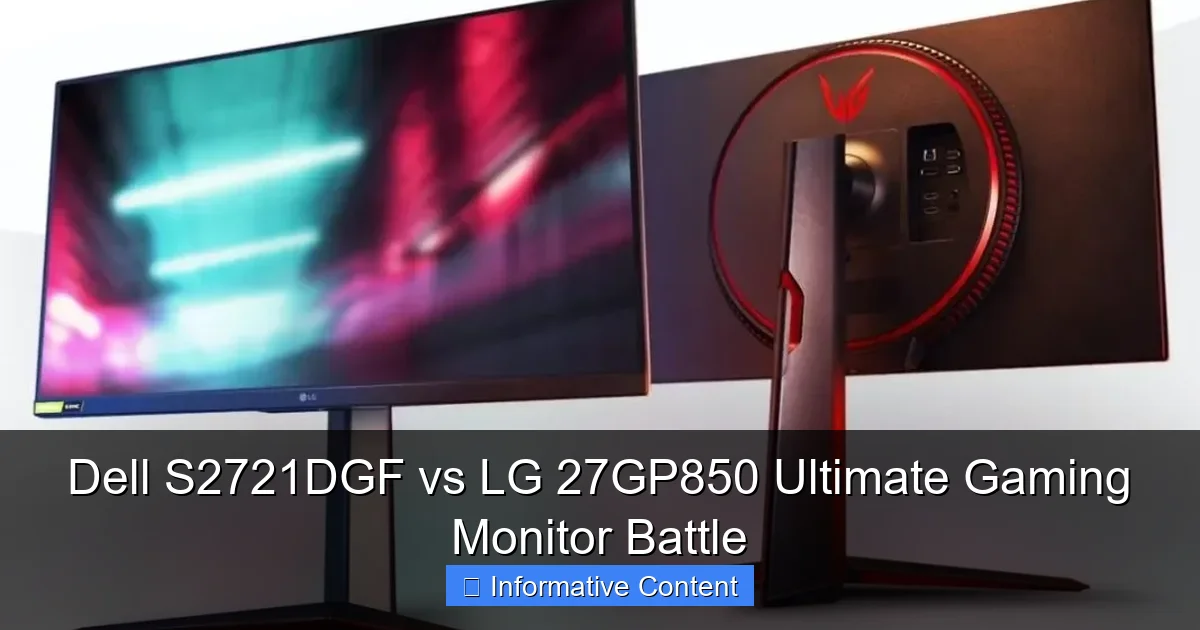
The LG 27GP850 is a direct successor to the highly acclaimed 27GL850, and it refines an already excellent formula. It bumps the refresh rate up to an overclockable 180Hz and boasts LG’s renowned Nano IPS panel technology, which delivers exceptional color vibrancy. Like the Dell, it supports FreeSync Premium Pro and is G-Sync Compatible, ensuring smooth gameplay. LG’s panel technology is often at the forefront of fast IPS displays, giving the LG 27GP850 a slight edge for those who prioritize every millisecond of speed.
Panel Performance and Picture Quality
When you’re staring at a screen for hours, whether gaming, working, or browsing, picture quality matters. Both monitors utilize IPS (In-Plane Switching) panels, which are known for their excellent color accuracy and wide viewing angles compared to VA or TN panels. However, there are subtle differences to consider when looking at the Dell S2721DGF vs LG 27GP850.
Visual guide about Dell S2721DGF vs LG 27GP850 Ultimate Gaming Monitor Battle
Image source: i0.wp.com
Resolution and Screen Size
Both monitors are 27-inch displays with a QHD (2560×1440) resolution. This resolution on a 27-inch screen provides a pixel density of approximately 108 pixels per inch (PPI), which results in very sharp images and text. Icons are appropriately sized, and you get plenty of screen real estate for multitasking or immersive gaming. Neither monitor has an advantage here, as they offer the same fundamental viewing experience in terms of clarity and size.
Color Accuracy and Gamut
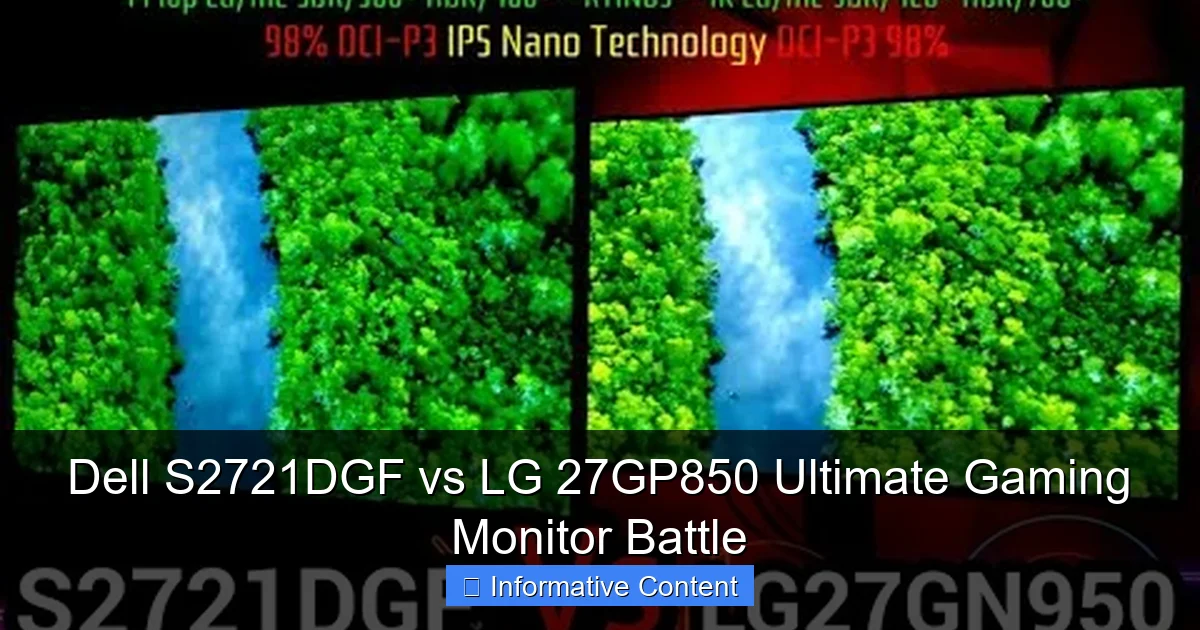
This is an area where the LG 27GP850 often pulls ahead, thanks to its Nano IPS technology. The LG monitor typically offers a wider color gamut, often covering over 98% of the DCI-P3 color space, which translates to richer, more vibrant, and more accurate colors, especially when displaying HDR content or media that uses this wider color space. The Dell S2721DGF is no slouch, usually covering around 90-95% DCI-P3, which is still excellent for gaming and general use, but it might appear slightly less vibrant side-by-side with the LG. For creative professionals or those who prioritize stunning visuals above all else, the LG 27GP850 might be the more appealing option in the Dell S2721DGF vs LG 27GP850 comparison.
- Tip: If color accuracy is paramount for you (e.g., photo editing, graphic design), consider that the LG might offer better out-of-the-box calibration and a wider gamut. However, for most gamers, both provide an excellent visual experience.
Brightness and HDR
Both the Dell S2721DGF and LG 27GP850 are rated for VESA DisplayHDR 400. While this certification means they can reach a peak brightness of 400 nits, it’s considered the entry-level for HDR. Neither monitor will deliver a truly impactful HDR experience with deep contrast and bright highlights like higher-tier DisplayHDR 600 or 1000 monitors. They simply lack the local dimming zones and peak brightness required. For standard SDR content, both monitors offer sufficient brightness for most indoor environments. In practical terms, don’t buy either of these monitors expecting mind-blowing HDR. They’re primarily SDR monitors with a basic HDR capability.
Gaming Performance: Speed and Responsiveness
This is where the rubber meets the road for any gaming monitor. How fast is it? How smooth is the gameplay? Both the Dell S2721DGF and LG 27GP850 are designed with competitive gaming in mind, offering high refresh rates and low response times. This is the core of the Dell S2721DGF vs LG 27GP850 debate for many.
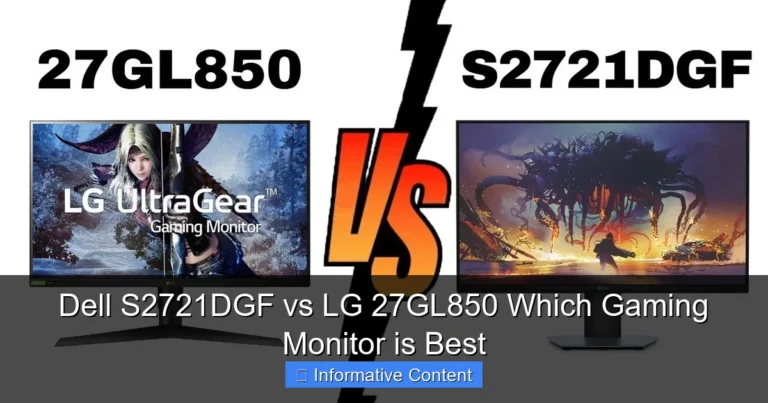
Visual guide about Dell S2721DGF vs LG 27GP850 Ultimate Gaming Monitor Battle
Image source: fwtd.cn
Refresh Rate
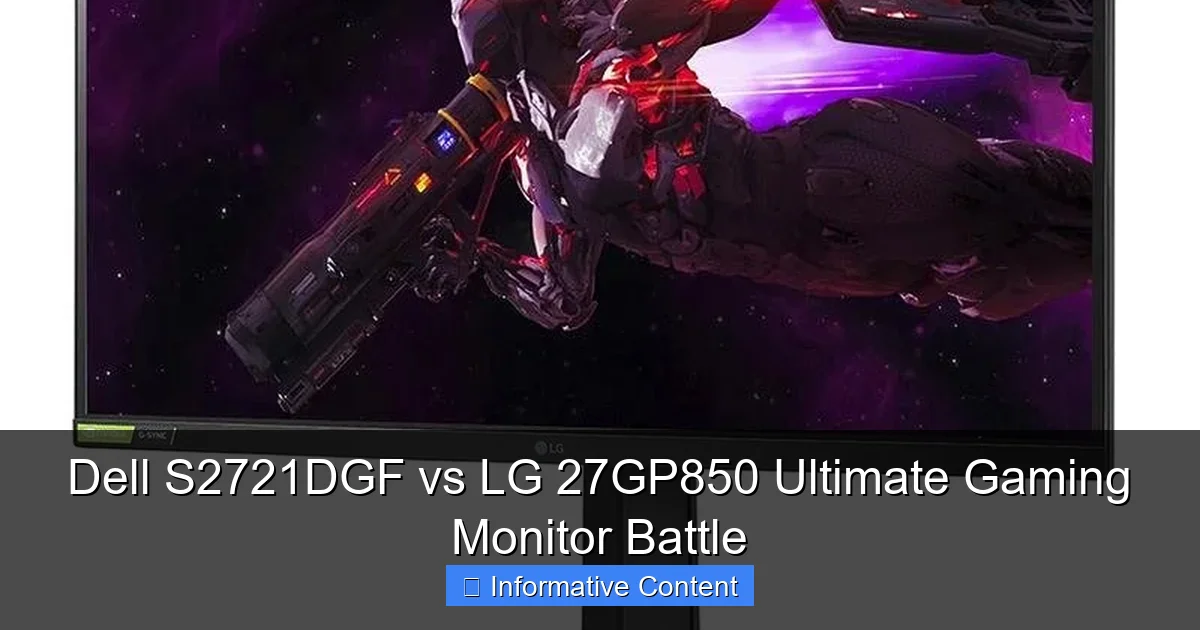
The Dell S2721DGF boasts a native 165Hz refresh rate, which is incredibly smooth and a massive upgrade over standard 60Hz or 75Hz displays. Movements on screen appear fluid, and aiming in fast-paced shooters feels far more responsive. The LG 27GP850 takes a slight lead here with a native 165Hz refresh rate that can be overclocked to 180Hz via DisplayPort. While 15Hz might not seem like a huge difference, for the most competitive players, every frame counts. Most users, however, will find the jump from 165Hz to 180Hz subtle and not a make-or-break feature.
Response Time and Ghosting
Both monitors claim a 1ms GtG response time, a common marketing metric for gaming monitors. In reality, achieving a true 1ms GtG without significant overshoot (inverse ghosting) can be challenging.
The LG 27GP850, leveraging its Nano IPS panel, is often considered one of the fastest IPS panels on the market, consistently delivering excellent response times across its refresh rate range with minimal ghosting or overshoot when properly configured (usually on its ‘Fast’ or ‘Faster’ overdrive settings).
The Dell S2721DGF also performs exceptionally well, delivering very low response times at its optimal overdrive setting (‘Fast’ or ‘Extreme’). Some reviews suggest the LG might have a very slight edge in raw pixel transition speed, particularly at its highest refresh rates, but both are incredibly snappy and suitable for high-level competitive play. You’d be hard-pressed to notice a difference without specialized equipment or very sensitive eyes.
- Practical Example: In a fast-paced game like Valorant or Apex Legends, both monitors will feel incredibly responsive. You’ll track targets with ease, and input lag will be virtually imperceptible. For everyday gaming, either is a fantastic choice.
Adaptive Sync Technology
Excellent news on this front! Both the Dell S2721DGF and LG 27GP850 support AMD FreeSync Premium Pro and are officially NVIDIA G-Sync Compatible. This means that regardless of whether you have an AMD Radeon or NVIDIA GeForce graphics card, you can enjoy tear-free and stutter-free gaming by synchronizing the monitor’s refresh rate with your GPU’s frame rate. This is a crucial feature for any modern gaming monitor, ensuring the smoothest possible experience, especially when your frame rate fluctuates.
Input Lag
Another critical metric for gamers is input lag – the delay between your action (like a mouse click) and that action being reflected on screen. Both monitors exhibit extremely low input lag, typical of modern high-refresh-rate gaming displays. You won’t feel any noticeable delay that would hinder your performance in competitive titles. Both are top-tier in this regard, ensuring that your reflexes are the only bottleneck.
Ergonomics, Design, and Build Quality
Beyond raw performance, how a monitor looks, feels, and adjusts can significantly impact your user experience. This is an area where the Dell S2721DGF vs LG 27GP850 comparison offers some distinct differences.
Visual guide about Dell S2721DGF vs LG 27GP850 Ultimate Gaming Monitor Battle
Image source: i.ytimg.com
Stand and Adjustability
Dell is renowned for its excellent monitor stands, and the S2721DGF is no exception. It offers a full range of ergonomic adjustments:
- Height adjustment
- Tilt (-5° to 21°)
- Swivel (-30° to 30°)
- Pivot (90° for portrait mode)
This allows you to position the screen perfectly for your comfort, reducing strain during long gaming sessions. The stand is also very sturdy, with minimal wobble.
The LG 27GP850’s stand is also good, offering:
- Height adjustment (110mm)
- Tilt (-5° to 15°)
- Pivot (90° for portrait mode)
However, it lacks swivel adjustment, which means you have to move the entire base if you want to turn the screen. While not a deal-breaker for everyone, Dell’s stand is generally considered superior in terms of flexibility and robust feel. Both monitors are VESA mount compatible, so if you plan to use a monitor arm, this point becomes moot.
Aesthetics and Build
Both monitors feature a minimalist, gamer-friendly aesthetic. The LG 27GP850 boasts thinner bezels on three sides, giving it a slightly more modern and immersive look, especially in multi-monitor setups. The Dell S2721DGF also has slim bezels but not quite as aggressive as the LG. Build quality for both is solid, utilizing good plastics and sturdy construction. Dell often has a more understated, professional look, while LG incorporates a touch of red accent on its stand, typical of their “UltraGear” gaming line.
Connectivity and Additional Features
What ports do they offer, and are there any extra bells and whistles that enhance the experience?
Ports and Connectivity
Both the Dell S2721DGF and LG 27GP850 offer a good selection of modern ports:
- Dell S2721DGF: 2x HDMI 2.0, 1x DisplayPort 1.4, 4x USB 3.0 (1 upstream, 3 downstream, with 1 BC 1.2 for charging), 1x Audio Line-out.
- LG 27GP850: 2x HDMI 2.0, 1x DisplayPort 1.4, 3x USB 3.0 (1 upstream, 2 downstream), 1x Headphone out.
The Dell generally provides more USB downstream ports, which can be handy for connecting peripherals directly to your monitor, effectively turning it into a mini-USB hub. Neither monitor includes built-in speakers, which is common for gaming monitors, as most serious gamers use headphones or external speakers.
On-Screen Display (OSD) and Software
LG monitors are famous for their intuitive OSD joystick, which makes navigating menus and adjusting settings incredibly easy and fast. It’s a joy to use. The Dell S2721DGF uses traditional physical buttons, which are functional but generally less fluid to operate than LG’s joystick. Both monitors offer a wide range of settings, including gaming-specific features like crosshairs, black equalizer (to brighten dark areas), and various picture modes. LG also provides “OnScreen Control” software for PC, allowing you to adjust settings directly from your desktop, which can be very convenient.
Price, Value, and Warranty
Ultimately, your budget plays a significant role in your decision. The Dell S2721DGF vs LG 27GP850 battle often comes down to value for money.
Pricing
Historically, the Dell S2721DGF has often been available at a more competitive price point, especially during sales events. It consistently provides exceptional performance that punches well above its price tag. The LG 27GP850, while still competitively priced for its features, typically sits at a slightly higher premium due to its slightly faster panel and Nano IPS technology. Prices fluctuate constantly, so always check current deals.
Warranty and Support
Dell is well-regarded for its customer service and warranty policies, often offering a 3-year advanced exchange service where they send you a replacement monitor before you have to send yours back. LG also provides a solid warranty, typically 1 year for parts and labor, which is standard. Dell’s warranty can be a comforting factor for some buyers, especially considering monitors are a long-term investment.
Who is Each Monitor For?
Choose the Dell S2721DGF if:
- You want the absolute best value for money in a 1440p high-refresh-rate monitor.
- You appreciate a highly ergonomic and robust stand with full adjustability.
- You need more USB ports for peripherals.
- You’re happy with a 165Hz refresh rate and excellent response times without needing the absolute fastest panel.
- You value Dell’s strong warranty and customer support.
Choose the LG 27GP850 if:
- You prioritize every possible millisecond of speed and a slightly higher overclockable refresh rate (180Hz).
- You desire a wider color gamut and slightly more vibrant colors, making it better for color-sensitive work or visually stunning games.
- You prefer the intuitive OSD joystick navigation.
- You appreciate a sleek design with slightly thinner bezels.
- You don’t mind spending a little extra for what is often considered a reference-class fast IPS panel.
Conclusion: The Ultimate Gaming Monitor Battle Decided?
So, who wins the ultimate gaming monitor battle between the Dell S2721DGF vs LG 27GP850? The truth is, there’s no single “winner” for everyone. Both of these monitors are phenomenal choices that represent the pinnacle of 1440p high-refresh-rate gaming. They offer an incredible experience that will satisfy the vast majority of gamers, from casual players to aspiring esports pros.
The LG 27GP850 often holds a slight edge in raw panel speed and color vibrancy, making it an excellent choice for those who demand the absolute fastest response times and the most accurate, vivid colors. If you play highly competitive games where every frame and pixel transition counts, or if you also dabble in content creation where color accuracy is important, the LG might justify its slightly higher price tag.
The Dell S2721DGF, however, stands out as an unbeatable value proposition. It delivers nearly identical performance in most real-world scenarios, with a fantastic 165Hz refresh rate, excellent response times, and a superb ergonomic stand, often at a more attractive price. For most gamers, the Dell provides an incredibly compelling package that’s hard to pass up.
Your choice ultimately boils down to your personal priorities and budget. Are you chasing that elusive extra 15Hz and a touch more color vibrancy, or do you prefer to get 95% of the performance for a potentially significantly lower cost with a more versatile stand? Whichever you choose, both the Dell S2721DGF and the LG 27GP850 will undoubtedly transform your gaming experience, providing crisp visuals and buttery-smooth motion that will make your games come alive. Happy gaming!
Frequently Asked Questions
Are these monitors good for productivity and everyday use?
Absolutely! Both the Dell S2721DGF and LG 27GP850 feature 1440p resolution on a 27-inch screen, providing excellent screen real estate and sharp text. Their IPS panels also ensure wide viewing angles and good color reproduction, making them great for general tasks, web browsing, and office work in addition to gaming.
Do these monitors come with built-in speakers?
No, neither the Dell S2721DGF nor the LG 27GP850 includes built-in speakers. This is common for high-performance gaming monitors, as serious gamers typically prefer to use headphones or dedicated external speakers for superior audio quality.
What cables are needed to achieve the maximum refresh rate?
To achieve the maximum refresh rate (165Hz for Dell, 180Hz for LG), you will need to use a DisplayPort 1.4 cable. While both monitors have HDMI 2.0 ports, HDMI 2.0 typically limits 1440p to 144Hz, although some monitors can push slightly higher. DisplayPort is the recommended connection for the full gaming experience.
Can these monitors be mounted on a monitor arm?
Yes, both the Dell S2721DGF and LG 27GP850 are VESA mount compatible, typically supporting 100x100mm standards. This means you can easily remove their default stands and mount them on a monitor arm or wall mount for greater flexibility and desk space.
How important is the slight difference in refresh rate (165Hz vs 180Hz)?
For most users, the difference between 165Hz and 180Hz is very subtle and often hard to perceive without direct side-by-side comparison or specialized tools. While competitive gamers might appreciate the marginal increase on the LG 27GP850, the Dell S2721DGF’s 165Hz is still incredibly smooth and a massive upgrade over lower refresh rates.
Is the Dell S2721DGF or LG 27GP850 better for console gaming?
Both monitors are excellent for console gaming, supporting 1440p at up to 120Hz (if the console supports it over HDMI 2.0). They provide crisp visuals and smooth performance for consoles like the PS5 and Xbox Series X. The choice between the two for console gaming would depend more on factors like stand adjustability or color preferences, as the refresh rate difference isn’t as relevant here.