Dell S2721DGF vs Acer Nitro XV272U The Ultimate Showdown
Choosing between the Dell S2721DGF and Acer Nitro XV272U is a tough call for many gamers and users seeking a high-performance 1440p monitor. While both offer impressive refresh rates, low response times, and excellent picture quality for their price point, they each have unique strengths. The Dell S2721DGF often shines with its superior HDR implementation and generally better out-of-the-box color accuracy, making it fantastic for immersive gaming and content consumption. The Acer Nitro XV272U, however, typically provides a slightly faster response time at lower refresh rates and a more feature-rich OSD, appealing to competitive players looking to squeeze every ounce of performance. Your ultimate choice depends on whether you prioritize cinematic visuals and FreeSync Premium Pro or pure competitive speed and versatile gaming features.
Dell S2721DGF vs Acer Nitro XV272U The Ultimate Showdown
Choosing a new gaming monitor can feel like navigating a minefield of specifications, marketing jargon, and passionate opinions. You’re looking for that sweet spot: a display that delivers stunning visuals, lightning-fast responsiveness, and won’t break the bank. In the highly competitive 1440p, high-refresh-rate IPS monitor segment, two contenders consistently rise to the top of almost every recommendation list: the Dell S2721DGF and the Acer Nitro XV272U. These monitors have earned their stripes by offering an incredible blend of performance and value, making them prime targets for gamers, content creators, and everyday users alike.
But which one is truly for you? Are the differences negligible, or are there specific nuances that push one ahead of the other for your particular needs? This isn’t just a simple spec sheet comparison; it’s a deep dive into the real-world performance, design philosophy, and overall user experience of each monitor. We’re going to put the Dell S2721DGF vs Acer Nitro XV272U in a head-to-head battle, dissecting every important aspect to help you make the most informed decision possible. Get ready to uncover the strengths, weaknesses, and unique personalities of these two display titans.
Let’s begin our ultimate showdown, peeling back the layers of marketing hype to reveal the true champions of the 1440p gaming monitor world. Whether you’re a hardcore esports enthusiast, a casual story-driven gamer, or someone who needs a versatile display for both work and play, understanding the intricate details of the Dell S2721DGF vs Acer Nitro XV272U is crucial.
Key Takeaways
- Panel Technology: Both monitors utilize IPS panels, ensuring wide viewing angles and good color reproduction, making them versatile for both gaming and general productivity.
- Gaming Performance: Both offer 1440p resolution, 144Hz (or higher via overclock) refresh rates, and 1ms (GtG) response times, providing smooth, responsive gameplay crucial for competitive gaming.
- Adaptive Sync: The Dell S2721DGF supports FreeSync Premium Pro, offering more advanced HDR integration, while the Acer Nitro XV272U typically supports FreeSync Premium, still excellent for tear-free gaming. Both are G-Sync Compatible.
- Image Quality: The Dell S2721DGF often boasts better out-of-the-box color accuracy and a more impactful HDR experience (despite basic HDR400 certification), making visuals pop. The Acer is good but might require calibration for optimal color.
- Ergonomics & Build: Both monitors feature highly adjustable stands, offering tilt, swivel, pivot, and height adjustments, which is excellent for comfort during long sessions. Dell’s stand design is often praised for its sleekness.
- Connectivity & Features: Both come with a good selection of ports including HDMI, DisplayPort, and a USB hub. The Acer sometimes offers more aggressive OSD gaming features like Black Boost or crosshairs, which competitive players might appreciate.
- Value Proposition: Pricing for both fluctuates, but they consistently represent excellent value in the 1440p high-refresh-rate IPS segment. Your preference will hinge on subtle differences in picture tuning and specific gaming features.
Quick Answers to Common Questions
Can the Dell S2721DGF and Acer Nitro XV272U run at 1440p and 144Hz simultaneously?
Yes, both monitors are designed to run at their native 2560×1440 resolution at 144Hz (or higher, up to 165Hz for Dell, 170Hz for Acer) when connected via DisplayPort 1.4.
Are these monitors G-Sync Compatible?
Yes, both the Dell S2721DGF and the Acer Nitro XV272U are officially certified as G-Sync Compatible by NVIDIA, meaning they work seamlessly with NVIDIA graphics cards to provide a tear-free experience.
Which monitor has better HDR?
While both are VESA DisplayHDR 400 certified, the Dell S2721DGF generally offers a more impactful and refined HDR experience in real-world use compared to the Acer Nitro XV272U, making it a better choice if HDR is a consideration.
Do these monitors have built-in speakers?
No, neither the Dell S2721DGF nor the Acer Nitro XV272U typically includes built-in speakers. You will need external speakers or headphones for audio.
Are both monitors suitable for professional photo or video editing?
Yes, thanks to their IPS panels and strong sRGB coverage, both monitors are capable of casual to semi-professional photo and video editing. However, the Dell S2721DGF often has better out-of-the-box color accuracy, making it slightly more suitable without additional calibration.
📑 Table of Contents
The Contenders at a Glance: First Impressions and Core Specs
Before we dive into the nitty-gritty, let’s establish a foundational understanding of what these monitors bring to the table. Both the Dell S2721DGF and Acer Nitro XV272U target a very similar audience, offering a fantastic combination of resolution, refresh rate, and panel technology. They are both 27-inch QHD (2560×1440) IPS panels, boasting high refresh rates and low response times, making them ideal for modern gaming.
Initial Impressions: Design and Build Philosophy
When you first unbox a monitor, its physical appearance and how well it’s built speak volumes. Dell typically opts for a more understated, professional aesthetic, and the S2721DGF is no exception. It features a sleek, minimalist design with thin bezels on three sides, a dark gray finish, and a sturdy, easy-to-assemble stand. The design is elegant enough for an office setting but still feels premium for a gaming setup. It truly blends in without drawing too much attention, letting the screen be the star.
The Acer Nitro XV272U, on the other hand, often sports a slightly more “gamer-y” aesthetic, though it’s still relatively subdued compared to some of Acer’s more aggressive Predator lines. It usually features a black chassis with red accents, particularly on the stand or the OSD joystick. The bezels are similarly thin. While both monitors feel well-built and sturdy, the Dell often has a slight edge in perceived premium build quality and its more universally appealing, cleaner design. For many, the Dell’s more refined look is a major plus, especially if the monitor needs to double as a productivity display.
Key Specifications Overview
Let’s quickly lay out the core specs that make both of these monitors so appealing:
- Resolution: 2560×1440 (QHD/1440p)
- Panel Type: IPS (In-Plane Switching)
- Screen Size: 27 inches
- Refresh Rate: Dell S2721DGF: 165Hz (DisplayPort), Acer Nitro XV272U: 144Hz (170Hz overclock via DP)
- Response Time: 1ms GtG (Grey-to-Grey) for both
- Adaptive Sync: Dell: FreeSync Premium Pro, Acer: FreeSync Premium (Both G-Sync Compatible)
- HDR Support: VESA DisplayHDR 400 for both
As you can see, on paper, they are incredibly similar. The differences lie in the implementation and fine-tuning, which is what we’ll explore next when comparing the Dell S2721DGF vs Acer Nitro XV272U.
Picture Perfect? Image Quality and Panel Performance
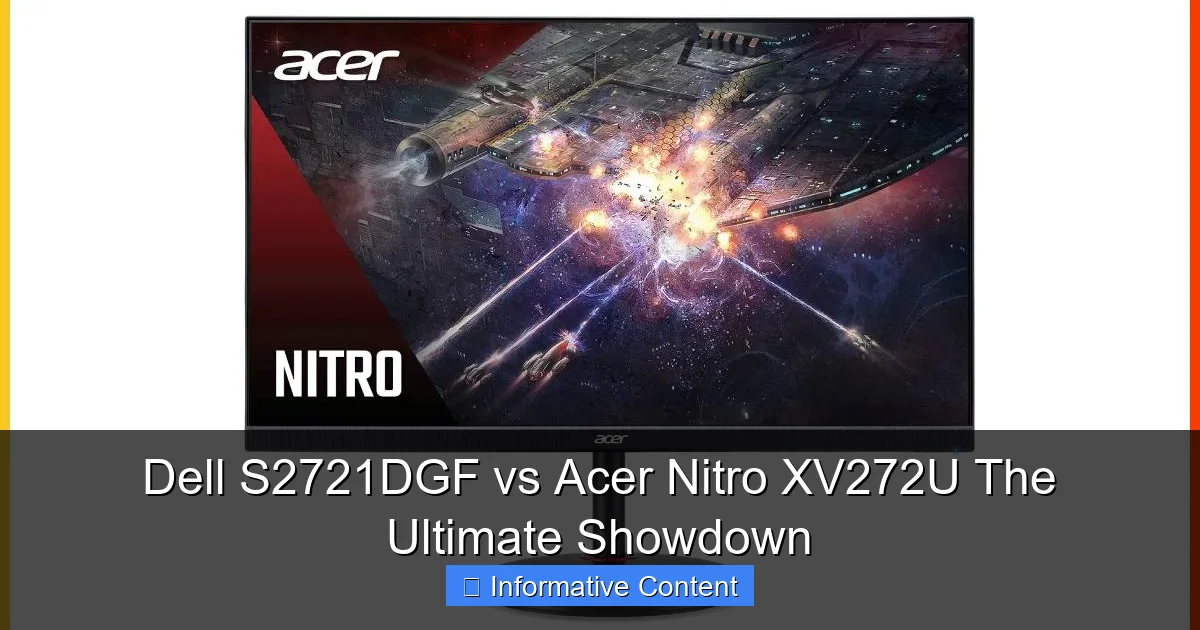
Visual guide about Dell S2721DGF vs Acer Nitro XV272U The Ultimate Showdown
Image source: displayninja.com
A monitor’s primary job is to display images, and how well it does that is paramount. Both the Dell S2721DGF and Acer Nitro XV272U use IPS panels, which are celebrated for their excellent color accuracy and wide viewing angles. However, not all IPS panels are created equal, and the tuning can make a significant difference.
Color Accuracy and Gamut Coverage
When it comes to colors, both monitors offer broad coverage of the sRGB color space, typically around 95-99%. This means they can display a vast array of colors accurately for general use and gaming. However, where they can differ is in their out-of-the-box calibration and DCI-P3 coverage, which is important for HDR content and a wider color palette.
The Dell S2721DGF is frequently lauded for its superb factory calibration. Many reviews praise its out-of-the-box color accuracy, meaning you can often plug it in and enjoy vibrant, true-to-life colors without needing to tweak settings or use a calibration device. It also typically offers good DCI-P3 coverage, around 90-95%, which makes HDR content look more impactful. This is a huge win for the Dell, as good factory calibration saves time and ensures a great visual experience from day one.
The Acer Nitro XV272U also delivers good color accuracy, but it sometimes requires a bit more calibration to reach its full potential. While its sRGB coverage is excellent, its DCI-P3 might be slightly less than the Dell’s, or it might require more adjustment to achieve optimal results. For the average user, both are more than adequate, but for those who value color precision or watch a lot of HDR content, the Dell might have a slight edge in its default state.
Contrast and Black Levels
IPS panels are known for many things, but deep, inky blacks and high contrast ratios are generally not among them, especially when compared to VA panels. Both the Dell S2721DGF and Acer Nitro XV272U typically feature a native contrast ratio of around 1000:1 to 1200:1. This is standard for IPS and means blacks will appear more like dark gray in a dimly lit room compared to a VA panel.
Neither monitor is a standout performer in this specific area, but they are perfectly acceptable for most gaming and daily use. If you game predominantly in a dark room and deep blacks are critical to your immersion, you might consider a VA panel, but you’d sacrifice viewing angles and potentially some response time. Between these two, there isn’t a significant difference in native contrast.
Brightness and HDR Capability
Both monitors carry a VESA DisplayHDR 400 certification. While this certification signifies a peak brightness of 400 nits, it’s considered the entry-level for HDR and doesn’t offer the truly transformative HDR experience of higher-tier certifications like HDR 600 or 1000, which include local dimming.
That being said, within the limitations of HDR400, the Dell S2721DGF often manages to impress more than the Acer Nitro XV272U. Users and reviewers frequently note that the Dell’s HDR implementation, while basic, makes a noticeable positive difference in games and movies. It seems Dell’s internal processing or tuning allows for more effective use of the available brightness and color range to enhance the HDR effect. The Acer’s HDR, while present, often feels less impactful or can even lead to washed-out images in certain scenarios. If HDR is even a minor consideration, the Dell seems to handle it more gracefully in this Dell S2721DGF vs Acer Nitro XV272U contest.
Viewing Angles
Thanks to their IPS panel technology, both monitors offer excellent wide viewing angles. This means that colors remain consistent and there’s minimal shift in brightness or contrast even when viewed from extreme angles. This is a significant advantage over TN panels and generally better than VA panels (especially for vertical angles). Whether you’re sharing your screen with a friend or simply shifting positions in your chair, the image quality remains largely intact on both the Dell S2721DGF and the Acer Nitro XV272U.
Game On! Gaming Performance
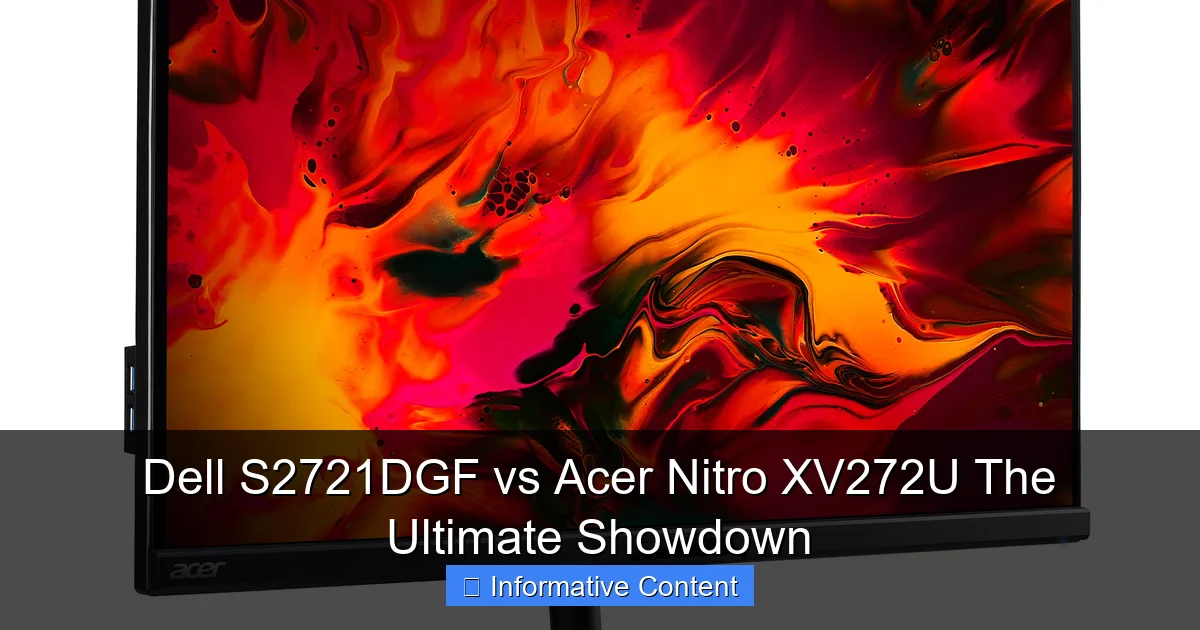
Visual guide about Dell S2721DGF vs Acer Nitro XV272U The Ultimate Showdown
Image source: i.pcmag.com
This is where the rubber meets the road for many buyers. Both monitors are heralded as excellent gaming displays, but how do they stack up in the fine details of responsiveness, adaptive sync, and gaming-specific features?
Refresh Rate and Response Time
The Dell S2721DGF boasts a native refresh rate of 165Hz via DisplayPort, while the Acer Nitro XV272U typically offers 144Hz with an overclockable option to 170Hz (also via DisplayPort). The difference between 144Hz, 165Hz, and 170Hz is often imperceptible to the human eye for most users, especially if you’re coming from a 60Hz or 75Hz monitor. What’s more important is maintaining a consistent frame rate close to that refresh cap.
Both monitors claim a 1ms Grey-to-Grey (GtG) response time, which is critical for minimizing motion blur and ghosting in fast-paced games. In practice, both perform exceptionally well. They manage to deliver very clean motion with minimal ghosting across their refresh rate ranges. Some professional reviews suggest that the Acer Nitro XV272U might have a slight edge in response time at lower refresh rates or with specific overdrive settings, exhibiting marginally less overshoot (inverse ghosting). However, this difference is often so minor that it’s unlikely to be noticeable in real-world gaming unless you’re an esports pro meticulously analyzing every frame. Both the Dell S2721DGF vs Acer Nitro XV272U are stellar in this regard.
Adaptive Sync Technologies: FreeSync Premium Pro vs. FreeSync Premium
Adaptive Sync is a game-changer for smooth, tear-free gaming. Both monitors are compatible with AMD FreeSync and are officially certified as NVIDIA G-Sync Compatible, meaning they’ll work well with both AMD and NVIDIA graphics cards to eliminate screen tearing and stuttering.
The Dell S2721DGF comes with FreeSync Premium Pro, while the Acer Nitro XV272U typically offers FreeSync Premium. What’s the difference? FreeSync Premium ensures a minimum refresh rate of 120Hz at 1080p and low framerate compensation (LFC), which helps keep gameplay smooth even if your frame rate drops below the monitor’s minimum FreeSync range. FreeSync Premium Pro adds support for HDR content and a wider color gamut without introducing the input lag that often comes with traditional HDR processing.
In practical terms, the “Pro” designation on the Dell means it’s better equipped to handle HDR content with FreeSync active, aiming for a more seamless and high-quality HDR gaming experience. Given the Dell’s generally better HDR implementation, this pairing makes sense. While the Acer’s FreeSync Premium is excellent for SDR gaming, the Dell provides a slight advantage if you plan to game with HDR enabled frequently.
Input Lag
Input lag refers to the delay between when you perform an action (like clicking a mouse) and when that action is displayed on the screen. Both the Dell S2721DGF and Acer Nitro XV272U excel here, exhibiting extremely low input lag. This is vital for competitive gamers where every millisecond counts. You won’t feel any noticeable delay from either monitor, ensuring your inputs translate to on-screen actions almost instantly. This is a common strength among high-refresh-rate IPS monitors.
OSD Gaming Features
Modern gaming monitors often include specialized features accessible through their On-Screen Display (OSD).
The Dell S2721DGF offers a clean, user-friendly OSD with standard gaming enhancements like various preset modes (FPS, RTS, RPG), a dark stabilizer (to brighten dark areas), and a refresh rate counter. It’s functional and straightforward.
The Acer Nitro XV272U, however, often provides a more aggressive suite of gaming-centric features. This can include multiple crosshair overlays, a “Black Boost” feature that brightens dark scenes more intensely than Dell’s dark stabilizer, and various response time overdrive settings that competitive players might fine-tune. While some of these features can be considered “cheats” by purists, they are certainly present and might appeal to a specific subset of the gaming community. If you love tinkering with OSD settings for a competitive edge, the Acer might offer more granular control.
Ergonomics, Connectivity, and User Experience

Visual guide about Dell S2721DGF vs Acer Nitro XV272U The Ultimate Showdown
Image source: images.versus.io
Beyond raw performance, a monitor’s usability, comfort, and connectivity options play a huge role in the overall experience.
Stand Adjustability
Both the Dell S2721DGF and Acer Nitro XV272U come with highly ergonomic stands, which is fantastic for comfort during long gaming or work sessions. Both stands offer:
- Height adjustment: Allowing you to position the screen at eye level.
- Tilt: Adjusting the vertical angle of the screen.
- Swivel: Rotating the screen horizontally on its base.
- Pivot: Rotating the screen 90 degrees for portrait mode (useful for coding or long documents).
Dell’s stand is often praised for its sleek, compact design and ease of adjustment, often requiring minimal force. Acer’s stand is also highly functional, though its aesthetic might be slightly bulkier. Both also support VESA mounting, so you can attach them to a monitor arm if you prefer. This ensures you can customize your setup for optimal viewing comfort, a critical factor often overlooked in raw performance comparisons.
Port Selection
A good selection of ports is essential for connecting your PC, consoles, and other peripherals. Both monitors offer a solid array:
- Dell S2721DGF: Typically includes 2x HDMI 2.0, 1x DisplayPort 1.4, 4x USB 3.0 downstream ports (with 1 upstream), and a headphone jack.
- Acer Nitro XV272U: Usually features 2x HDMI 2.0, 1x DisplayPort 1.4, 4x USB 3.0 downstream (with 1 upstream), and a headphone jack.
The port selection is virtually identical and highly practical on both. The USB hub is particularly useful for connecting peripherals like a keyboard, mouse, or webcam directly to your monitor, helping to manage cable clutter on your desk. For console gamers, having two HDMI ports is a definite plus.
OSD Navigation and Software
Navigating the On-Screen Display (OSD) can be a chore on some monitors, but both Dell and Acer generally do a good job. Dell typically uses a joystick and a few buttons, offering an intuitive and clean interface. Acer also predominantly uses a joystick for OSD navigation, which is often preferred by users over multiple individual buttons. Both interfaces are logically laid out and allow for quick adjustments. Neither monitor typically comes with dedicated desktop software for OSD control, relying solely on the physical controls, which is standard for gaming monitors in this class.
Aesthetics and Build Quality
As mentioned, Dell leans towards a more professional, understated look. Its build quality feels robust and premium, reflecting Dell’s long-standing reputation for reliable hardware. The Acer has a slightly more aggressive “gamer” aesthetic but still feels well-constructed. Both use good quality plastics and metal in their stands, ensuring durability. The choice here comes down purely to aesthetic preference: professional elegance from Dell or subtle gamer flair from Acer.
Value Proposition and Who Wins Where?
When pitting the Dell S2721DGF vs Acer Nitro XV272U, value is often the deciding factor. Both monitors frequently go on sale, so pricing can fluctuate. Generally, they hover in a similar price bracket, making the choice about features and performance nuances rather than a significant cost difference.
Price Point and Warranty
Both monitors are competitively priced for what they offer, usually landing in the mid-range for 1440p high-refresh-rate IPS displays. It’s always wise to check current pricing from multiple retailers. Warranties are also typically similar, with both brands offering standard limited warranties (e.g., 3 years). Dell’s customer service and warranty process are often highly regarded, which can be a small but significant factor for some buyers.
Dell S2721DGF Strengths
- Superior Out-of-the-Box Color Accuracy: Often requires less or no calibration.
- Better HDR Implementation: Even with HDR400, it tends to deliver a more impactful HDR experience.
- FreeSync Premium Pro: Better integration of HDR with adaptive sync.
- Sleek, Professional Design: Blends into any environment gracefully.
- Reliable Brand Reputation: Dell is known for good support.
Acer Nitro XV272U Strengths
- Slightly Faster Response Time (in some scenarios): Marginally less overshoot at certain overdrive settings/refresh rates.
- Higher Overclockable Refresh Rate: 170Hz vs. Dell’s 165Hz (though largely imperceptible).
- More Aggressive Gaming OSD Features: Black Boost, multiple crosshairs.
- Often Available at a Slightly Lower Price: Sometimes, it can be found for a bit less, offering excellent bang for buck.
Best for Gamers: Who Wins?
* For the Cinematic Gamer (Dell S2721DGF): If you play a lot of visually rich, single-player games where immersion, color accuracy, and HDR are important, the Dell S2721DGF might be your champion. Its better out-of-the-box colors and more refined HDR performance will make those worlds pop. The Dell S2721DGF vs Acer Nitro XV272U battle for immersion leans towards Dell.
* For the Competitive Esports Gamer (Acer Nitro XV272U): If you’re primarily playing fast-paced competitive shooters and value every millisecond of response time, alongside aggressive OSD features, the Acer Nitro XV272U could be your slight preference. While the difference is small, its tuning at lower refresh rates and OSD tools might give you that psychological edge.
Best for General Use/Productivity
Both monitors are excellent for general use, thanks to their 1440p resolution offering ample screen real estate and their IPS panels providing wide viewing angles and good color accuracy. For productivity, the ergonomic stands are a huge plus on both. The Dell S2721DGF’s more neutral, professional aesthetic might make it a better fit for a home office setup that doubles as a gaming station, without screaming “gamer.” Its strong out-of-the-box color accuracy also makes it a solid choice for casual photo editing or content creation.
Conclusion
So, who wins the ultimate showdown between the Dell S2721DGF vs Acer Nitro XV272U? The honest answer is: it’s incredibly close, and there’s no single “winner” for everyone. Both are phenomenal 1440p high-refresh-rate IPS gaming monitors that represent outstanding value. They deliver buttery-smooth gameplay, vibrant colors, and excellent ergonomics, making them two of the best choices in their category.
If your priority is a monitor with fantastic out-of-the-box color accuracy, a more effective (for HDR400) HDR experience, FreeSync Premium Pro, and a sleek, understated design that looks great in any setting, then the Dell S2721DGF edges out slightly. It’s the monitor that often just works beautifully right out of the box, making it a stellar all-rounder.
However, if you’re a competitive gamer who prioritizes the absolute fastest response times (even if marginally), wants a slightly higher overclockable refresh rate, and appreciates more aggressive OSD gaming features, the Acer Nitro XV272U is an equally compelling choice. Its performance is top-tier, and its features cater more directly to the esports crowd.
Ultimately, you can’t go wrong with either of these monitors. The differences between the Dell S2721DGF vs Acer Nitro XV272U are often subtle and come down to personal preference for aesthetics, specific feature sets, and a slight edge in color tuning or HDR implementation. Whichever you choose, you’ll be getting a superb display that will elevate your gaming and computing experience significantly. Happy gaming!
Frequently Asked Questions
What is the main difference between FreeSync Premium and FreeSync Premium Pro?
FreeSync Premium ensures a minimum refresh rate of 120Hz at 1080p and includes Low Framerate Compensation (LFC). FreeSync Premium Pro builds on this by adding support for HDR content and a wider color gamut, ensuring a high-quality HDR gaming experience without the increased input lag sometimes associated with standard HDR processing.
Do I need to calibrate these monitors out of the box?
While both monitors are generally good, the Dell S2721DGF often boasts excellent out-of-the-box color accuracy, meaning you might not need to calibrate it. The Acer Nitro XV272U might benefit from some calibration to achieve optimal color precision, especially for critical work.
How important is the 1ms GtG response time for gaming?
A 1ms GtG (Grey-to-Grey) response time is highly important for competitive gaming as it significantly reduces motion blur and ghosting in fast-paced scenes. Both the Dell S2721DGF and Acer Nitro XV272U deliver excellent response times, ensuring a very clear and fluid visual experience.
Can I use these monitors with a console like the PS5 or Xbox Series X?
Yes, both monitors are excellent choices for modern consoles. They can display 1440p at 120Hz (if the console and game support it) and support variable refresh rates (VRR) for a smoother console gaming experience.
Is a 27-inch 1440p monitor the “sweet spot” for gaming?
Many consider 27 inches at 1440p (QHD) to be the current sweet spot for gaming. It offers a great balance between sharpness and performance, providing a noticeable upgrade from 1080p without being as demanding on your graphics card as 4K, allowing for higher frame rates.
Are there any major drawbacks to using an IPS panel for gaming?
The main drawback of IPS panels for gaming, compared to VA panels, is typically their lower contrast ratio, meaning blacks might appear more grayish. However, IPS panels offer superior color accuracy, wider viewing angles, and generally faster response times, making them excellent for gaming despite this minor trade-off.