75Hz vs 240Hz Monitor – Is the Upgrade Worth It
Deciding between a 75Hz vs 240Hz monitor hinges on your primary use. While a 75Hz monitor offers a smooth, enjoyable experience for casual computing and even light gaming, a 240Hz display provides an undeniably superior, ultra-fluid visual experience crucial for competitive gamers. The upgrade’s worth depends heavily on your budget, PC hardware, and how much you value absolute responsiveness and smoothness in fast-paced scenarios.
Hey there, tech enthusiast! Have you ever found yourself scrolling through monitor specs, eyes glazing over at numbers like “75Hz” and “240Hz,” wondering what they really mean for your day-to-day use or, more importantly, your gaming prowess? You’re not alone. The world of monitors can be a confusing place, especially when trying to figure out if shelling out extra cash for a higher refresh rate is genuinely worth it.
Today, we’re diving deep into the great debate: 75Hz vs 240Hz monitor. We’ll break down the technical jargon, explore the real-world impact, and help you decide if that significant leap in refresh rate is the game-changer you need, or if your current setup is perfectly fine. Is the upgrade really worth the investment, or is it just another marketing ploy to lighten your wallet? Let’s find out!
Understanding Refresh Rates: What Are Hz?
Before we pit these two refresh rates against each other, let’s quickly clarify what “Hz” actually means in the context of monitors. Hz, short for Hertz, simply measures how many times per second your monitor can draw a new image on the screen. Think of it like a flipbook: the more pages you flip per second, the smoother the animation appears.
A 75Hz monitor, therefore, redraws the screen 75 times every second. This means it can display up to 75 unique frames per second (FPS). In contrast, a 240Hz monitor is a true speed demon, capable of redrawing the screen a whopping 240 times per second, allowing it to display up to 240 FPS. The difference isn’t just a number; it fundamentally changes how smooth and responsive your visual experience feels.
The Core Difference: Smoothness and Responsiveness
The most immediate and impactful difference when comparing a 75Hz vs 240Hz monitor is the sheer smoothness of motion.
The Smoothness Factor
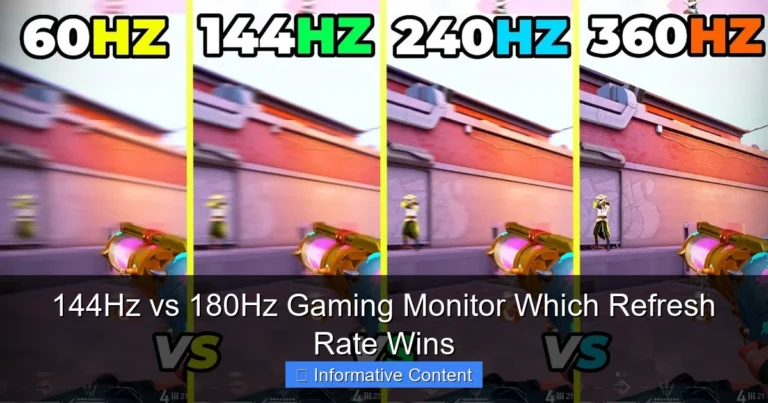
Imagine moving your mouse cursor across the desktop. On a 75Hz monitor, it will look smooth enough for most people, but on a 240Hz monitor, it feels almost like it’s gliding effortlessly. This is because the monitor is showing you many more “in-between” frames, creating a more continuous visual flow. In gaming, this translates to incredibly fluid gameplay where character movements, camera pans, and projectile trajectories appear much clearer and less stuttery. You’ll notice less motion blur, making it easier to track fast-moving objects on screen.
Reduced Input Lag
Another crucial aspect is responsiveness, often related to input lag. While refresh rate isn’t the *only* factor in input lag (monitor response time, your mouse, keyboard, and even network ping all play a role), a higher refresh rate inherently contributes to lower display latency. Because the monitor updates the image more frequently, the time between your mouse click (or key press) and that action appearing on screen is reduced. This might sound like milliseconds, but in competitive environments, milliseconds can be the difference between a win and a loss. The upgrade from a 75Hz to a 240Hz monitor delivers a noticeable improvement here.
Gaming Performance: Where 240Hz Shines Brightest
This is where the 75Hz vs 240Hz monitor debate gets really interesting. For many, gaming is the primary reason to even consider a high refresh rate display.
Competitive Edge in FPS Games
If you’re into competitive first-person shooters like CS:GO, Valorant, Apex Legends, or Call of Duty, a 240Hz monitor is arguably one of the most impactful upgrades you can make. The ability to see enemies or react to situations a fraction of a second sooner, with less motion blur, can significantly improve your performance. You’ll track targets more easily, snap to heads with greater precision, and generally feel more “connected” to the game. When everyone else is playing on 60Hz or 144Hz, a 240Hz display can give you that marginal but crucial edge.
Clarity in Fast-Paced Action
It’s not just about competitive advantage. Even in fast-paced single-player games or other genres like racing simulators, the visual clarity offered by 240Hz is breathtaking. Think about driving a high-speed car in a racing game; the scenery will fly by with incredible fluidity and less smearing. Explosions, particle effects, and rapid camera movements will all appear crisper. This enhanced clarity makes for a more immersive and enjoyable experience, reducing eye strain from trying to follow blurry motion.
Games That Benefit Less
However, not all games benefit equally. If you primarily play slower-paced, graphically intensive titles like Cyberpunk 2077, Starfield, or Baldur’s Gate 3, where reaching 240 FPS might be impossible even with a top-tier GPU, the benefits of a 240Hz monitor diminish. For these games, a high-resolution 75Hz or 144Hz monitor might offer a better balance of visual fidelity and fluidity, especially if your GPU can only push, say, 60-100 FPS. The key is matching your monitor’s refresh rate to the frames your PC can consistently produce.
Beyond Gaming: Everyday Use and Productivity
While gaming is the star of the show for high refresh rates, what about everything else? Is a 75Hz vs 240Hz monitor difference noticeable for daily tasks?
General Desktop Experience
For general desktop use – browsing the web, checking emails, opening applications, or even just moving windows around – the difference between 75Hz and 240Hz is much less pronounced than in gaming. You’ll likely notice a subtle improvement in cursor smoothness and scrolling, making the desktop feel a bit snappier. However, it’s a “nice to have” rather than a “must-have” for most users. If your primary use case is casual computing, the upgrade from a 75Hz to a 240Hz monitor offers diminishing returns.
Productivity and Creative Work
For professionals in fields like graphic design, video editing, or programming, the immediate benefits of a 240Hz monitor are minimal. These tasks prioritize screen real estate, color accuracy, and panel type (e.g., IPS for color accuracy) far more than refresh rate. While smoother scrolling in timelines or documents is pleasant, it won’t directly improve your workflow or productivity in the same way it impacts gaming. A good 75Hz IPS monitor with excellent color calibration would likely be a more valuable asset than a high refresh rate monitor with subpar colors for creative work.
Media Consumption
Watching movies, TV shows, or YouTube videos also won’t see a significant benefit from 240Hz. Most video content is produced at 24 FPS, 30 FPS, or 60 FPS. Your 75Hz monitor can already display 60 FPS content perfectly smoothly. A 240Hz display won’t magically make a 24 FPS movie look smoother; it’s still refreshing at 240 times per second, but 216 of those refreshes are just showing the same frame again. So, for media consumption, the 75Hz vs 240Hz monitor comparison is largely irrelevant.
The Price of Performance: Cost, GPU, and Other Considerations
Making the leap from a 75Hz to a 240Hz monitor isn’t just about the monitor itself; it comes with a few other important considerations.
Monitor Cost
This is often the biggest hurdle. 240Hz monitors are significantly more expensive than their 75Hz counterparts, especially as you move up in resolution (e.g., from 1080p to 1440p) or panel technology (e.g., from TN to IPS). You’re paying a premium for that bleeding-edge performance. For the price of a decent 240Hz monitor, you might be able to get a very good 75Hz or 144Hz monitor with a larger screen, higher resolution, or better panel quality.
GPU Requirements
To fully experience the benefits of a 240Hz monitor, your graphics card (GPU) needs to be powerful enough to consistently render games at 240 frames per second (FPS) or higher. This is a tall order for many games, especially at 1440p or 4K resolutions. If your GPU can only push 100-150 FPS in your favorite games, then a 240Hz monitor is largely overkill. You’d be better served by a 144Hz or 165Hz monitor, which provides a great experience without demanding such extreme GPU power. Upgrading your monitor might necessitate upgrading your entire PC, adding to the overall cost.
Cables and Connectivity
Make sure your display connections support the higher refresh rate. For 240Hz, you’ll typically need DisplayPort 1.2 or higher, or HDMI 2.0 or higher. Older cables or ports might limit your refresh rate. Most modern graphics cards and 240Hz monitors come with the necessary ports, but it’s always good to double-check.
Resolution vs. Refresh Rate
Often, you have to choose between a higher resolution (e.g., 1440p or 4K) and a super high refresh rate like 240Hz, especially on a budget. Driving games at 240 FPS at 1440p or 4K requires an incredibly powerful and expensive GPU. Many competitive gamers prioritize a high refresh rate at 1080p for maximum FPS, while others prefer a more visually immersive experience at 1440p or even 4K, accepting lower (but still smooth) refresh rates like 75Hz, 100Hz, or 144Hz. It’s a personal trade-off.
Panel Technology (TN, VA, IPS)
While refresh rate is important, don’t forget about the panel type.
- TN (Twisted Nematic) panels are known for the fastest response times and high refresh rates but generally have poorer color reproduction and viewing angles. You’ll find many older 240Hz monitors using TN.
- VA (Vertical Alignment) panels offer excellent contrast ratios and deeper blacks, making them great for immersive gaming and media consumption. Response times can be a bit slower than TN, leading to some ghosting, but modern VA panels have improved significantly.
- IPS (In-Plane Switching) panels provide the best color accuracy and wide viewing angles, making them ideal for creative work and general use. Historically slower, modern IPS panels now achieve very high refresh rates and low response times, making them a popular choice for premium gaming monitors, including many 240Hz options.
A 75Hz IPS monitor with great colors might offer a more visually pleasing experience for general tasks than a budget 240Hz TN monitor, even if the latter is smoother in fast-paced games. When looking at a 75Hz vs 240Hz monitor, consider the full package.
Is the Upgrade Worth It for YOU? Making the Decision
So, after all this, is the upgrade from a 75Hz to a 240Hz monitor truly worth it? The honest answer is: it depends entirely on your specific needs, priorities, and budget.
When 240Hz is Absolutely Worth It:
- Competitive Gamers: If you’re serious about competitive multiplayer games (especially FPS) and strive for every possible advantage, a 240Hz monitor is a transformative upgrade. The smoother motion, reduced input lag, and enhanced clarity will genuinely improve your performance and enjoyment.
- High-End PC Owners: If you already have a powerful GPU (like an RTX 3080/4070 or RX 6800XT/7800 XT and above) that can consistently push 200+ FPS in your preferred games, then a 240Hz monitor allows you to fully utilize that hardware.
- Enthusiasts Seeking Peak Performance: If you simply want the absolute best, most fluid visual experience possible for gaming, and budget isn’t a major constraint, then 240Hz is the top tier.
When 75Hz (or a step below 240Hz) is Perfectly Fine:
- Casual Gamers: If you play a variety of games casually, especially single-player titles or graphically demanding games where your FPS hovers around 60-100, then a 75Hz monitor (or perhaps a 120Hz/144Hz) is more than sufficient. The jump to 240Hz won’t offer a significant practical benefit.
- Budget-Conscious Buyers: 240Hz monitors are a premium product. If you’re on a tight budget, allocating funds to a better GPU, CPU, or even a higher resolution (e.g., a good 1440p 75Hz or 144Hz monitor) would likely provide more overall value.
- Productivity and Media Consumption Users: For daily computing, office work, content creation (where color accuracy is key), or watching movies, a 240Hz monitor offers negligible benefits. A good quality 75Hz IPS monitor will serve you perfectly well, often at a much lower cost.
- Mid-Range PC Owners: If your PC hardware can’t consistently hit very high frame rates, a 240Hz monitor will be underutilized. You’d be better off with a 144Hz or 165Hz monitor, as it’s a more attainable FPS target for mid-range systems and still offers a fantastic experience over 75Hz.
Conclusion: Your Perfect Refresh Rate Awaits
The journey from a 75Hz to a 240Hz monitor is a leap into a world of unparalleled fluidity and responsiveness, especially for competitive gaming. For those who live and breathe high-stakes FPS games and possess the powerful PC hardware to match, the upgrade is undeniably worth it, offering a tangible performance advantage and a truly sublime visual experience.
However, for the vast majority of users – casual gamers, content creators, productivity warriors, and anyone on a budget – the premium price and demanding hardware requirements of a 240Hz display might not translate into equivalent practical value. A high-quality 75Hz, 120Hz, or 144Hz monitor often strikes a better balance, providing excellent performance without breaking the bank or requiring a top-tier GPU.
Ultimately, the choice between a 75Hz vs 240Hz monitor comes down to your personal priorities. Evaluate your usage, check your PC’s capabilities, and consider your budget. If you want the absolute pinnacle of speed and smoothness for competitive play, 240Hz is your destination. If you’re looking for a great all-around experience without the extreme cost, a good 75Hz or 144Hz monitor will serve you admirably. Happy gaming (or working)!
Key Takeaways
- Fundamental Difference: 75Hz refreshes the screen 75 times per second, while 240Hz refreshes 240 times per second. This directly translates to smoother motion and reduced perceived input lag with higher refresh rates.
- Gaming Performance: Competitive gamers, especially in fast-paced FPS or racing titles, will notice a significant advantage with a 240Hz monitor due to clearer motion, less ghosting, and quicker reaction times. Casual gamers might not experience as drastic a benefit.
- Everyday Use: For general tasks like web browsing, productivity, or watching movies, the difference between 75Hz and 240Hz is far less noticeable, if at all. The primary value of 240Hz is in dynamic, high-frame-rate content.
- Hardware Requirements: To fully utilize a 240Hz monitor, you need a powerful GPU capable of consistently rendering games at 240+ frames per second (FPS) at your desired resolution. A less powerful GPU will bottleneck the monitor’s potential.
- Cost and Value: 240Hz monitors are significantly more expensive than 75Hz alternatives. Consider your budget and whether the performance gain justifies the increased cost for your specific use case.
- Consider Resolution and Panel Type: Refresh rate isn’t the only factor. A 240Hz monitor at 1080p is easier to drive than a 240Hz 1440p monitor. Also, panel types (IPS, VA, TN) influence color accuracy, viewing angles, and response times.
- Is it Worth It?: The upgrade from a 75Hz to a 240Hz monitor is a substantial investment that is highly “worth it” for dedicated competitive gamers, but likely an overkill for most casual users or those on a tight budget with less powerful hardware.
Quick Answers to Common Questions
Can I notice the difference between 75Hz and 240Hz?
Yes, most people can notice the difference, especially in fast-paced scenarios like gaming, where the higher refresh rate results in significantly smoother motion and less blur.
Do I need a powerful GPU for a 240Hz monitor?
Absolutely. To truly benefit from a 240Hz monitor, your GPU needs to be capable of rendering games at 240+ frames per second consistently at your chosen resolution.
Is 240Hz overkill for casual gaming?
For most casual gaming, yes, 240Hz can be considered overkill. A 75Hz or 144Hz monitor often provides a great experience for a lower cost and with less demanding hardware requirements.
Does 240Hz improve response time?
A higher refresh rate like 240Hz inherently contributes to lower display latency, effectively improving the overall responsiveness and reducing the time between your input and the on-screen action.
Is 75Hz enough for everyday use?
Yes, 75Hz is more than enough for everyday tasks such as web browsing, document editing, and watching videos, offering a smooth and comfortable experience.
Frequently Asked Questions
What is the main benefit of a higher refresh rate monitor like 240Hz?
The main benefit is significantly smoother motion and reduced motion blur, especially noticeable in fast-paced video games. This leads to a more fluid visual experience, easier target tracking, and a feeling of greater responsiveness.
Will my PC actually hit 240 FPS to utilize a 240Hz monitor?
That depends entirely on your PC’s hardware, especially your graphics card and CPU, and the games you play. Many older or less powerful systems will struggle to consistently reach 240 FPS in modern, graphically demanding titles, rendering the 240Hz capability underutilized.
Are there downsides to choosing a 240Hz monitor over a 75Hz one?
Yes, the primary downsides are the significantly higher cost of the monitor itself and the need for a very powerful PC to fully utilize its refresh rate. You might also compromise on resolution or panel quality at certain price points compared to lower refresh rate options.
Can a 75Hz monitor cause eye strain compared to 240Hz?
While some people find higher refresh rates like 240Hz to be easier on the eyes due to reduced flicker and smoother motion, a 75Hz monitor is generally not considered a cause of eye strain for most users. Factors like brightness, contrast, and proper viewing distance are often more significant for eye comfort.
Should I prioritize refresh rate or resolution when buying a new monitor?
This is a personal choice based on your primary use. For competitive gaming, prioritize refresh rate. For immersive single-player games, productivity, or media consumption where visual fidelity is key, prioritize resolution (e.g., 1440p) and a decent refresh rate (e.g., 75Hz, 120Hz, or 144Hz).
How important is panel type (IPS, VA, TN) when comparing 75Hz vs 240Hz monitors?
Panel type is very important as it affects color accuracy, viewing angles, and response times, regardless of refresh rate. While TN panels traditionally dominated high refresh rates, modern IPS and VA panels now offer excellent high refresh rate performance with superior visual quality compared to a standard TN, especially for a premium 75Hz vs 240Hz monitor decision.