165Hz vs 240Hz Gaming Monitor – Which Refresh Rate Is Best
Choosing between a 165Hz vs 240Hz gaming monitor largely depends on your specific needs, games, and PC hardware. While 240Hz offers the absolute smoothest, most responsive experience, particularly crucial for top-tier competitive esports, 165Hz provides an excellent balance of performance and value that is more than sufficient for most gamers. Consider your budget and the types of games you play most frequently before making your decision.
Hey there, fellow gamers! If you’re diving deep into the world of PC gaming, you’ve probably heard a lot of buzz about monitor refresh rates. Terms like “Hz,” “FPS,” and “response time” get thrown around constantly, and it can sometimes feel like trying to decipher an alien language. But fear not! Today, we’re going to break down one of the most common debates in monitor tech: the 165Hz vs 240Hz gaming monitor dilemma. Which one is truly best for your setup and your wallet?
Choosing the right gaming monitor is about more than just a pretty picture; it’s about optimizing your entire gaming experience. A high refresh rate monitor can make the difference between seeing your opponent first and getting taken out before you even react. Both 165Hz and 240Hz are fantastic upgrades from the standard 60Hz or even 144Hz, but they cater to slightly different needs and budgets. Let’s explore everything you need to know to make an informed decision and pick the perfect screen for your epic gaming adventures.
This guide will cut through the technical jargon and give you practical advice. We’ll cover what refresh rates actually mean, the real-world impact of a 165Hz vs 240Hz gaming monitor, the hardware you’ll need, and ultimately, help you decide which refresh rate will give you the most bang for your buck and the best gaming edge.
Key Takeaways
- Refresh Rate Defined: A monitor’s refresh rate (Hz) indicates how many times per second the screen updates, directly impacting motion clarity and visual smoothness in games.
- 165Hz Sweet Spot: 165Hz gaming monitors offer a significant visual upgrade over 60Hz or 144Hz, providing very fluid gameplay that’s perfectly adequate for most gamers and game genres, including competitive titles, without requiring top-tier hardware.
- 240Hz for Elite Competitors: 240Hz gaming monitors deliver the ultimate smoothness and responsiveness, providing a marginal but noticeable advantage for professional esports players and those striving for peak performance in fast-paced games like Valorant, CS:GO, and Apex Legends.
- Hardware Requirements: Achieving consistent high frame rates (FPS) to match a 240Hz refresh rate demands a powerful CPU and GPU, often requiring a significant investment. 165Hz is generally easier for a mid-to-high-tier PC to drive consistently.
- Perceptible Difference: The jump from 60Hz to 144Hz/165Hz is dramatic. The difference between 165Hz and 240Hz is less pronounced and harder for the average eye to discern, becoming more critical only at the highest levels of play.
- Budget and Value: 165Hz monitors are typically more affordable, offering excellent performance per dollar. 240Hz monitors come at a premium, making them a niche choice for dedicated enthusiasts or professionals where every millisecond counts.
- Consider All Factors: Don’t just focus on refresh rate. Also, consider resolution (1080p, 1440p), panel type (IPS, VA, TN), response time, and adaptive sync technologies (G-Sync, FreeSync) when making your final choice.
Quick Answers to Common Questions
Is 165Hz good for competitive gaming?
Yes, 165Hz is excellent for competitive gaming. It provides a significant advantage over 60Hz monitors and offers a very smooth, responsive experience that is more than sufficient for most competitive players.
Can the human eye see 240Hz?
While the exact limit of human perception varies, many people can perceive a difference between 165Hz and 240Hz, especially in fast-paced motion. However, this difference is often subtle and less dramatic than the jump from 60Hz to 144Hz.
Do I need a strong PC for 240Hz?
Yes, you need a very strong PC with a high-end CPU and GPU to consistently achieve 240 frames per second (FPS) in modern games, which is necessary to fully utilize a 240Hz monitor.
Is 165Hz better than 144Hz?
165Hz offers a slight improvement over 144Hz in terms of smoothness, but the difference is marginal. Both are excellent refresh rates for gaming, and other factors like panel type, resolution, and response time often play a more significant role in the overall experience than this small refresh rate increment.
What is the response time for a good gaming monitor?
For a good gaming monitor, you generally want a response time of 1ms Grey-to-Grey (GtG) or less. This ensures minimal ghosting and motion blur, contributing to a sharper image during fast-paced action.
📑 Table of Contents
Understanding Refresh Rates: The Basics
What is a Refresh Rate?
In simple terms, a monitor’s refresh rate, measured in Hertz (Hz), tells you how many times per second your screen updates the image it displays. Think of it like flipping through a flipbook: the faster you flip, the smoother the animation appears. A 60Hz monitor updates 60 times per second, while a 165Hz gaming monitor refreshes 165 times per second, and a 240Hz gaming monitor updates a whopping 240 times per second. This higher refresh rate translates directly into smoother motion, less motion blur, and a more responsive feel when you’re moving your mouse or controller.
Frames Per Second (FPS) vs. Refresh Rate
It’s super important to understand the difference between refresh rate and Frames Per Second (FPS). Your PC’s graphics card renders frames (FPS) and sends them to your monitor. Your monitor’s refresh rate determines how many of those frames it can actually display per second. For the best experience, you want your FPS to consistently match or exceed your monitor’s refresh rate. If you have a 240Hz gaming monitor but your PC can only manage 100 FPS in your favorite game, you’re not getting the full benefit of that expensive monitor.
This is where adaptive sync technologies like NVIDIA G-Sync and AMD FreeSync come in. These technologies synchronize your monitor’s refresh rate with your graphics card’s FPS, eliminating screen tearing and stuttering, making for an even smoother experience, especially when your FPS fluctuates. This is a crucial feature to look for in any high refresh rate gaming monitor, whether you pick a 165Hz vs 240Hz option.
The Importance of Low Latency
While refresh rate is key for visual smoothness, another critical factor for competitive gaming is input lag or latency. This is the delay between your input (mouse click, keyboard press) and the action appearing on screen. Higher refresh rates generally contribute to lower overall system latency because frames are displayed more quickly. Paired with a low response time (how quickly a pixel can change color, typically 1ms GTG or less for gaming), a high refresh rate monitor ensures that your actions are translated to the screen almost instantaneously, giving you a competitive edge.
165Hz Gaming Monitors: The Sweet Spot
Balancing Performance and Price
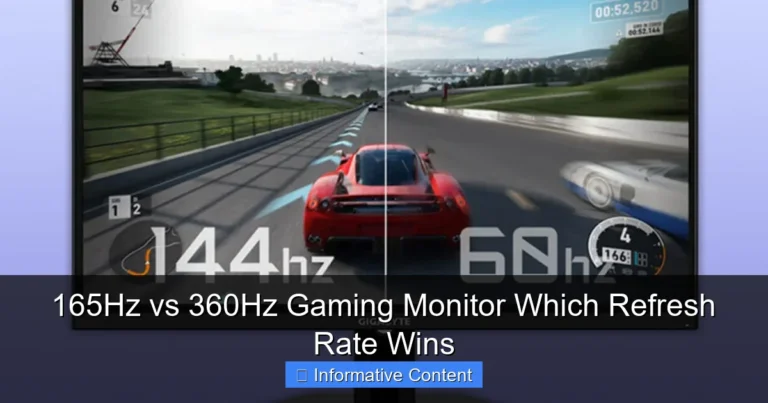
A 165Hz gaming monitor has become incredibly popular, and for good reason. It offers a significant leap in smoothness and responsiveness compared to 60Hz or even 144Hz, but often at a much more accessible price point than 240Hz models. The difference between 144Hz and 165Hz is marginal but noticeable for some, making 165Hz a fantastic sweet spot for many gamers. It provides a buttery-smooth experience that feels incredibly fluid without breaking the bank or demanding an absolute beast of a PC.
Visual guide about 165Hz vs 240Hz Gaming Monitor Which Refresh Rate Is Best
Image source: frontechonline.com
You’ll find a wide variety of 165Hz gaming monitors available in different resolutions (1080p, 1440p) and panel types (IPS, VA, TN), offering a lot of flexibility to match your specific preferences and budget. This versatility makes them an excellent choice for a broad spectrum of users.
Who is 165Hz For?
- The Enthusiast Gamer: If you love all sorts of games, from fast-paced shooters to visually stunning open-world RPGs, a 165Hz monitor will serve you exceptionally well. It provides enough smoothness for competitive play while still delivering a gorgeous experience for single-player titles.
- The Competitive-But-Not-Pro Gamer: For those who enjoy competitive games like Call of Duty, Overwatch, or League of Legends, but aren’t aiming for professional esports, 165Hz offers a substantial advantage and a highly enjoyable experience. The improved clarity and responsiveness will undoubtedly help your game.
- Gamers with Mid-to-High Tier PCs: If you have a decent graphics card (like an NVIDIA RTX 3060/4060 or AMD RX 6700 XT/7700 XT or better), it will likely be able to push 165 FPS consistently in many games, especially at 1080p or 1440p with optimized settings.
- Budget-Conscious Buyers: You get incredible performance for the price with a 165Hz gaming monitor. It’s an upgrade that genuinely enhances your gameplay without requiring you to sell a kidney.
Hardware Requirements for 165Hz
To fully utilize a 165Hz gaming monitor, your PC needs to be capable of outputting 165 frames per second (FPS) or close to it in your desired games. While it doesn’t need to be the absolute top-tier rig, a modern mid-to-high-end GPU is recommended. For example, an NVIDIA GeForce RTX 3060 or 4060, or an AMD Radeon RX 6700 XT or 7700 XT, paired with a decent CPU (like an Intel Core i5/i7 from recent generations or an AMD Ryzen 5/7), should be sufficient to hit 165 FPS in many popular titles at 1080p, and even some at 1440p with optimized settings. Remember, dropping some graphics settings can always help you hit those higher frame rates.
240Hz Gaming Monitors: The Competitive Edge
Unparalleled Smoothness and Responsiveness
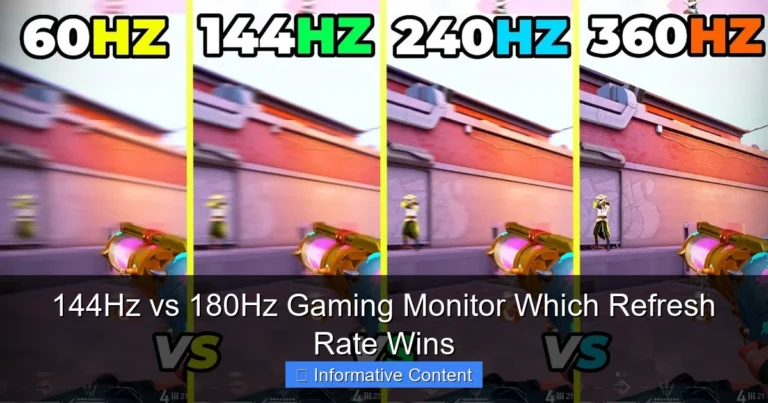
When we talk about a 240Hz gaming monitor, we’re entering the realm of elite-tier performance. This refresh rate offers the absolute pinnacle of smoothness and responsiveness currently available for mainstream gaming. Every movement feels instantaneous, every frame appears crisper, and motion blur is virtually non-existent. For some, this represents the ultimate competitive advantage, allowing for lightning-fast reactions and improved target tracking in the most demanding scenarios.
Visual guide about 165Hz vs 240Hz Gaming Monitor Which Refresh Rate Is Best
Image source: i.ytimg.com
The jump from 165Hz to 240Hz is often described as subtle compared to the leap from 60Hz to 144Hz. However, for those with trained eyes and highly reactive gameplay, that subtle difference can be crucial. It’s about shaving off those precious milliseconds of input lag and achieving maximum visual clarity in chaotic moments.
Who is 240Hz For?
- Professional Esports Players: This is the primary target audience. In games where every millisecond matters, like CS:GO, Valorant, Overwatch, or Apex Legends, a 240Hz gaming monitor can provide that fractional edge needed to outperform opponents. Many pros won’t settle for less.
- Aspiring Esports Enthusiasts: If you’re seriously dedicated to improving your competitive rank and want to mimic the setup of your favorite streamers and pros, 240Hz is the way to go.
- Hardcore Gamers with Top-Tier PCs: If you’ve already invested heavily in a high-end CPU and GPU (e.g., NVIDIA RTX 4070 Ti/4080/4090 or AMD RX 7800 XT/7900 XT/7900 XTX) and want to maximize your hardware’s potential, a 240Hz monitor will let you truly stretch its legs.
- Framerate Junkies: Some gamers simply love the feeling of extreme smoothness and clarity, even if it doesn’t directly translate to competitive wins. If you want the absolute best visual fluidity possible, 240Hz delivers.
Demanding Hardware for 240Hz
Here’s the catch with a 240Hz gaming monitor: you need a seriously powerful PC to consistently push 240 FPS in modern games, especially if you’re playing at 1440p. We’re talking about high-end CPUs (latest Intel Core i7/i9 or AMD Ryzen 7/9) and top-tier GPUs (like an NVIDIA GeForce RTX 4070 Ti, 4080, 4090, or AMD Radeon RX 7900 XT/XTX). If your PC can’t consistently hit these high frame rates, you won’t be fully utilizing the monitor’s capabilities, essentially wasting the premium you paid for it.
For demanding AAA titles, even with a powerful rig, you might need to adjust graphics settings significantly to maintain 240 FPS. Many professional esports titles, however, are designed to be less graphically intensive, making 240 FPS more achievable even with slightly less extreme hardware.
Factors to Consider When Choosing
Your Gaming Habits and Game Genres
This is probably the most crucial factor. What kinds of games do you play most often?
- Competitive FPS (CS:GO, Valorant, Apex Legends): If these are your bread and butter and you’re striving for peak performance, the argument for a 240Hz gaming monitor gets stronger.
- Action-Adventure, RPGs, Strategy Games: For games where stunning visuals and immersion are more important than split-second reactions, a 165Hz monitor at 1440p or even 4K (if you have the GPU for it, though 4K at 165Hz is very demanding) might be a better use of your budget. The difference between 165Hz and 240Hz is far less noticeable here.
- Variety Gamer: If you play a mix, a 165Hz gaming monitor often provides the best all-around experience.
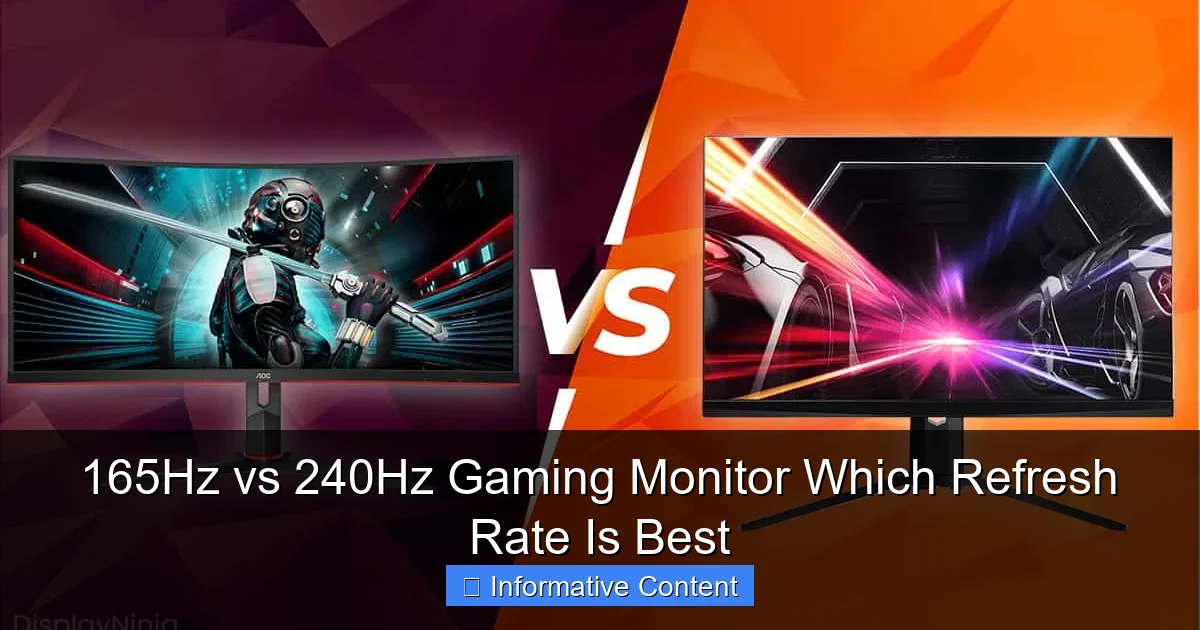
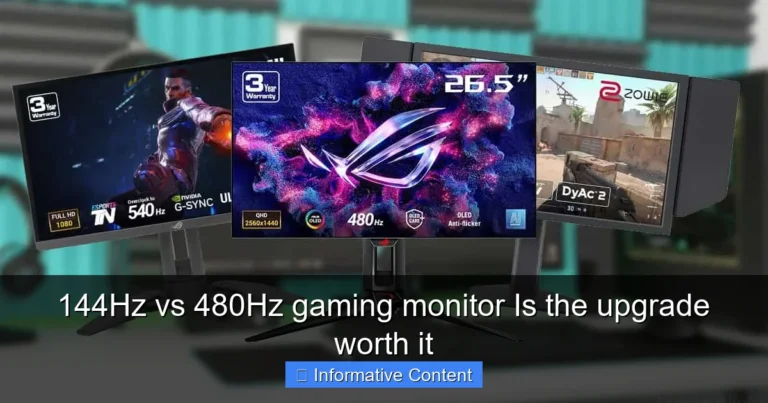
Visual guide about 165Hz vs 240Hz Gaming Monitor Which Refresh Rate Is Best
Image source: displayninja.com
Your PC Hardware Specifications
As discussed, your current (or planned) PC build dictates what refresh rate you can realistically achieve.
- If you have a mid-range PC, aiming for 165Hz at 1080p or 1440p makes the most sense.
- If you have a high-end PC with the latest components, a 240Hz gaming monitor could be a worthwhile investment to unleash its full potential.
- Don’t forget the CPU! High FPS gaming, especially at 240Hz, is also CPU-intensive.
Your Budget
Money talks! 240Hz monitors are almost always more expensive than their 165Hz counterparts, especially when comparing models with similar panel types and resolutions.
- Is the marginal gain from 165Hz to 240Hz worth the extra cost for you?
- Could that extra money be better spent on a higher resolution (e.g., 1440p 165Hz vs. 1080p 240Hz), a better panel type, or even an upgrade to your PC components?
Panel Type (IPS, VA, TN) and Resolution
Don’t tunnel vision on refresh rate! Other specs matter a lot.
- Resolution: 1080p is easier to drive at high frame rates than 1440p. Most 240Hz monitors are 1080p to help achieve those high FPS numbers, though 1440p 240Hz options are becoming more common (and more expensive, requiring even stronger GPUs).
- Panel Type:
- TN (Twisted Nematic): Fastest response times, typically cheapest, but poorer color accuracy and viewing angles. Great for pure competitive focus.
- IPS (In-Plane Switching): Excellent color accuracy and wide viewing angles, good response times (often 1ms GTG now). A great all-rounder for gaming and content consumption.
- VA (Vertical Alignment): Best contrast ratios and deep blacks, but can sometimes suffer from ghosting (smearing behind moving objects). A good middle ground if you value contrast.
Often, a 1440p 165Hz IPS monitor will provide a more visually appealing and immersive experience for many games than a 1080p 240Hz TN monitor, even if the latter is technically smoother in motion.
Adaptive Sync Technologies (G-Sync, FreeSync)
Always look for a monitor that supports either NVIDIA G-Sync (if you have an NVIDIA GPU) or AMD FreeSync (for AMD GPUs). These technologies eliminate screen tearing and stuttering by synchronizing your monitor’s refresh rate with your GPU’s frame output. This is a game-changer for smooth gameplay, especially when your FPS drops below your monitor’s maximum refresh rate. Ensure the 165Hz vs 240Hz gaming monitor you choose has this feature enabled.
The Perceptible Difference: Is 240Hz Worth It?
The Human Eye and Higher Refresh Rates
The human eye is incredibly complex, and its ability to perceive frames per second is not a simple number. Most people can easily distinguish the difference between 60Hz and 120Hz/144Hz. It’s a “night and day” change. The jump from 144Hz to 165Hz is less dramatic, but still subtly smoother. However, the difference between 165Hz and 240Hz is even more nuanced. Many casual gamers might struggle to identify it consistently, and some might not perceive it at all.
It often takes a dedicated side-by-side comparison, a lot of experience with high refresh rates, and specific types of games (fast-paced competitive shooters) to truly appreciate the subtle edge that 240Hz offers over 165Hz. Your mileage may vary, but it’s important to set realistic expectations.
Competitive Gaming Advantage
For professional or aspiring professional gamers, even a fractional improvement in responsiveness and clarity can translate into a competitive advantage. Seeing an enemy appear on screen a few milliseconds faster, or being able to track a fast-moving target with slightly greater precision, can be the difference between winning and losing a round. In this ultra-competitive environment, a 240Hz gaming monitor is often considered essential gear.
However, it’s crucial to remember that skill, practice, and a good internet connection contribute far more to competitive success than the refresh rate difference between 165Hz and 240Hz. The monitor is merely a tool; the player behind it is what truly matters.
Diminishing Returns
As refresh rates climb, the law of diminishing returns definitely applies. The leap from 60Hz to 144Hz is huge. The leap from 144Hz to 165Hz is smaller. And the leap from 165Hz to 240Hz is smaller still. You’re paying a premium for increasingly marginal gains. For the vast majority of gamers, a 165Hz gaming monitor provides such an excellent and fluid experience that the extra investment for 240Hz might not be justified, especially if it means compromising on other features like resolution or panel quality.
Conclusion
So, 165Hz vs 240Hz gaming monitor: which refresh rate is best for you? The answer, as with most things in PC gaming, isn’t a simple one-size-fits-all. It really boils down to your personal priorities, budget, and gaming habits.
-
Choose a 165Hz Gaming Monitor if:
- You want an incredible upgrade from 60Hz/144Hz without breaking the bank.
- You play a wide variety of games, from competitive shooters to immersive RPGs.
- Your PC has a mid-to-high-tier GPU (e.g., RTX 3060/4060, RX 6700 XT/7700 XT) and can consistently push 100-165 FPS.
- You prefer to spend the extra money on a higher resolution (1440p) or a better panel type (IPS) for superior visuals.
- You value excellent performance and value above all else.
-
Choose a 240Hz Gaming Monitor if:
- You are an aspiring or professional esports player in fast-paced competitive titles.
- You demand the absolute highest level of smoothness and responsiveness, where every millisecond counts.
- You have a top-tier PC with a powerful CPU and GPU (e.g., RTX 4070 Ti/4080/4090, RX 7800 XT/7900 XT/XTX) that can consistently hit 240 FPS.
- Your budget allows for the premium price tag without compromising on other important features.
- You want the ultimate bragging rights and the smoothest possible motion clarity.
For most gamers, a 165Hz gaming monitor offers an outstanding balance of performance, visual quality, and affordability. It delivers a truly premium gaming experience that will feel incredibly smooth and responsive. The jump to 240Hz is a specialized investment for those at the pinnacle of competitive play or those who simply want the absolute best refresh rate, regardless of cost. Whichever you choose, getting a high refresh rate monitor is one of the best upgrades you can make to your gaming setup!
Frequently Asked Questions
What is the biggest noticeable difference between 60Hz and 165Hz?
The biggest noticeable difference between 60Hz and 165Hz is the incredible increase in perceived smoothness and fluidity of motion. Everything on screen, from mouse movements to character actions, will look significantly less choppy and much more responsive, making for a far more immersive and enjoyable gaming experience.
Will a 240Hz monitor make me a better gamer?
A 240Hz monitor provides a competitive edge through improved responsiveness and motion clarity, which can *help* you perform better. However, it’s not a magic bullet; skill, practice, and other factors like a solid internet connection and strong PC components contribute far more to becoming a better gamer than the monitor alone.
Is it worth getting a 240Hz monitor if my PC can only reach 150-200 FPS?
If your PC can only consistently reach 150-200 FPS, purchasing a 240Hz monitor isn’t fully optimized. While adaptive sync will make it smooth, you won’t be experiencing the full 240Hz benefit. A 165Hz monitor would be a more practical and cost-effective choice in this scenario, as your PC can match its refresh rate more consistently.
Should I prioritize 1440p resolution at 165Hz or 1080p at 240Hz?
This depends on your priorities. For most gamers, especially those who enjoy visually rich single-player games, 1440p at 165Hz offers a more immersive and detailed visual experience. If your primary goal is pure competitive advantage in esports and every millisecond counts, then 1080p at 240Hz might be preferred due to easier frame rate targets and maximum responsiveness.
Do I need a specific type of cable for high refresh rates like 165Hz or 240Hz?
Yes, to fully utilize high refresh rates and resolutions, you typically need a DisplayPort 1.2a (or newer) or an HDMI 2.0 (or newer) cable. Older HDMI versions might not support the required bandwidth, limiting your refresh rate or resolution. Always check your monitor’s specifications for the recommended cable type.
What’s the ideal response time for a 165Hz vs 240Hz gaming monitor?
For both 165Hz and 240Hz gaming monitors, an ideal response time is 1ms Grey-to-Grey (GtG). This incredibly fast pixel transition minimizes ghosting and smearing, ensuring that the enhanced refresh rate translates into crisp, clear motion, which is crucial for fast-paced gaming where visual clarity can impact performance.