Dell S2721DGF vs Gigabyte M27Q Which Gaming Monitor Wins
When choosing between the Dell S2721DGF vs Gigabyte M27Q, gamers are faced with two excellent 27-inch, 1440p IPS displays, both offering high refresh rates and fast response times. The Dell often excels in overall build quality, superior ergonomics, and a slightly more polished user experience, making it a robust, premium choice. Conversely, the Gigabyte M27Q usually boasts a more aggressive price point, a unique KVM switch for productivity, and competitive gaming performance, making it a fantastic value proposition. Your ultimate winner depends on whether you prioritize Dell’s refined build and support or Gigabyte’s compelling feature set and affordability.
In the vast and ever-evolving world of gaming monitors, finding the “perfect” display can feel like searching for a needle in a haystack. Two models that frequently pop up on gamers’ wish lists and in countless comparison discussions are the Dell S2721DGF and the Gigabyte M27Q. Both are 27-inch QHD (1440p) IPS monitors designed to deliver a high-performance gaming experience without completely breaking the bank. But when it comes down to the nitty-gritty, which one truly deserves a spot on your desk?
This comprehensive breakdown aims to settle the score in the Dell S2721DGF vs Gigabyte M27Q debate. We’ll dive deep into every aspect that matters to a gamer, from picture quality and response times to design, features, and overall value. Whether you’re a competitive esports enthusiast seeking every advantage, a casual gamer looking for immersive visuals, or someone who juggles work and play on the same screen, understanding the nuances between these two popular monitors is crucial. Let’s find out which one truly wins for your specific needs.
Key Takeaways
- Panel Technology: Both monitors feature 27-inch QHD (2560×1440) IPS panels with high refresh rates (Dell 165Hz, Gigabyte 170Hz), offering excellent viewing angles and vibrant colors crucial for an immersive gaming experience.
- Response Time & Motion Clarity: The Dell S2721DGF typically boasts slightly faster pixel response times, particularly in darker transitions, leading to marginally better motion clarity and less ghosting for competitive gamers, though the Gigabyte M27Q is still very strong.
- Ergonomics & Build Quality: Dell generally provides a more premium build with superior stand ergonomics, offering a wider range of adjustments and a sturdier feel. The Gigabyte’s stand is decent but not as versatile.
- Unique Features: The Gigabyte M27Q stands out with its integrated KVM switch, allowing users to control multiple devices with one set of peripherals, a significant productivity boost not found on the Dell S2721DGF.
- Connectivity: Both offer a good selection of ports, including multiple HDMI and DisplayPort inputs, alongside USB hubs. The Dell S2721DGF often includes an extra USB port for convenience.
- Price & Value: The Gigabyte M27Q usually comes in at a more aggressive price point, offering exceptional value for its performance and feature set. The Dell S2721DGF, while often pricier, justifies it with its robust build and Dell’s renowned customer support.
- Subpixel Layout: A notable difference is the Gigabyte M27Q’s BGR subpixel layout, which can lead to text fringing issues for some users, particularly in productivity tasks, whereas the Dell S2721DGF uses a standard RGB layout.
Quick Answers to Common Questions
Which monitor is better for competitive esports?
While both are excellent, the Dell S2721DGF often has a slight edge in pixel response times, especially for very dark transitions, which can offer marginally clearer motion in competitive esports.
Does the Gigabyte M27Q have a standard RGB subpixel layout?
No, the Gigabyte M27Q uses a BGR subpixel layout. This can lead to minor text fringing issues for some users, which can be mitigated with software like Windows ClearType, but it’s not a standard RGB layout like the Dell S2721DGF.
Which monitor has better ergonomics?
The Dell S2721DGF has superior ergonomics, offering full adjustability including height, tilt, swivel, and pivot. The Gigabyte M27Q only provides height and tilt adjustments.
Is the KVM switch on the Gigabyte M27Q useful?
Yes, the KVM switch is a highly useful feature if you frequently switch between multiple computers (e.g., a work laptop and a gaming PC) and want to use a single keyboard and mouse setup.
Are both monitors G-Sync Compatible?
The Dell S2721DGF is officially G-Sync Compatible. The Gigabyte M27Q is FreeSync Premium certified and generally works well with G-Sync, but it might not carry NVIDIA’s official “G-Sync Compatible” badge.
📑 Table of Contents
First Impressions & Design Language
When you first unbox a new monitor, its physical design, build quality, and ergonomic flexibility immediately make an impression. Both the Dell S2721DGF and the Gigabyte M27Q approach aesthetics and functionality from slightly different angles, reflecting their respective brands’ philosophies.
Dell’s Signature Style
Dell has a long-standing reputation for producing monitors with understated elegance and exceptional build quality, and the S2721DGF is no exception. It sports a sleek, professional look with thin bezels on three sides, giving it a modern and minimalist appeal. The plastic materials feel high-quality and sturdy, with minimal wobble. The stand is a particular highlight, offering a full range of ergonomic adjustments: height, tilt, swivel, and pivot (for portrait mode). This level of adjustability is vital for comfort during long gaming sessions or productivity tasks. Cable management is also well thought out, with a cutout in the stand to keep your desk tidy. The Dell S2721DGF exudes a premium feel that often belies its relatively accessible price point.
Gigabyte’s Gamer Aesthetic
The Gigabyte M27Q, while also featuring thin bezels, leans a bit more into a subtle “gamer” aesthetic. It has a slightly more aggressive look with angular accents, though it avoids the overtly flashy RGB often found in true gaming peripherals. The build quality is solid, feeling robust enough for everyday use, but perhaps not quite reaching the same level of premium refinement as the Dell. The stand provides decent adjustability, including height and tilt, but it lacks the swivel and pivot capabilities of the Dell S2721DGF. This might be a minor inconvenience for some users who frequently need to adjust their viewing angle or prefer a vertical setup. Cable management is present but simpler, with a clip rather than a dedicated channel. The overall impression of the Gigabyte M27Q is one of competent functionality, prioritizing performance and features at a competitive price.
Panel Performance: Picture Quality & Speed
At the heart of any gaming monitor is its panel. Both the Dell S2721DGF and Gigabyte M27Q utilize 27-inch IPS (In-Plane Switching) technology, known for its excellent color reproduction and wide viewing angles. However, the devil is in the details when it comes to refresh rate, response time, and how colors truly pop.
Visual guide about Dell S2721DGF vs Gigabyte M27Q Which Gaming Monitor Wins
Image source: blogdegaming.com
Resolution and Refresh Rate
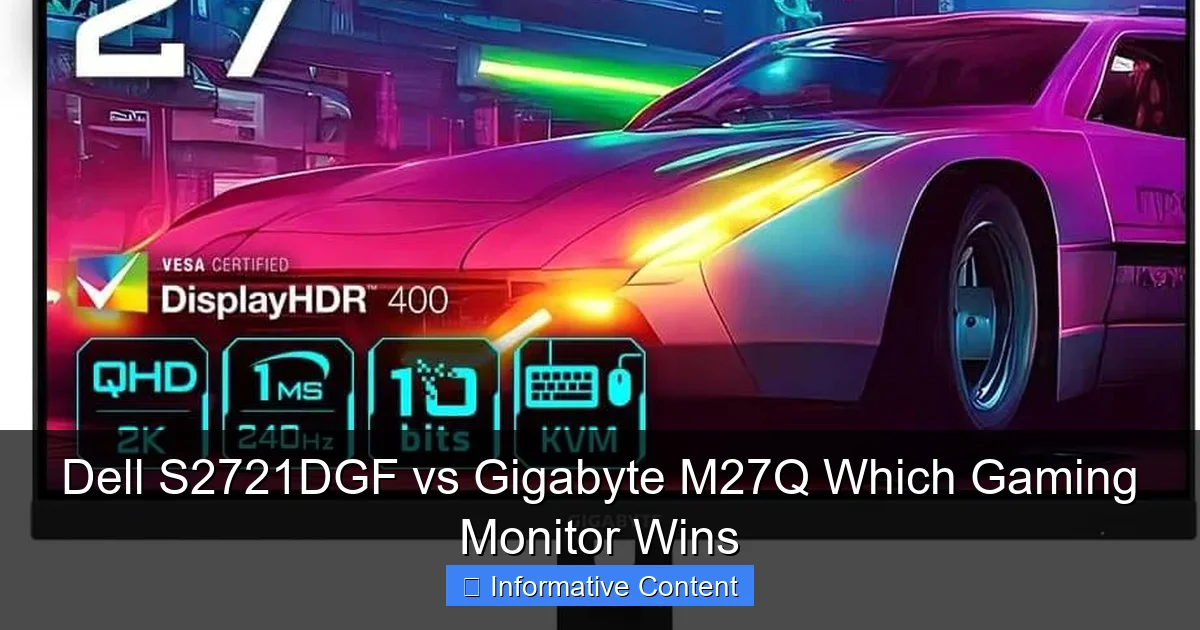
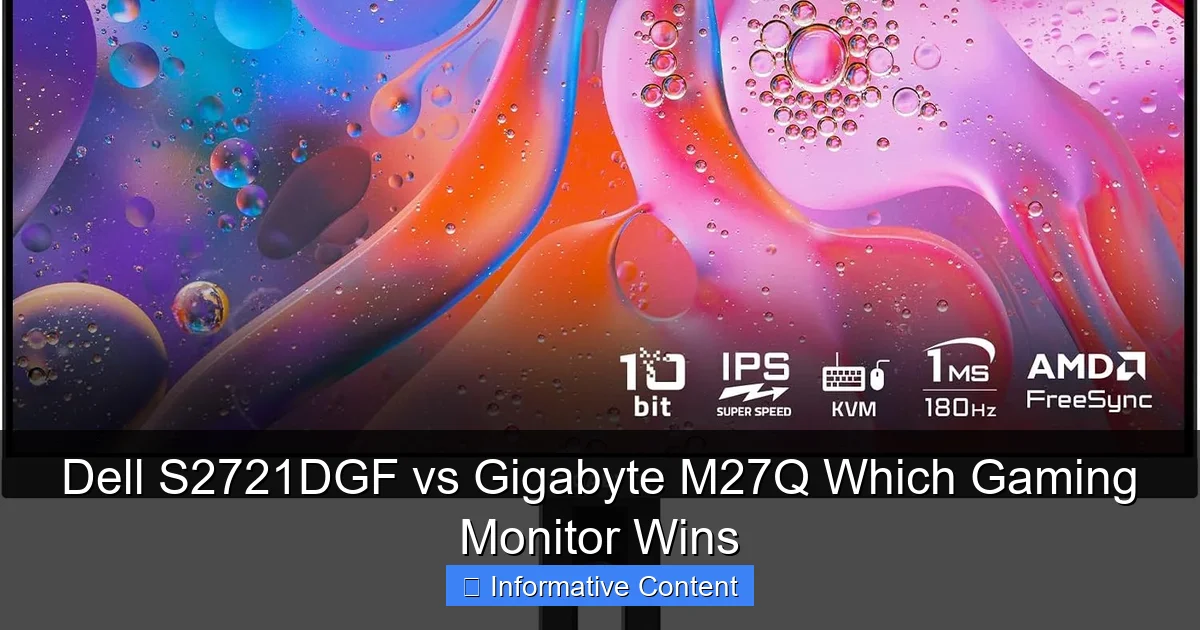
Both monitors offer a crisp 2560×1440 (QHD) resolution, which is the sweet spot for many gamers today. It provides a significant visual upgrade over 1080p without being as demanding on your GPU as 4K. The Dell S2721DGF boasts a 165Hz refresh rate, while the Gigabyte M27Q slightly edges it out with 170Hz. In practical terms, this 5Hz difference is negligible and unlikely to be perceptible by the human eye. Both offer incredibly smooth motion, making games feel fluid and responsive, especially compared to standard 60Hz or 75Hz displays.
Response Time and Input Lag
For competitive gamers, response time is king. Both monitors claim 1ms MPRT (Moving Picture Response Time) and 1ms GTG (Gray-to-Gray), but real-world performance can vary.
The Dell S2721DGF is widely praised for its excellent pixel response times across the board. It manages to deliver very fast transitions with minimal overshoot ghosting when configured correctly (typically using the “Fast” overdrive setting). This results in exceptionally clear motion, even in fast-paced games, which is a major point in the Dell S2721DGF vs Gigabyte M27Q comparison.
The Gigabyte M27Q is also very fast for an IPS panel, offering a great gaming experience. However, some reviews indicate that its pixel response times, particularly in darker transitions, might be *ever so slightly* slower than the Dell, and it can exhibit a bit more inverse ghosting with aggressive overdrive settings. That said, for the vast majority of users, its speed is more than adequate. Input lag is exceptionally low on both monitors, ensuring that your actions are registered almost instantaneously on screen.
Color Vibrancy and Accuracy
As IPS panels, both the Dell S2721DGF and Gigabyte M27Q deliver excellent color reproduction. They cover a wide color gamut, often exceeding 90% DCI-P3 and 120% sRGB, making games look vibrant and lifelike. Out of the box, both tend to be well-calibrated, though a professional calibration can always fine-tune them further.
The Dell S2721DGF typically shows very good factory calibration with accurate colors and white balance. It’s suitable for content creation alongside gaming.
The Gigabyte M27Q also offers very good color accuracy and vibrancy. However, one important distinction that needs to be addressed in the Dell S2721DGF vs Gigabyte M27Q discussion is the Gigabyte’s BGR subpixel layout. Unlike the standard RGB layout, the BGR can cause text fringing or a slightly blurry appearance, especially for users sensitive to it or spending a lot of time reading text. While Gigabyte offers a software solution and many operating systems allow ClearType adjustments, it’s a potential drawback for productivity users that the Dell S2721DGF doesn’t have.
Contrast and Black Levels
IPS panels, while great for colors and viewing angles, are generally not known for deep black levels or high contrast ratios. Both monitors typically hover around 1000:1 contrast, which is standard for IPS. This means that in very dark scenes, blacks might appear more as a dark gray. Neither monitor is going to blow you away with HDR performance due to these inherent limitations and their relatively low peak brightness for true HDR. However, for most gaming and general content consumption, the contrast is perfectly acceptable.
Gaming Features & Adaptive Sync
Beyond raw panel performance, specific gaming-centric features can significantly enhance your experience. Adaptive Sync technology is paramount, but other functionalities also play a role.
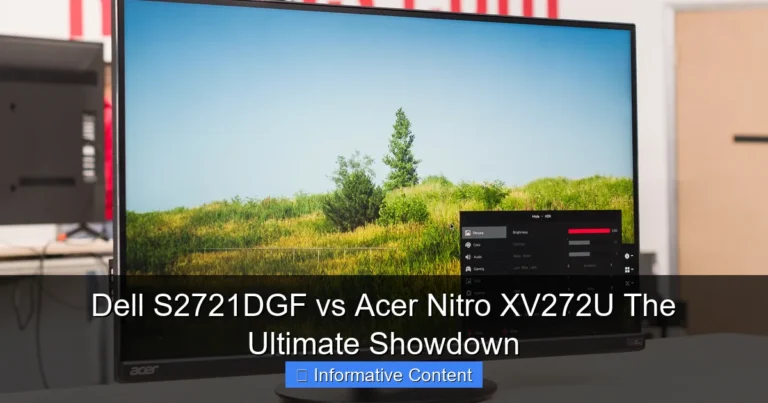
Visual guide about Dell S2721DGF vs Gigabyte M27Q Which Gaming Monitor Wins
Image source: m.media-amazon.com
Adaptive Sync Technologies
Both monitors support Adaptive Sync, crucial for tear-free gaming. The Dell S2721DGF is officially certified as FreeSync Premium Pro and is G-Sync Compatible, meaning it works flawlessly with both AMD and NVIDIA graphics cards to synchronize the monitor’s refresh rate with your GPU’s frame rate. This eliminates screen tearing and minimizes stuttering.
The Gigabyte M27Q is also FreeSync Premium certified and generally works well with G-Sync Compatible setups, though it might not have the official “G-Sync Compatible” certification from NVIDIA. In practice, both offer a very smooth adaptive sync experience within their respective refresh rate ranges. This is a critical point when considering the Dell S2721DGF vs Gigabyte M27Q for a fluid gaming experience.
HDR Implementation
Both monitors are VESA DisplayHDR 400 certified. While this certification technically means they can accept an HDR signal, it’s important to manage expectations. DisplayHDR 400 is the lowest tier of HDR, and without local dimming zones or significantly higher peak brightness, neither monitor will deliver a truly impactful HDR experience. Expect a slight boost in brightness and some enhanced color depth, but not the dramatic contrast and highlight detail you’d get from monitors with DisplayHDR 600 or higher, or full-array local dimming. For the best HDR, you’d need to look at much more expensive displays, so this isn’t a major differentiating factor in the Dell S2721DGF vs Gigabyte M27Q comparison.
On-Screen Display (OSD) and Software
The OSD (On-Screen Display) menu is where you tweak monitor settings. Dell’s OSD is known for being intuitive and easy to navigate with physical buttons, offering quick access to gaming presets, overdrive settings, and other picture adjustments. Dell also often provides accompanying software like Dell Display Manager for further control directly from your desktop.
Gigabyte’s OSD is also comprehensive, often controlled by a joystick on the back of the monitor, which many users find more convenient than traditional buttons. It includes various gaming features like crosshairs, timers, and black equalizer settings. Gigabyte also provides OSD Sidekick software for desktop control, making it easier to adjust settings without reaching for the joystick. Both offer a good user experience, but the preference for buttons versus a joystick is personal.
Connectivity & Ergonomics
A good monitor isn’t just about what’s on the screen; how it connects to your devices and how comfortably it sits on your desk are equally important.
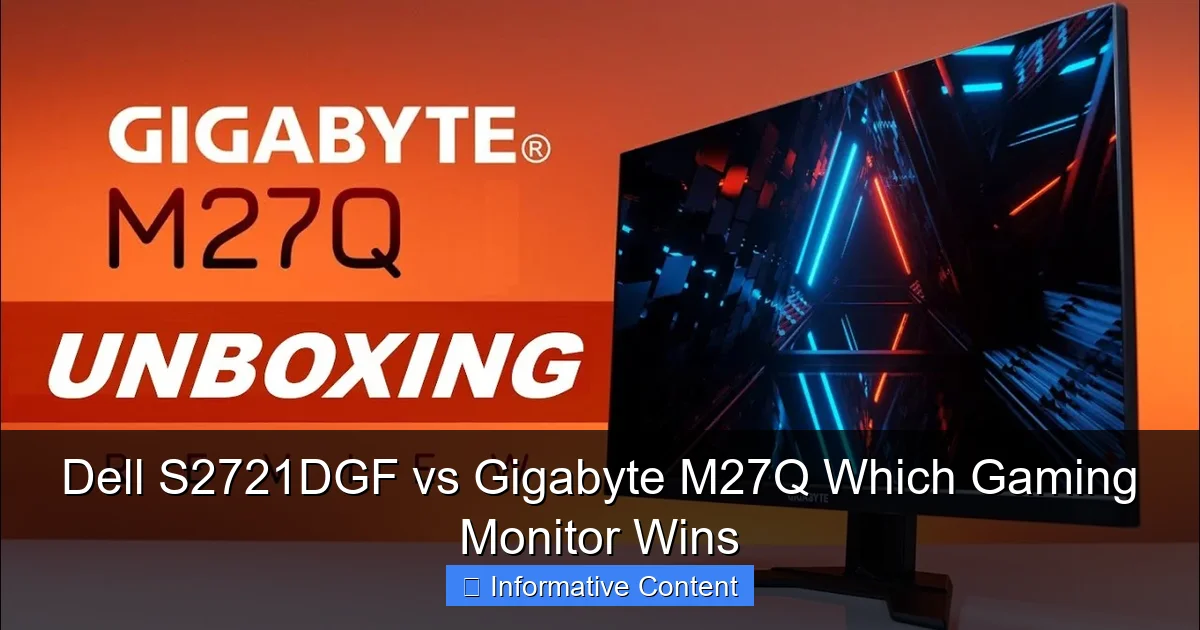
Visual guide about Dell S2721DGF vs Gigabyte M27Q Which Gaming Monitor Wins
Image source: i.ytimg.com
Port Selection
Both the Dell S2721DGF and Gigabyte M27Q offer a robust selection of ports to connect your PC, console, and other peripherals. Typically, you’ll find:
- 2x HDMI 2.0 ports
- 1x DisplayPort 1.4
- USB 3.0 hub (usually 3-4 downstream ports)
- 1x 3.5mm headphone jack
The Dell S2721DGF often includes one more USB downstream port, which can be handy. However, a standout feature for the Gigabyte M27Q is its built-in KVM (Keyboard, Video, Mouse) switch. This allows you to connect two different computers (or a computer and a console) to the monitor and use a single keyboard and mouse to control both, simply by switching inputs on the monitor. This is an incredibly valuable feature for users who have a work laptop and a gaming PC on the same desk, making the Gigabyte M27Q a strong contender for those with productivity needs in the Dell S2721DGF vs Gigabyte M27Q comparison.
Stand Adjustability and Build
As mentioned earlier, Dell’s stand is a significant advantage. The S2721DGF offers full ergonomic adjustability: height, tilt, swivel, and pivot. This allows for precise positioning of the screen, reducing strain during extended use. The stand itself is very stable and has a small footprint.
The Gigabyte M27Q’s stand provides height and tilt adjustments, which are essential, but lacks swivel and pivot. While adequate for many, those who frequently share their screen, need precise angle adjustments, or want a portrait mode for coding or document viewing might find the Dell S2721DGF more accommodating. Both monitors are VESA mount compatible (100x100mm), so you can always replace the stand with a monitor arm if desired, negating some of the stand differences.
The Price Factor & Value Proposition
For many, the ultimate decision comes down to price. Both monitors offer excellent value, but their typical pricing and what you get for your money present a clear distinction in the Dell S2721DGF vs Gigabyte M27Q debate.
Dell’s Premium Positioning
The Dell S2721DGF is often positioned as a slightly more premium offering. Its robust build quality, superior ergonomics, highly rated customer support, and consistent performance across various metrics (especially response times and standard RGB subpixel layout) justify its price. While it might be a bit more expensive than the Gigabyte M27Q, many users feel the investment is worthwhile for the overall polish and peace of mind that comes with a Dell product. It represents a “safe” and highly reliable choice for a high-performance gaming monitor.
Gigabyte’s Aggressive Pricing
The Gigabyte M27Q often enters the market at a more aggressive price point, making it an incredibly attractive option for budget-conscious gamers who still demand high performance. Despite its lower cost, it doesn’t skimp on essential gaming features like a high refresh rate, fast response time, and adaptive sync. The inclusion of the KVM switch is a massive value-add, particularly for those who can utilize it. For its price, the Gigabyte M27Q offers a phenomenal performance-to-cost ratio, making it a strong competitor in the Dell S2721DGF vs Gigabyte M27Q comparison, especially if you’re looking for the most bang for your buck.
Who Wins? Dell S2721DGF vs Gigabyte M27Q for You?
So, after breaking down all the key aspects, which monitor should you choose? There isn’t a single definitive winner, as the “best” monitor ultimately depends on your individual priorities and budget. Both are fantastic 1440p high-refresh-rate IPS displays, but they cater to slightly different user profiles.
Choose the Dell S2721DGF if…
- You prioritize build quality and ergonomics: The Dell S2721DGF offers a superior stand with full adjustability and a more premium, understated design.
- You demand the absolute best motion clarity: While both are fast, the Dell often has slightly better pixel response times, especially in darker transitions, which can be critical for competitive esports players.
- You do a lot of text work or are sensitive to text fringing: Its standard RGB subpixel layout ensures crisp, clear text without any potential issues from the BGR layout found on the Gigabyte M27Q.
- You value a refined user experience and reliable customer support: Dell’s overall package, including its OSD and customer service, is often seen as a notch above.
- Budget isn’t the absolute tightest constraint: You’re willing to pay a slight premium for these advantages.
Choose the Gigabyte M27Q if…
- You’re on a tighter budget but still want top-tier gaming performance: The Gigabyte M27Q often provides comparable gaming performance at a more aggressive price point.
- The KVM switch is a killer feature for your setup: If you frequently switch between a work laptop and a gaming PC, the integrated KVM can be a huge productivity booster and convenience. This is a unique selling point in the Dell S2721DGF vs Gigabyte M27Q rivalry.
- You care more about raw gaming speed than ultimate ergonomics: While its stand isn’t as flexible, its gaming performance is still excellent.
- You’re not sensitive to potential BGR text fringing, or primarily use the monitor for gaming and media: For most games and videos, the BGR layout won’t be an issue, and adjustments can be made for text.
- You like joystick-controlled OSDs and desktop software for settings: Gigabyte’s OSD Sidekick is quite user-friendly.
In conclusion, the Dell S2721DGF is a supremely well-rounded, polished, and robust gaming monitor that excels in build quality, ergonomics, and consistent performance. It’s a fantastic all-rounder for gamers and general users alike. The Gigabyte M27Q, on the other hand, is a value powerhouse. It offers near-identical gaming performance to the Dell S2721DGF, often at a lower price, and adds the incredibly useful KVM switch, making it an undeniable choice for productivity-minded gamers. Your pick in the Dell S2721DGF vs Gigabyte M27Q battle should align with your specific needs, use cases, and how much you’re willing to spend. Both are excellent choices, ensuring you’ll have a superb QHD gaming experience.
Frequently Asked Questions
What is the main advantage of an IPS panel in these monitors?
The main advantage of an IPS panel, present in both the Dell S2721DGF and Gigabyte M27Q, is superior color accuracy and wider viewing angles compared to VA or TN panels. This means colors remain consistent and vibrant even when viewed from the side, providing an immersive experience for gaming and content consumption.
How important is the refresh rate difference (165Hz vs 170Hz)?
The difference between 165Hz (Dell S2721DGF) and 170Hz (Gigabyte M27Q) is practically imperceptible to the human eye. Both monitors offer incredibly smooth motion compared to standard 60Hz displays, making games feel much more fluid and responsive. This slight variation should not be a primary deciding factor.
Can these monitors be used effectively for work or productivity?
Absolutely. Both monitors feature a 1440p resolution, offering ample screen real estate for multitasking. While the Gigabyte M27Q has the added benefit of a KVM switch for easier switching between multiple computers, the Dell S2721DGF’s superior ergonomics and standard RGB subpixel layout might make it a slightly better choice for extended text-heavy work, ensuring clearer fonts.
Do either of these monitors come with built-in speakers?
Neither the Dell S2721DGF nor the Gigabyte M27Q typically come with built-in speakers. This is common for high-performance gaming monitors, as most gamers prefer using headphones or external speaker systems for superior audio quality and immersion. Both do include a 3.5mm headphone jack for audio passthrough.
What about burn-in or image retention with these IPS panels?
IPS panels, including those in the Dell S2721DGF and Gigabyte M27Q, are generally not prone to permanent burn-in like older CRT or some OLED displays. While temporary image retention (ghosting) can sometimes occur with static images, it usually resolves itself quickly and is not a long-term concern for these types of monitors.
Which monitor generally offers better value for money?
The Gigabyte M27Q often provides better value for money, especially if its KVM switch feature is useful to you, as it typically comes at a more competitive price point while offering very similar gaming performance to the Dell S2721DGF. However, the Dell S2721DGF’s premium build, ergonomics, and guaranteed RGB subpixel layout offer different forms of value.