Dell S2721DGF vs ViewSonic VX2758-2KP-MHD – Which Wins
Looking to choose between the Dell S2721DGF and the ViewSonic VX2758-2KP-MHD? Both 27-inch 1440p IPS monitors offer fantastic visuals and smooth gaming, but the Dell often boasts a slight edge in refined overdrive, superior ergonomics, and a more premium build. The ViewSonic, however, presents an excellent value proposition, making it a compelling choice for budget-conscious gamers seeking strong performance.
Dell S2721DGF vs ViewSonic VX2758-2KP-MHD – Which Wins
Choosing a new gaming monitor can be tricky. There are so many options out there! Today, we are diving deep into a comparison of two very popular 27-inch 1440p IPS gaming monitors. We are talking about the Dell S2721DGF and the ViewSonic VX2758-2KP-MHD. Both of these screens aim to give you a great gaming experience without emptying your wallet completely. But which one is truly the better buy for you?
These two monitors are often top picks for gamers and general users alike. They both offer a fantastic sweet spot: a 27-inch screen size, sharp 1440p resolution, and vibrant IPS panel technology. Plus, they both boast high refresh rates and fast response times. This makes them perfect for enjoying your favorite games and even everyday tasks. Our goal today is to look at every detail of the Dell S2721DGF vs ViewSonic VX2758-2KP-MHD to help you make an informed decision.
We will break down everything from how they look to how they perform in games. We will talk about their design, picture quality, and all the extra features they offer. By the end of this comprehensive guide, you will know exactly which monitor might be the perfect fit for your setup. Let’s find out which one truly wins in the battle of the Dell S2721DGF vs ViewSonic VX2758-2KP-MHD!
Key Takeaways
- Gaming Performance: Both monitors offer excellent 1440p gaming at high refresh rates (Dell 165Hz, ViewSonic typically 144Hz). The Dell S2721DGF generally has more polished overdrive settings for clearer motion and less ghosting.
- Picture Quality: Both utilize IPS panels delivering vibrant colors and wide viewing angles. The Dell often provides slightly better factory calibration and broader color gamut coverage for a richer visual experience.
- Ergonomics & Build: The Dell S2721DGF features a superior, highly adjustable stand and a more premium, durable design. The ViewSonic VX2758-2KP-MHD has a more basic, less flexible stand.
- Value for Money: The ViewSonic VX2758-2KP-MHD typically offers a more attractive price point, making it a strong contender for those seeking high performance on a tighter budget without major compromises.
- Adaptive Sync: Both support Adaptive Sync for tear-free gaming. The Dell offers FreeSync Premium Pro (G-Sync Compatible), while the ViewSonic supports FreeSync, both delivering smooth gameplay.
- Connectivity and Features: Both offer essential display inputs. The Dell includes a convenient USB hub, adding to its versatility for connecting peripherals directly to the monitor.
Quick Answers to Common Questions
Which monitor has better ergonomics?
The Dell S2721DGF features a much better stand with height, tilt, swivel, and pivot adjustments. The ViewSonic VX2758-2KP-MHD typically only offers tilt adjustment.
Is the Dell S2721DGF G-Sync compatible?
Yes, the Dell S2721DGF is officially NVIDIA G-Sync Compatible, meaning it has been tested and works well with NVIDIA graphics cards for tear-free gaming.
Does either monitor have a USB hub?
Yes, the Dell S2721DGF includes a convenient USB 3.0 hub with multiple downstream ports. The ViewSonic VX2758-2KP-MHD typically does not have a USB hub.
Which monitor is generally more affordable?
The ViewSonic VX2758-2KP-MHD is typically the more affordable option, offering great value for its performance.
What is the refresh rate of these monitors?
The Dell S2721DGF has a 165Hz refresh rate. The ViewSonic VX2758-2KP-MHD usually offers a 144Hz refresh rate, though some revisions might reach 165Hz.
📑 Table of Contents
1. The Foundation: Core Specifications Unpacked
Let’s start by looking at what makes these monitors tick. Both the Dell S2721DGF and the ViewSonic VX2758-2KP-MHD share many core traits. But there are also some small differences that can matter a lot.
Resolution and Screen Size
Both monitors feature a 27-inch screen. This is a very popular size for gaming and work. It gives you plenty of space without taking over your whole desk. They both also have a 2560×1440 (QHD or 1440p) resolution. This resolution is much sharper than standard 1080p. It provides clear text and detailed images. For gaming, 1440p offers a fantastic balance. It is sharper than 1080p, but it is also easier for your graphics card to handle than 4K. This means you can get high frame rates even with a mid-range gaming PC.
Panel Technology: IPS Advantage
Both the Dell S2721DGF and the ViewSonic VX2758-2KP-MHD use IPS (In-Plane Switching) panels. IPS technology is known for a few key things. First, it gives you excellent color accuracy. Colors look vibrant and true to life. Second, IPS panels offer very wide viewing angles. This means the picture looks good even if you are not sitting directly in front of the screen. You will not see colors shift or fade if you move your head a little. This is great for sharing content or playing games with friends.
Refresh Rate and Response Time
Here is where things get interesting for gamers. The Dell S2721DGF boasts a 165Hz refresh rate. This means it can show 165 frames per second. The ViewSonic VX2758-2KP-MHD typically offers a 144Hz refresh rate. Some revisions might push to 165Hz, but 144Hz is more common. Higher refresh rates mean smoother motion. This is especially noticeable in fast-paced games. Every movement on screen looks fluid and natural.
Both monitors claim a 1ms MPRT (Moving Picture Response Time). MPRT is a measure of how quickly a pixel can change from one color to another. A low response time helps to reduce motion blur and ghosting. This is when you see faint trails behind moving objects. For competitive gaming, a fast response time is very important. It helps you see enemies clearly as they move across your screen. We will dive deeper into real-world response time performance later.
Adaptive Sync Technology
Both the Dell S2721DGF and the ViewSonic VX2758-2KP-MHD support adaptive sync technologies. These technologies help to prevent screen tearing and stuttering. Screen tearing happens when your graphics card sends frames faster or slower than your monitor can display them. Adaptive sync matches the monitor’s refresh rate to your graphics card’s frame rate.
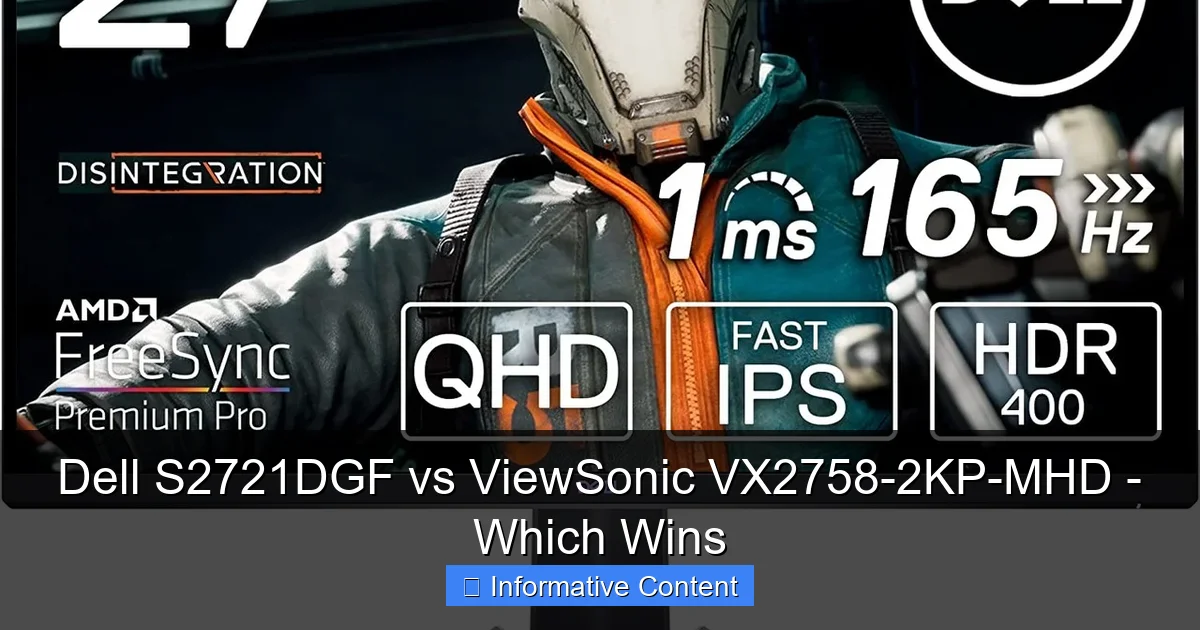
The Dell S2721DGF supports FreeSync Premium Pro. This is a higher tier of FreeSync. It means it works well with HDR content and offers a wide variable refresh rate range. It is also officially “G-Sync Compatible.” This means NVIDIA has tested it and confirmed it works well with NVIDIA graphics cards for tear-free gaming. The ViewSonic VX2758-2KP-MHD supports standard FreeSync. This also works to remove tearing. Both monitors give you a super smooth gaming experience if you have a compatible graphics card.
2. Design, Ergonomics, and Build Quality
Visual guide about Dell S2721DGF vs ViewSonic VX2758-2KP-MHD – Which Wins
Image source: i.rtings.com
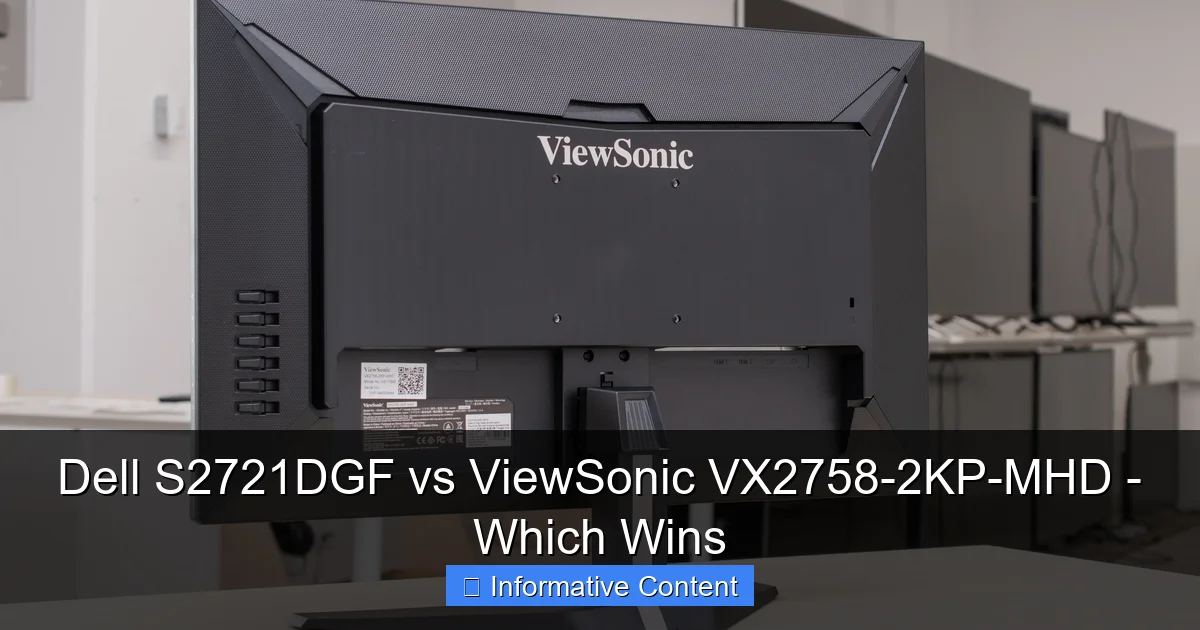
A monitor is not just about the screen itself. How it looks on your desk and how easy it is to adjust also play a big role. Here, we see some clear differences in the Dell S2721DGF vs ViewSonic VX2758-2KP-MHD.
Aesthetic Appeal
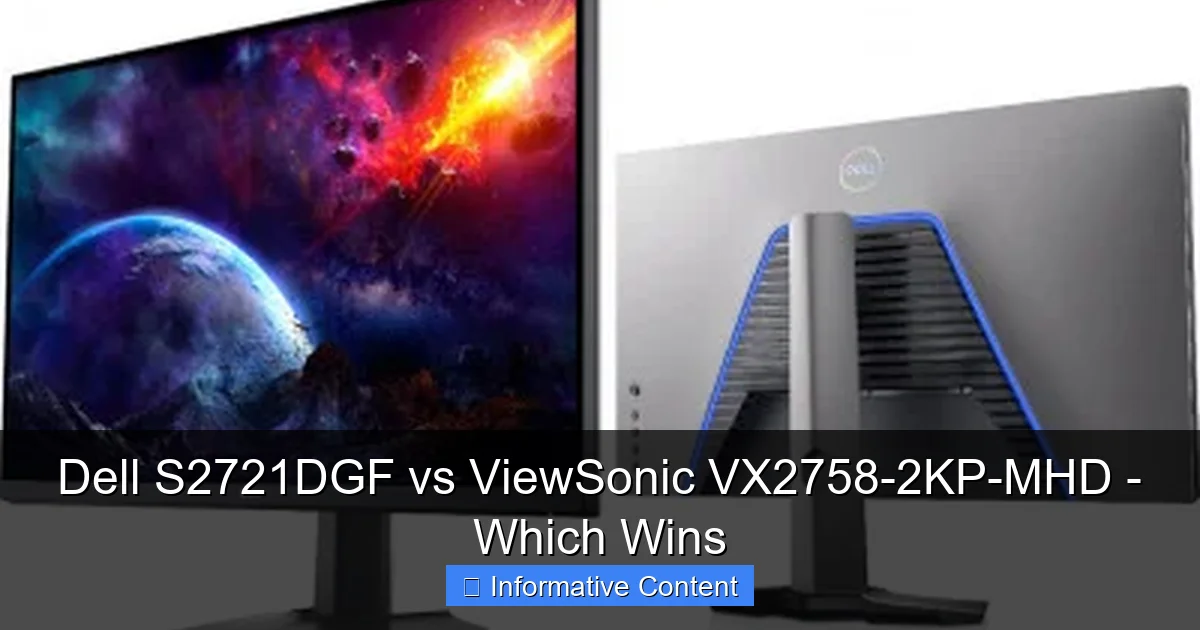
The Dell S2721DGF has a sleek, professional look. It uses a clean black finish with subtle gray accents. The bezels (the borders around the screen) are very thin on three sides. This makes the screen look almost borderless. It is great for multi-monitor setups. Dell monitors are known for their understated yet elegant design.
The ViewSonic VX2758-2KP-MHD also has thin bezels, giving it a modern feel. It often features a mostly black design. It might not have the same premium feel as the Dell. It looks good, but it is perhaps a bit more utilitarian. Neither monitor screams “gamer” with aggressive RGB lighting or flashy designs. This makes them suitable for both office and gaming environments.
Stand Adjustability and Ergonomics
This is often a major selling point for Dell monitors, and the S2721DGF is no exception. Its stand is excellent. You can adjust the height, tilt the screen up and down, swivel it left and right, and even pivot it 90 degrees into portrait mode. This level of adjustability is fantastic for finding the perfect viewing position. It helps reduce neck and eye strain during long gaming sessions or workdays.
The ViewSonic VX2758-2KP-MHD’s stand is more basic. It usually only offers tilt adjustment. This means you might need to use monitor arms or external risers to get the screen to your ideal height and angle. While it saves on cost, it can be less comfortable for some users. The superb ergonomics of the Dell S2721DGF are a significant advantage here.
Build Materials and Durability
Dell monitors generally feel very robust and well-made. The S2721DGF uses quality plastics and a solid metal base for its stand. It feels sturdy and durable. You can tell it is built to last.
The ViewSonic VX2758-2KP-MHD is also well-built for its price point. However, it might feel a bit less substantial than the Dell. The materials might not be quite as premium. Still, it is a reliable monitor. Just do not expect the same level of finish and material quality as the Dell. In the Dell S2721DGF vs ViewSonic VX2758-2KP-MHD comparison, Dell often wins on pure build quality.
3. Immersive Visuals: Picture Quality and Color Accuracy
Visual guide about Dell S2721DGF vs ViewSonic VX2758-2KP-MHD – Which Wins
Image source: famitsu.com
Beyond just resolution and panel type, how a monitor displays colors and handles contrast is crucial. Both monitors use IPS panels, which is a good start, but there are nuances.
Color Gamut and Vibrancy
Both monitors offer good color reproduction thanks to their IPS panels. The Dell S2721DGF typically covers a wider color gamut. It often boasts around 98% DCI-P3 coverage, which translates to very vibrant and rich colors. This is great for gaming, watching movies, and even some content creation tasks. Colors truly pop off the screen.
The ViewSonic VX2758-2KP-MHD also offers good color, usually covering a strong percentage of the sRGB space. It might not reach the same DCI-P3 numbers as the Dell. However, for most users and games, its colors will still look excellent. You will get a bright, colorful picture that enhances your overall viewing experience.
Contrast Ratio and Black Levels
IPS panels are known for their great colors and viewing angles, but they often have a weaker contrast ratio compared to VA panels. Both the Dell S2721DGF and the ViewSonic VX2758-2KP-MHD usually have a static contrast ratio around 1000:1. This is typical for IPS. This means blacks will look more like dark gray in a dark room. You will not get inky blacks. However, for everyday use and gaming, it is generally acceptable.
Neither monitor is designed for deep, dark cinematic experiences. If deep blacks are your absolute priority, a VA panel might be a better choice. But for the vibrant, clear picture that IPS offers, both do a good job within their limits.
HDR Support and Performance
Both monitors list HDR (High Dynamic Range) support. However, it is important to understand what “HDR support” really means at this price point. Both monitors often meet basic HDR standards, like VESA DisplayHDR 400. This means they can accept an HDR signal. But they do not have the high peak brightness or local dimming zones needed for a truly impactful HDR experience.
True HDR requires much higher brightness levels (800 nits or more) and local dimming to control brightness in different parts of the screen. Neither the Dell S2721DGF nor the ViewSonic VX2758-2KP-MHD delivers this. So, while they are “HDR compatible,” do not expect a game-changing HDR picture from either. Treat it as a bonus, not a core feature.
Factory Calibration and Out-of-the-Box Experience
Dell is often praised for its factory calibration. The S2721DGF usually comes with very good color accuracy right out of the box. This means colors are close to what they should be without you having to adjust much. This is great for users who want to plug and play.
The ViewSonic VX2758-2KP-MHD is also generally decent out of the box. But it might require a bit more tweaking in the settings to get the colors just right. If you are very particular about color accuracy, you might consider calibrating either monitor with a special device. But for most users, both offer a good starting point.
4. Gaming Prowess: Performance in Action
Visual guide about Dell S2721DGF vs ViewSonic VX2758-2KP-MHD – Which Wins
Image source: displaydb.com
This is where the rubber meets the road for a gaming monitor comparison. How do the Dell S2721DGF vs ViewSonic VX2758-2KP-MHD perform when you are actually playing games?
Adaptive Sync and G-Sync Compatibility
As mentioned, both monitors support adaptive sync. The Dell S2721DGF’s FreeSync Premium Pro certification means it handles both AMD FreeSync and is NVIDIA G-Sync Compatible. This gives you fantastic flexibility, no matter your graphics card. You get a tear-free, stutter-free gaming experience with a wide range of refresh rates.
The ViewSonic VX2758-2KP-MHD’s FreeSync support also works very well. For AMD users, it provides smooth gameplay. If you have an NVIDIA card, you can often enable G-Sync Compatible mode manually in the NVIDIA control panel. However, it might not be officially validated by NVIDIA like the Dell is. Both deliver a great adaptive sync experience overall.
Response Time and Overdrive Settings
Both monitors boast a 1ms MPRT response time. In reality, the actual pixel response time (GtG – Gray-to-Gray) is what matters most. The Dell S2721DGF is widely praised for its excellent overdrive implementation. Overdrive is a setting that speeds up pixel transitions. The Dell typically has very low ghosting and minimal overshoot (when pixels go too far and create inverse ghosting). This results in very clear motion, even in fast games.
The ViewSonic VX2758-2KP-MHD also offers good response times for an IPS panel. However, its overdrive settings might not be as refined as the Dell’s. Some users report a bit more ghosting or overshoot, depending on the overdrive setting chosen. It is usually still very good for its price. But the Dell often has a slight edge in motion clarity. This is a key win for the Dell S2721DGF in the Dell S2721DGF vs ViewSonic VX2758-2KP-MHD battle.
Input Lag: The Delay You Don’t Want
Input lag is the delay between your action (like clicking your mouse) and that action appearing on screen. Both the Dell S2721DGF and the ViewSonic VX2758-2KP-MHD are gaming monitors. They are designed to have very low input lag. You will find that both monitors provide an almost instant response. You will not feel any noticeable delay during your gameplay. This makes them suitable for competitive gaming where every millisecond counts.
Gaming-Specific Features
Dell’s OSD (On-Screen Display) for the S2721DGF includes several gaming features. You can find things like a built-in refresh rate counter, timer, and various aiming reticles (crosshairs). These can be helpful for specific games.
The ViewSonic VX2758-2KP-MHD also has gaming modes and settings in its OSD. These often include different visual presets tuned for FPS, RTS, or MOBA games. It might also have features like black stabilization to brighten dark areas. Both offer useful tools to enhance your gaming experience.
5. Connectivity and Extra Features
A good monitor offers more than just a screen. It needs to connect to your devices easily and perhaps offer some helpful extras.
Port Selection: Display Inputs and USB Hubs
The Dell S2721DGF comes with a good range of ports. It typically includes:
- 2 x HDMI 2.0 ports
- 1 x DisplayPort 1.4 port
- 1 x USB 3.0 upstream port (for connecting to your PC)
- 4 x USB 3.0 downstream ports (for connecting peripherals like a mouse, keyboard, or webcam)
- 1 x Headphone out jack
The integrated USB hub on the Dell is very convenient. It helps keep your desk tidy and makes it easy to plug in USB devices without reaching for your PC.
The ViewSonic VX2758-2KP-MHD also offers standard connectivity. It usually has:
- 2 x HDMI 2.0 ports
- 1 x DisplayPort 1.4 port
- 1 x Headphone out jack
Noticeably, the ViewSonic often lacks a USB hub. This means you will need to plug all your USB devices directly into your PC. This is a point where the Dell S2721DGF offers more versatility.
On-Screen Display (OSD) and Navigation
Both monitors feature an On-Screen Display (OSD) for adjusting settings. The Dell S2721DGF uses a joystick-style controller on the back. This makes navigating menus very easy and intuitive. Dell’s OSD menus are generally well-organized and easy to understand.
The ViewSonic VX2758-2KP-MHD typically uses physical buttons on the bottom bezel. While functional, buttons can sometimes be less intuitive than a joystick. The menus themselves are usually clear. However, the overall user experience for OSD navigation is often smoother on the Dell.
Additional Conveniences
Both monitors include a blue light filter mode to reduce eye strain during long periods of use. This is a common and welcome feature. They also both offer flicker-free backlighting. This also helps reduce eye fatigue.
The Dell S2721DGF sometimes offers Dell Display Manager software. This software allows you to control OSD settings directly from your desktop. It also helps with organizing windows. This adds another layer of convenience that the ViewSonic usually does not provide.
6. The Bottom Line: Value, Warranty, and Who Should Buy What
After looking at all the details of the Dell S2721DGF vs ViewSonic VX2758-2KP-MHD, it is time to talk about value and make a recommendation.
Price Point and Overall Value
The ViewSonic VX2758-2KP-MHD is almost always the more affordable option. It offers a fantastic set of features for its price. You get a 27-inch 1440p IPS panel, high refresh rate, and adaptive sync. For many gamers on a budget, it presents incredible value.
The Dell S2721DGF costs a bit more. However, that extra cost often buys you a more refined product. You get a better stand, superior overdrive performance, a USB hub, and often better out-of-the-box color accuracy. The Dell is seen as a premium all-rounder at a still very competitive price.
Warranty and Customer Support
Dell is known for its excellent customer support and warranty policies. The Dell S2721DGF often comes with a strong warranty, including advance exchange service. This means if your monitor has an issue, Dell will send you a replacement before you send yours back. This minimizes downtime.
ViewSonic also offers good warranties, usually 3 years. Their customer support is generally reliable. However, Dell’s premium service, especially their advance exchange, often gives them an edge in this area.
Who is the Dell S2721DGF For?
The Dell S2721DGF is perfect for gamers who want a premium experience without jumping into the very expensive high-end tier.
- You value superb ergonomics and a highly adjustable stand.
- You want the best possible motion clarity and minimal ghosting in fast-paced games.
- You appreciate a professional, clean aesthetic.
- You need a USB hub for convenience.
- You are willing to pay a bit more for refined features and strong customer support.
Who is the ViewSonic VX2758-2KP-MHD For?
The ViewSonic VX2758-2KP-MHD is an excellent choice for budget-conscious gamers who still demand strong performance.
- You are looking for the best bang for your buck in the 1440p IPS gaming segment.
- You do not mind a more basic stand (or plan to use a monitor arm).
- You prioritize raw performance over extra features like a USB hub or advanced ergonomics.
- You want a vibrant IPS picture and smooth adaptive sync gaming at an attractive price.
Conclusion
In the showdown of the Dell S2721DGF vs ViewSonic VX2758-2KP-MHD, there is no single “winner” for everyone. Both are outstanding 27-inch 1440p IPS gaming monitors. They both deliver vibrant colors, wide viewing angles, high refresh rates, and low input lag. You cannot go wrong with either choice.
The Dell S2721DGF stands out for its overall polish and premium features. Its superior ergonomics, more refined overdrive, better factory calibration, and convenient USB hub make it a joy to use daily. It truly offers a step up in user experience for a slightly higher price.
The ViewSonic VX2758-2KP-MHD shines brightly as a value champion. It delivers nearly identical core gaming performance and picture quality for a significantly lower cost. If you are on a tighter budget but still want a fantastic 1440p gaming experience, the ViewSonic is an undeniable contender.
Ultimately, your choice in the Dell S2721DGF vs ViewSonic VX2758-2KP-MHD depends on your priorities and budget. If you can stretch your budget a bit, the Dell’s quality-of-life improvements are worth it. If you need to save some cash, the ViewSonic still provides an incredible gaming monitor that punches well above its weight. Choose wisely, and happy gaming!
Frequently Asked Questions
Are both monitors suitable for competitive gaming?
Yes, both the Dell S2721DGF and the ViewSonic VX2758-2KP-MHD are well-suited for competitive gaming. They both offer high refresh rates (144Hz/165Hz), fast response times, and low input lag, which are crucial for fluid and responsive gameplay.
How do the colors compare between these two IPS monitors?
Both monitors provide vibrant and accurate colors due to their IPS panels. The Dell S2721DGF often has a slight edge with broader color gamut coverage (e.g., DCI-P3) and better out-of-the-box factory calibration, resulting in slightly richer and more precise colors.
Do either of these monitors offer true HDR?
While both monitors support HDR signals (typically VESA DisplayHDR 400), they do not offer a true, impactful HDR experience. This is because they lack the very high peak brightness and advanced local dimming features found in much more expensive HDR monitors.
Which monitor has better motion handling?
The Dell S2721DGF generally has better motion handling due to its more refined overdrive implementation. It tends to exhibit less ghosting and overshoot, providing clearer motion in fast-moving scenes compared to the ViewSonic VX2758-2KP-MHD.
Is the lack of a USB hub on the ViewSonic a big deal?
Whether the lack of a USB hub is a “big deal” depends on your setup. If you have many peripherals you prefer to plug into your monitor for convenience or cable management, the Dell’s hub is a significant advantage. If you plug everything directly into your PC or have a separate USB hub, it might not be an issue for you.
Are both monitors flicker-free and do they have blue light filters?
Yes, both the Dell S2721DGF and the ViewSonic VX2758-2KP-MHD are designed with flicker-free backlighting. They also both include blue light filter modes, aimed at reducing eye strain during extended viewing periods, making them more comfortable for long sessions.