Dell S2721DGF vs MSI MAG274QRF-QD – Ultimate 1440p Showdown
In the ultimate 1440p monitor showdown, the Dell S2721DGF and MSI MAG274QRF-QD stand as top contenders. The Dell offers incredible value with solid gaming performance and respectable colors, making it a budget-friendly powerhouse. Meanwhile, the MSI MAG274QRF-QD, with its Quantum Dot technology, delivers superior color accuracy and broader gamut, appealing more to creators and those seeking a visually richer experience, all while maintaining excellent gaming chops. Your choice hinges on prioritizing pure gaming value or enhanced visual fidelity.
Hey there, fellow tech enthusiasts and gamers! Are you on the hunt for a new monitor that strikes that sweet spot between crisp visuals and silky-smooth performance without completely emptying your wallet? Well, you’ve landed in the right place. Today, we’re diving deep into an epic face-off between two of the most popular 27-inch 1440p gaming monitors: the Dell S2721DGF and the MSI MAG274QRF-QD. These aren’t just any monitors; they’re titans in their category, each bringing a formidable arsenal of features to your desktop.
Choosing the right monitor can feel like navigating a maze. With so many specs, buzzwords, and subtle differences, it’s easy to get lost. But fear not! We’re here to cut through the jargon and give you a clear, side-by-side comparison. Whether you’re a competitive gamer chasing every frame, a casual player who loves immersive worlds, or even a creative professional who dabbles in design, understanding the nuances between the Dell S2721DGF and the MSI MAG274QRF-QD is key to making the best decision for your setup.
Both monitors promise a fantastic 1440p experience at high refresh rates, but they achieve this through slightly different philosophies. One focuses on pure, unadulterated gaming performance and value, while the other steps up the visual fidelity with advanced panel technology. So, grab your favorite beverage, get comfortable, and let’s explore which of these champions deserves a place on your desk in this ultimate 1440p showdown: Dell S2721DGF vs MSI MAG274QRF-QD.
Key Takeaways
- Gaming Performance: Both monitors offer excellent 165Hz refresh rates and low response times, making them fantastic for gaming. The Dell S2721DGF often has a slight edge in raw motion clarity for competitive players due to its fast GtG response.
- Color Accuracy and Gamut: The MSI MAG274QRF-QD, leveraging Quantum Dot technology, boasts significantly wider color gamut coverage (especially DCI-P3) and better out-of-the-box color accuracy, making it superior for content creation or visually rich games.
- Value for Money: The Dell S2721DGF frequently comes at a more attractive price point, offering an exceptional performance-to-cost ratio for gamers looking for a high-refresh 1440p monitor without breaking the bank.
- HDR Experience: Neither monitor offers a compelling HDR experience due to limited local dimming zones and peak brightness, typical for monitors in this price bracket. Focus on their SDR performance.
- Design and Ergonomics: Both feature fully adjustable stands and clean aesthetics. Dell typically offers a slightly more understated, professional look, while MSI leans into a gamer-centric design with subtle RGB.
- Connectivity: Both monitors provide standard DisplayPort, HDMI, and USB hub options, ensuring ample connectivity for various devices.
- Target Audience: The Dell S2721DGF is ideal for budget-conscious gamers prioritizing raw speed and fluidity. The MSI MAG274QRF-QD suits users who value superior color reproduction for both gaming and creative tasks, and are willing to pay a premium for it.
Quick Answers to Common Questions
Which monitor has better out-of-the-box color accuracy?
The MSI MAG274QRF-QD generally offers superior out-of-the-box color accuracy and a wider color gamut thanks to its Quantum Dot technology, making it better for creative tasks and vibrant visuals.
Is the Dell S2721DGF G-Sync compatible?
Yes, the Dell S2721DGF is officially NVIDIA G-Sync Compatible and also supports AMD FreeSync Premium Pro, ensuring tear-free gaming with both GPU brands.
Does either monitor offer true HDR?
No, both monitors support VESA DisplayHDR 400, which is an entry-level HDR certification. Neither provides a truly impactful HDR experience due to limited peak brightness and lack of proper local dimming.
Which monitor is typically more affordable?
The Dell S2721DGF often has a more attractive and competitive price point, making it an excellent value option for gamers on a budget.
Does the MSI MAG274QRF-QD have a USB-C port?
Some versions of the MSI MAG274QRF-QD do include a USB-C port with power delivery, which is a convenient feature for laptop users, but it’s always good to check the specific model’s specifications.
📑 Table of Contents
- Core Specifications at a Glance: Dell S2721DGF vs MSI MAG274QRF-QD
- Image Quality and Color Accuracy: A Visual Feast?
- Gaming Performance: Speed and Smoothness Explored
- Design, Ergonomics, and Connectivity: Practical Matters
- Features and Unique Selling Points: Dell S2721DGF vs MSI MAG274QRF-QD
- Conclusion: Which 1440p Champion Takes Your Crown?
Core Specifications at a Glance: Dell S2721DGF vs MSI MAG274QRF-QD
Before we dissect every little detail, let’s lay out the fundamental specifications of both the Dell S2721DGF and the MSI MAG274QRF-QD. These are the numbers that define their core capabilities and give us a starting point for our comparison.
Panel Type, Size, and Resolution
Both monitors share the same fundamental DNA in terms of size and resolution, which is great news for most users. You’re looking at a 27-inch screen, widely considered the sweet spot for 1440p resolution. At this size, 1440p (2560×1440) provides a fantastic pixel density, making images sharp without requiring aggressive scaling. Text is clear, and games look incredibly detailed compared to 1080p.
- Dell S2721DGF: Features a Fast IPS (In-Plane Switching) panel. IPS panels are renowned for their excellent color reproduction and wide viewing angles. “Fast IPS” is a newer iteration designed to improve response times, bringing them closer to TN panels without sacrificing color quality.
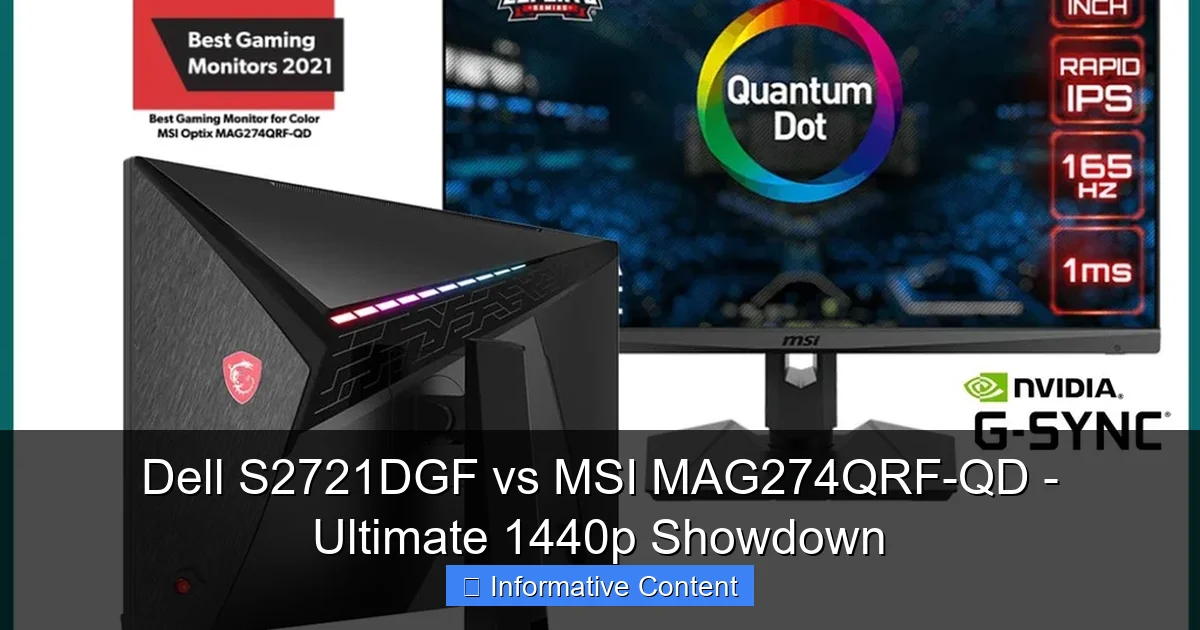
- MSI MAG274QRF-QD: Also sports an IPS panel, but with the significant addition of Quantum Dot (QD) technology. This means it uses a layer of tiny semiconductor nanocrystals to enhance color output and brightness, potentially leading to a more vibrant and accurate picture.
While both use IPS, the Quantum Dot layer on the MSI MAG274QRF-QD is a key differentiator that we’ll explore further when discussing color performance.
Refresh Rate and Response Time
This is where the rubber meets the road for gamers. High refresh rates and low response times are crucial for a smooth, fluid, and responsive gaming experience.
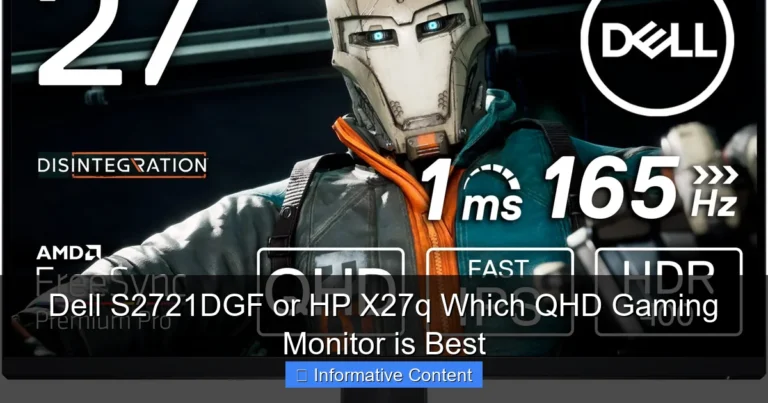
- Dell S2721DGF: Offers a blazing 165Hz refresh rate (over DisplayPort) and a rapid 1ms GtG (Grey-to-Grey) response time. These specs are truly excellent for competitive gaming, ensuring minimal motion blur and a very snappy feel.
- MSI MAG274QRF-QD: Matches the Dell with a 165Hz refresh rate and also claims a 1ms GtG response time. On paper, they appear identical in speed. However, real-world testing can sometimes reveal subtle differences in how these numbers translate to actual pixel transitions and ghosting.
Both monitors are more than capable of delivering a fantastic gaming experience, far exceeding standard 60Hz displays. The key will be how they handle overdrive settings and minimize artifacts in practice.
Adaptive Sync Technologies
Smooth gaming isn’t just about high frames; it’s also about preventing screen tearing and stuttering. Adaptive Sync technologies are essential here.
- Dell S2721DGF: It is AMD FreeSync Premium Pro certified and is also NVIDIA G-Sync Compatible. This means it works seamlessly with both AMD and NVIDIA graphics cards to synchronize the monitor’s refresh rate with your GPU’s frame rate.
- MSI MAG274QRF-QD: Similarly, it supports AMD FreeSync Premium and is also officially G-Sync Compatible. This ensures a tear-free and stutter-free experience whether you’re running an AMD or NVIDIA GPU.
In this regard, both monitors offer broad compatibility and deliver excellent variable refresh rate (VRR) performance, which is a huge plus for any gamer.
Image Quality and Color Accuracy: A Visual Feast?
Beyond raw speed, how good do these monitors actually look? This is where color accuracy, contrast, and brightness come into play. This is also where the MSI MAG274QRF-QD aims to differentiate itself.
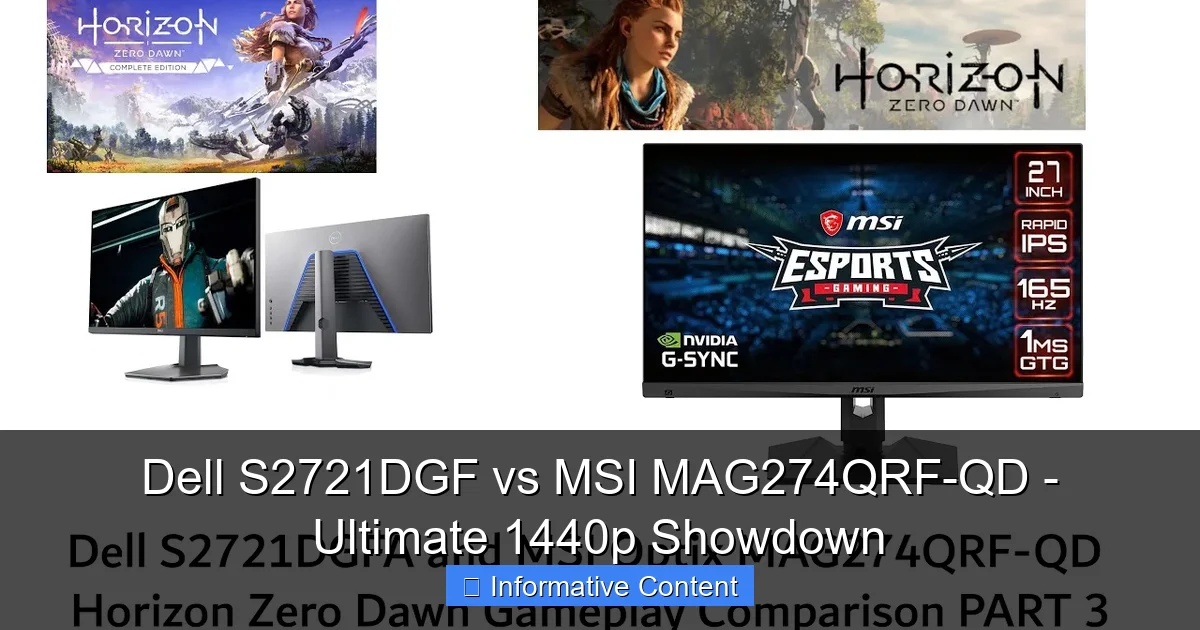
Visual guide about Dell S2721DGF vs MSI MAG274QRF-QD – Ultimate 1440p Showdown
Image source: i.ytimg.com
Out-of-the-Box Calibration and Color Gamut
A monitor’s ability to display accurate colors straight out of the box is a huge benefit, especially for those who don’t own a calibration device or dabble in creative work.
- Dell S2721DGF: Dell monitors generally have good factory calibration. It covers about 95-98% of the sRGB color space, which is excellent for general use and most gaming. Its DCI-P3 coverage is typically around 90-92%, which is decent but not groundbreaking.
- MSI MAG274QRF-QD: This is MSI’s strong suit, thanks to its Quantum Dot layer. It typically covers a massive 125% of the sRGB color space and an impressive 97-98% of the DCI-P3 color space. This wider gamut means more vibrant and saturated colors, especially in games that support a wider color profile. It often boasts excellent out-of-the-box accuracy with a low Delta E, making it a favorite among casual creators and those who simply appreciate rich visuals.
For photo editing, video work, or simply appreciating lush game environments, the MSI MAG274QRF-QD pulls ahead here with its superior color volume and accuracy.
Contrast and Black Levels
Contrast ratio is crucial for the perceived depth of an image. A higher contrast ratio means deeper blacks and brighter whites, leading to a more dynamic picture.
- Dell S2721DGF: Like most IPS panels, the Dell S2721DGF offers a typical contrast ratio of around 1000:1. This is standard for IPS and provides good, but not exceptional, black levels. Dark scenes might appear a bit grayish in a dimly lit room.
- MSI MAG274QRF-QD: Also being an IPS panel, it similarly offers a native contrast ratio in the 1000:1 to 1200:1 range. While its colors are vibrant, it doesn’t fundamentally change the inherent contrast limitations of IPS technology.
Neither monitor will blow you away with OLED-like blacks, but they perform well within the expectations for their panel type. If deep blacks are your absolute priority, you might need to look into VA panel monitors, but they often come with other trade-offs like slower response times and narrower viewing angles.
HDR Performance
High Dynamic Range (HDR) promises more vibrant colors and higher contrast, but its implementation in monitors can vary wildly.
- Dell S2721DGF: It supports HDR, specifically VESA DisplayHDR 400. However, DisplayHDR 400 is the entry-level HDR standard and doesn’t offer a truly transformative HDR experience. Peak brightness is only around 400 nits, and there’s no local dimming to significantly enhance contrast. It’s more of an “HDR compatible” feature than a true HDR experience.
- MSI MAG274QRF-QD: Likewise, it also supports VESA DisplayHDR 400. The situation is much the same as the Dell. While its wide color gamut helps with HDR content, the limited peak brightness and lack of proper local dimming mean you won’t get that “wow” factor often associated with high-end HDR displays.
For both the Dell S2721DGF vs MSI MAG274QRF-QD, it’s best to consider their HDR capabilities as a minor bonus rather than a primary selling point. They excel in SDR (Standard Dynamic Range) content.
Gaming Performance: Speed and Smoothness Explored
Now, let’s talk about the heart of these monitors: gaming. How do they perform when things get fast and furious?
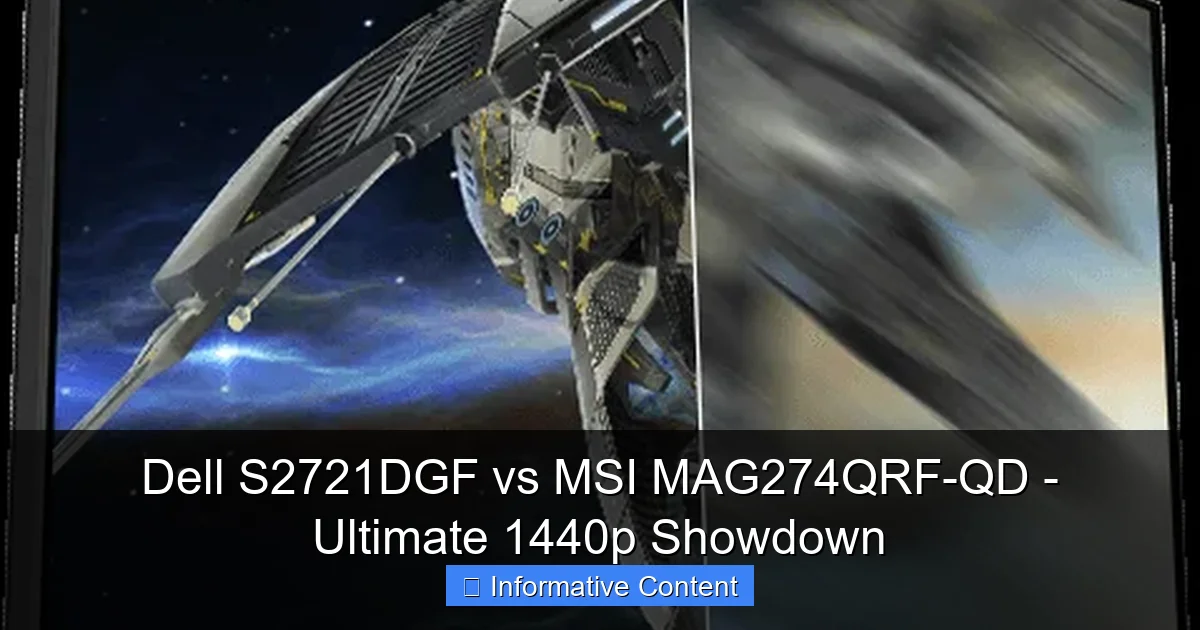
Visual guide about Dell S2721DGF vs MSI MAG274QRF-QD – Ultimate 1440p Showdown
Image source: storage-asset.msi.com
Response Time in Practice (GtG)
While both monitors claim 1ms GtG, real-world performance can differ. GtG measures how quickly a pixel can switch from one shade of grey to another, impacting motion clarity.
- Dell S2721DGF: Known for its extremely fast response times, especially on its fastest overdrive settings. It effectively minimizes ghosting and motion blur, making it a fantastic choice for competitive FPS games where every millisecond counts. Some users might notice slight inverse ghosting (overshoot) on the absolute fastest setting, but a slightly lower overdrive setting usually provides the best balance.
- MSI MAG274QRF-QD: Also delivers excellent response times. It’s very competitive with the Dell, offering crisp motion. Some reviews suggest it might be marginally slower in certain transitions compared to the Dell at its best, or might exhibit slightly more overshoot on its fastest settings. However, these are often very minor differences that only the most sensitive users might detect.
For the vast majority of gamers, both monitors offer superb motion clarity. If you’re an esports pro hyper-focused on eliminating every last bit of blur, the Dell might have a fractional edge, but it’s a very close race.
Adaptive Sync Technologies and Input Lag
As mentioned, both monitors are G-Sync Compatible and support FreeSync Premium/Pro, ensuring smooth, tear-free gaming across the entire refresh rate range (usually 48Hz-165Hz). This is critical for maintaining immersion and a consistent feel in games where your frame rate might fluctuate.
Input lag, the delay between your input and it appearing on screen, is another critical factor. Both the Dell S2721DGF and MSI MAG274QRF-QD are known for having extremely low input lag, typically in the 4-5ms range. This means your actions register almost instantly on screen, which is ideal for fast-paced games. You won’t feel any noticeable delay from the monitor itself.
Overdrive Settings and Artifacts
Monitors use overdrive to accelerate pixel transitions, but pushing it too hard can lead to visual artifacts like inverse ghosting or overshoot (pixels overshooting their target color before settling). Both Dell and MSI provide multiple overdrive settings.
- Dell S2721DGF: Offers several “Response Time” settings. The “Extreme” setting is very fast but can introduce some overshoot. The “Super Fast” setting often provides the best balance of speed and minimal artifacts for most users.
- MSI MAG274QRF-QD: Also features multiple “Response Time” or “Overdrive” settings. Similar to Dell, you’ll find a sweet spot that minimizes blur without creating distracting inverse ghosting. It’s often recommended to experiment with these settings based on your personal preference and the games you play.
The good news is that both manufacturers have done a solid job implementing their overdrive features, allowing users to fine-tune the experience.
Design, Ergonomics, and Connectivity: Practical Matters
Beyond the screen itself, how well do these monitors integrate into your daily life? Design, adjustability, and connectivity are vital considerations.
Visual guide about Dell S2721DGF vs MSI MAG274QRF-QD – Ultimate 1440p Showdown
Image source: down-ph.img.susercontent.com
Aesthetics and Build Quality
First impressions matter, and both monitors present a professional yet appealing aesthetic.
- Dell S2721DGF: Embraces Dell’s signature clean, understated design. It features thin bezels on three sides and a dark gray/black finish. The stand is robust and feels premium. It looks at home in both a gaming setup and a professional office environment.
- MSI MAG274QRF-QD: Features a slightly more gamer-centric design, but it’s not overly aggressive. It also has thin bezels and a sturdy stand. MSI often includes subtle RGB lighting elements on the back (Mystic Light), which can be customized to match your setup, adding a bit of flair without being obnoxious. Build quality is also very solid.
Your preference here will come down to whether you prefer Dell’s minimalist approach or MSI’s slightly more “gamer” aesthetic with optional RGB.
Stand Adjustments and VESA Mounting
Ergonomics are crucial for long gaming or work sessions. Both monitors excel here.
- Dell S2721DGF: Comes with a fully adjustable stand, offering height, tilt, swivel, and pivot (portrait mode) adjustments. This level of flexibility allows you to position the screen perfectly for your comfort, reducing strain.
- MSI MAG274QRF-QD: Also includes a comprehensive stand with height, tilt, swivel, and pivot adjustments. This ensures you can achieve an optimal viewing angle regardless of your desk setup or posture.
Both also support VESA mounting (100x100mm), meaning you can easily attach them to a monitor arm or wall mount if you prefer a custom setup. This is a standard and highly appreciated feature.
Port Selection
Connectivity is key for hooking up your PC, console, and other peripherals.
- Dell S2721DGF: Typically includes 2x HDMI 2.0 ports, 1x DisplayPort 1.4, a USB 3.0 hub (1 upstream, 4 downstream), and a headphone jack. This is a very robust selection that covers most needs.
- MSI MAG274QRF-QD: Often features 2x HDMI 2.0 ports, 1x DisplayPort 1.4, a USB 2.0 or 3.0 hub (1 upstream, 2 downstream), and a headphone jack. Some versions might also include a USB-C port with power delivery, which is a great addition for laptop users, making it a versatile docking solution. Always check the specific model’s ports.
Both offer ample connectivity, but the potential inclusion of USB-C on the MSI MAG274QRF-QD could be a tie-breaker for users with modern laptops.
OSD (On-Screen Display) Navigation
Adjusting monitor settings should be easy. Both brands use different methods.
- Dell S2721DGF: Uses a joystick-style control on the back of the monitor, complemented by a few physical buttons. This system is generally intuitive and easy to navigate, allowing quick access to presets, brightness, and input selection.
- MSI MAG274QRF-QD: Also uses a 5-way joystick on the back, which is a popular and user-friendly method for OSD navigation. MSI’s OSD often includes specific gaming features and a clear layout. They also offer software (Gaming OSD App) that allows you to control settings directly from your desktop, which is a nice convenience.
Both solutions are effective, with MSI’s software option potentially offering an extra layer of convenience for some users.
Features and Unique Selling Points: Dell S2721DGF vs MSI MAG274QRF-QD
Beyond the core specs, what little extras do these monitors bring to the table?
MSI’s QD Advantage
The “QD” in MSI MAG274QRF-QD stands for Quantum Dot, and this is its primary unique selling proposition. This technology allows the panel to produce a significantly wider color gamut, particularly DCI-P3, and often achieve higher color saturation and accuracy. This means:
- Vibrant Gaming: Games designed with wider color profiles will look more stunning, with richer reds, more vibrant greens, and deeper blues.
- Content Creation: For casual photo editing, graphic design, or video work, the enhanced color accuracy and coverage are a big plus, making it a more versatile display for work and play.
The Dell S2721DGF, while having good colors, simply cannot match the breadth and depth of color offered by the Quantum Dot panel. If color fidelity is high on your list, the MSI MAG274QRF-QD makes a strong case.
Dell’s User Experience and Warranty
Dell is renowned for its excellent customer service and warranty policies. The Dell S2721DGF typically comes with a 3-year advanced exchange service, meaning if you have a warranty issue, Dell will ship you a replacement unit before you even send yours back. This minimizes downtime, which is a huge benefit for both gamers and professionals.
Dell’s overall software experience is also typically polished, even if they don’t offer as many gamer-centric features in their OSD as MSI. The focus is on reliability and a consistent, high-quality user experience.
Software and Customization
Both monitors offer a range of customizable settings through their OSDs, including game modes, overdrive settings, color profiles, and more.
- Dell S2721DGF: Focuses on essential settings. It provides various picture modes (FPS, RTS, RPG, Custom) and standard calibration options.
- MSI MAG274QRF-QD: Offers MSI’s Gaming OSD App, which allows for software control over monitor settings, including game profiles, on-screen crosshairs, an alarm clock, and more. This can be more convenient than fumbling with joystick controls on the back of the monitor. The Mystic Light integration for its RGB adds another layer of customization.
For those who like to tweak and personalize every aspect of their setup, MSI’s software ecosystem might offer a more compelling experience.
Conclusion: Which 1440p Champion Takes Your Crown?
We’ve pitted the Dell S2721DGF vs MSI MAG274QRF-QD against each other, dissecting every aspect from their raw specs to their unique selling points. Both are phenomenal 1440p gaming monitors that offer exceptional value, but they cater to slightly different priorities.
The Dell S2721DGF stands out as the undisputed champion of value and pure gaming performance. If you’re a competitive gamer, an enthusiast looking for maximum frames and minimal blur, and you prioritize a fantastic gaming experience above all else, the Dell S2721DGF is an incredibly strong contender. Its fast IPS panel delivers excellent response times and motion clarity, and it often comes at a price that’s hard to beat. You get top-tier gaming performance for a very reasonable cost, backed by Dell’s reliable support.
On the other hand, the MSI MAG274QRF-QD steps up the visual fidelity with its Quantum Dot technology. If you’re someone who appreciates richer, more accurate colors, whether for immersive single-player games, watching movies, or even dabbling in creative work like photo and video editing, the MSI MAG274QRF-QD offers a more visually vibrant experience. While its gaming performance is still top-notch and virtually indistinguishable from the Dell for most users, its superior color gamut and accuracy make it a more versatile monitor for those who value aesthetics and creativity alongside their gaming.
So, who wins the ultimate 1440p showdown? It’s not a knockout, but rather a decision based on your personal priorities:
- Choose the Dell S2721DGF if: You’re a budget-conscious gamer, prioritize raw speed and motion clarity, and want an exceptional value-for-money gaming monitor with a clean, professional aesthetic.
- Choose the MSI MAG274QRF-QD if: You’re willing to pay a slight premium for superior color accuracy, a wider color gamut for content creation and richer visuals, and appreciate a slightly more gamer-centric design with software customization options.
Ultimately, you can’t go wrong with either of these monitors. Both the Dell S2721DGF and MSI MAG274QRF-QD represent the pinnacle of accessible 1440p gaming, offering a superb upgrade for anyone looking to elevate their desktop experience. Happy gaming!
Frequently Asked Questions
What resolution and refresh rate do these monitors offer?
Both the Dell S2721DGF and the MSI MAG274QRF-QD are 27-inch monitors featuring a 2560×1440 (1440p) resolution. They both offer a high refresh rate of 165Hz, providing incredibly smooth visuals for gaming and general desktop use.
Are these monitors good for competitive gaming?
Absolutely! Both monitors are excellent for competitive gaming, boasting 165Hz refresh rates and 1ms GtG response times. They minimize motion blur and input lag, ensuring a responsive and fluid experience that’s crucial for fast-paced games.
Which monitor should I choose if I also do graphic design or photo editing?
If you’re involved in graphic design, photo editing, or any color-sensitive work, the MSI MAG274QRF-QD is the better choice. Its Quantum Dot technology provides a much wider color gamut (especially DCI-P3) and superior out-of-the-box color accuracy compared to the Dell S2721DGF.
Do these monitors have adjustable stands?
Yes, both the Dell S2721DGF and the MSI MAG274QRF-QD come with fully ergonomic stands. They offer height, tilt, swivel, and pivot adjustments, allowing you to position the screen perfectly for your comfort and setup.
What’s the main difference between the Dell S2721DGF’s Fast IPS and MSI’s Quantum Dot IPS?
Both are IPS panels designed for speed and good colors. The key difference is MSI’s Quantum Dot layer, which enhances color vibrancy and accuracy, giving it a much wider color gamut. The Dell’s “Fast IPS” primarily focuses on achieving very low response times.
Are these monitors suitable for console gaming (PS5, Xbox Series X/S)?
Yes, both monitors are great for current-gen console gaming. They support 1440p at 120Hz (where supported by the console and game), and 1080p at 120Hz. While consoles don’t output 1440p at 165Hz, these monitors will still provide a superb gaming experience on consoles.