75Hz vs 180Hz Monitor – What Refresh Rate Do You Need
When comparing a 75Hz vs 180Hz monitor, the core difference lies in smoothness and responsiveness. A 75Hz monitor offers a noticeable upgrade from standard 60Hz, proving excellent for general use and casual gaming without breaking the bank. In contrast, a 180Hz monitor delivers ultra-smooth visuals and minimal input lag, making it the superior choice for competitive gamers and anyone prioritizing the absolute fastest on-screen action, provided their PC hardware can keep up.
Hey there, tech enthusiast! Are you staring at a sea of monitor specifications, trying to decipher what “Hz” actually means for your daily digital life? You’re not alone. Choosing a new monitor can feel like navigating a complex maze, especially when it comes to refresh rates. Today, we’re going to dive deep into a common head-scratcher: the 75Hz vs 180Hz monitor debate.
Whether you’re a hardcore gamer, a diligent productivity guru, or just someone who enjoys crisp visuals, understanding refresh rates is key to making an informed decision. We’ll break down what these numbers mean, who benefits most from each, and ultimately, help you figure out exactly what refresh rate you need to get the most out of your monitor and your budget.
So, grab a coffee, get comfortable, and let’s explore the world of refresh rates to determine whether a nimble 75Hz monitor or a lightning-fast 180Hz monitor is the perfect fit for your setup!
Key Takeaways
- Refresh Rate Defined: Refresh rate dictates how many times your monitor updates its image per second, measured in Hertz (Hz). Higher Hz means smoother motion.
- 75Hz Monitors: Balanced Performance: A 75Hz monitor provides a good balance of smoothness and cost-effectiveness, offering a noticeable improvement over 60Hz for everyday tasks, content consumption, and casual gaming without demanding top-tier PC hardware.
- 180Hz Monitors: Elite Speed for Gamers: A 180Hz monitor is a premium choice primarily for competitive gamers, delivering exceptionally fluid motion, reduced motion blur, and a significant competitive edge due to lower input lag.
- Hardware Requirements: To fully utilize a 180Hz monitor, you’ll need a powerful graphics card (GPU) and processor (CPU) capable of consistently rendering frames at or above 180 frames per second (FPS) in your desired games. A 75Hz monitor is far less demanding on hardware.
- Beyond Gaming: For most productivity, web browsing, and movie watching, the benefits of a 180Hz monitor over a 75Hz monitor are minimal and often imperceptible to the average user.
- Consider Your Budget and Use Case: The right refresh rate depends on your primary activities, budget, and existing PC specifications. Don’t overspend on a 180Hz monitor if your PC can’t drive it or if your usage doesn’t demand such high speeds.
- Other Factors Matter: Remember to consider response time, panel type (IPS, VA, TN), resolution, and adaptive sync technologies (G-Sync, FreeSync) alongside refresh rate for a truly optimal monitor choice.
Quick Answers to Common Questions
Can I really tell the difference between 75Hz and 180Hz?
Yes, most people can easily perceive the difference in smoothness, especially during fast-paced motion like gaming or quickly scrolling web pages. The jump from 75Hz to 180Hz is very significant in terms of visual fluidity.
Do I need a special cable for a 180Hz monitor?
For high refresh rates like 180Hz, you’ll typically need a DisplayPort 1.2 (or newer) or an HDMI 2.0 (or newer) cable. Always check your monitor’s specifications to ensure you have the correct cable to achieve the advertised refresh rate at your desired resolution.
Will a 180Hz monitor improve my gaming skill?
While a 180Hz monitor provides a competitive advantage by offering smoother visuals and reduced input lag, it won’t instantly make you a better player. It provides the tools for better performance, but your skill, practice, and strategy remain the primary factors.
Is a 75Hz monitor good for gaming?
A 75Hz monitor is good for casual gaming and single-player titles, offering a smoother experience than 60Hz. However, for competitive multiplayer games where reaction time is critical, a 180Hz or even 144Hz monitor will provide a significant advantage.
Can my PC run a 180Hz monitor?
To fully utilize a 180Hz monitor, your PC’s graphics card (GPU) and processor (CPU) must be capable of rendering games at or above 180 frames per second (FPS). If your PC struggles to hit high frame rates, a 180Hz monitor won’t provide its full benefit.
📑 Table of Contents
Understanding Refresh Rate: The Heartbeat of Your Display
Before we jump into the specifics of a 75Hz vs 180Hz monitor, let’s get a clear picture of what refresh rate actually is. Think of your monitor as a flipbook. Each page is a frame, and the refresh rate tells you how many pages the monitor can “flip” or display per second. This is measured in Hertz (Hz).
What Exactly is Refresh Rate?
In simple terms, refresh rate is the number of times your monitor updates the image on its screen every second. A 60Hz monitor updates 60 times per second, a 75Hz monitor updates 75 times per second, and a 180Hz monitor updates a whopping 180 times per second. The higher the number, the more frequently the image is refreshed, leading to a smoother, more fluid visual experience.
Why Does a Higher Refresh Rate Matter?
The human eye can generally perceive differences in refresh rates, especially when comparing lower values like 30Hz to 60Hz, or 60Hz to 120Hz. For a long time, 60Hz was the standard for most monitors, and it’s perfectly fine for general tasks like web browsing, watching videos, and even casual gaming. However, as technology advanced, so did the pursuit of smoother visuals.
- Smoothness: Higher refresh rates make on-screen motion appear significantly smoother. This is particularly noticeable when scrolling through web pages, dragging windows around, or, most importantly, playing fast-paced video games.
- Reduced Motion Blur: With more frequent updates, the gap between frames is smaller, which helps to reduce motion blur, making fast-moving objects appear sharper.
- Responsiveness: A higher refresh rate, especially when paired with low input lag, can make your interactions feel more immediate. Your mouse cursor feels more “connected” to your hand, and in games, your actions are reflected on screen almost instantly.
Now that we understand the basics, let’s look at how a 75Hz monitor and a 180Hz monitor stack up.
The 75Hz Monitor: A Sweet Spot for Many
For years, 60Hz was the industry standard. Then, a pleasant upgrade emerged in the form of the 75Hz monitor. While it might not sound like a huge leap, that extra 15Hz can make a surprisingly noticeable difference for many users without demanding a premium price tag or top-tier hardware.
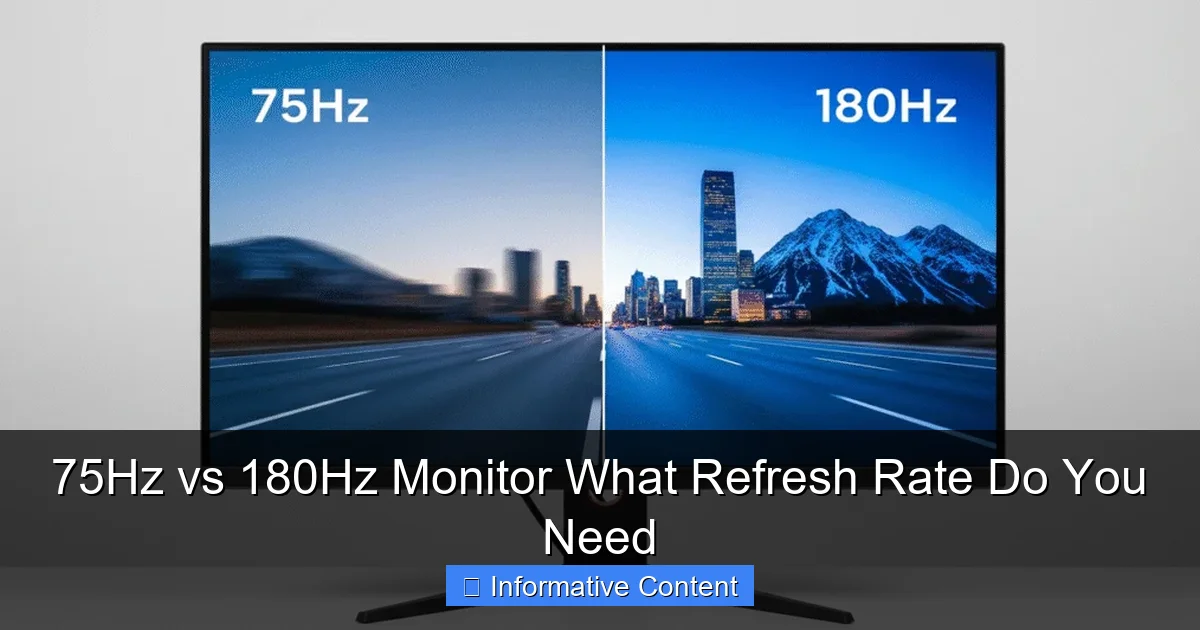
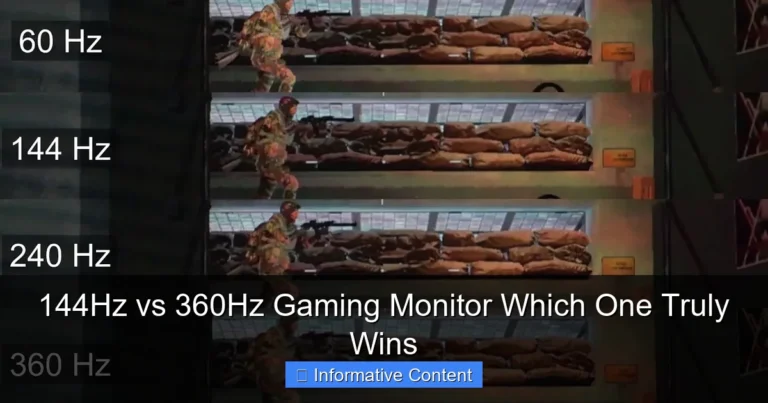
Visual guide about 75Hz vs 180Hz Monitor What Refresh Rate Do You Need
Image source: hardstech.com
Who is a 75Hz Monitor For?
A 75Hz monitor is an excellent choice for a broad range of users. If you’re upgrading from an older 60Hz display, you’ll immediately appreciate the subtle but definite improvement in smoothness. This makes it ideal for:
- Everyday Users: If your main activities include web browsing, checking emails, watching movies, and general office work, a 75Hz monitor provides a very comfortable and fluid experience. Scrolling through long documents or websites feels less choppy.
- Casual Gamers: For those who enjoy single-player story-driven games, indie titles, or less competitive multiplayer games, a 75Hz monitor is perfectly adequate. It offers a slightly more immersive and smoother experience than 60Hz, allowing you to enjoy your games without feeling at a disadvantage.
- Budget-Conscious Buyers: 75Hz monitors are typically more affordable than their higher-refresh-rate counterparts. This allows you to get a great monitor at a reasonable price, often with good resolution and panel quality.
- Productivity and Content Consumption: If you spend hours working on spreadsheets, coding, or simply enjoying YouTube videos and Netflix, the enhanced smoothness of a 75Hz monitor provides a more pleasant viewing experience.
Pros of a 75Hz Monitor
- Cost-Effective: Generally more affordable, offering great value for money.
- Noticeable Upgrade from 60Hz: Provides a tangible improvement in smoothness for all tasks.
- Less Demanding on Hardware: Your graphics card and CPU don’t need to be top-of-the-line to consistently hit 75 frames per second (FPS), making it suitable for mid-range PCs.
- Widely Available: Many monitors, even those not explicitly advertised for gaming, offer a 75Hz refresh rate, often found in IPS panels which provide excellent color accuracy and viewing angles.
Cons of a 75Hz Monitor
- Not Ideal for Competitive Gaming: While fine for casual play, it won’t give you the competitive edge in fast-paced esports titles where every millisecond counts.
- Less Future-Proof: As games and hardware continue to advance, 75Hz may feel limited compared to upcoming standards.
In essence, a 75Hz monitor is a fantastic all-rounder. It delivers a solid performance upgrade over traditional 60Hz monitors, making it a smart choice for most users who aren’t chasing the absolute pinnacle of gaming performance. When comparing a 75Hz vs 180Hz monitor, the 75Hz option shines in its balance of performance and accessibility.
The 180Hz Monitor: Unleashing Maximum Speed
Now, let’s crank things up a notch. The 180Hz monitor is a beast designed for speed, responsiveness, and an incredibly fluid visual experience. This refresh rate sits firmly in the high-performance category, catering to users who demand the very best in motion clarity and input responsiveness.
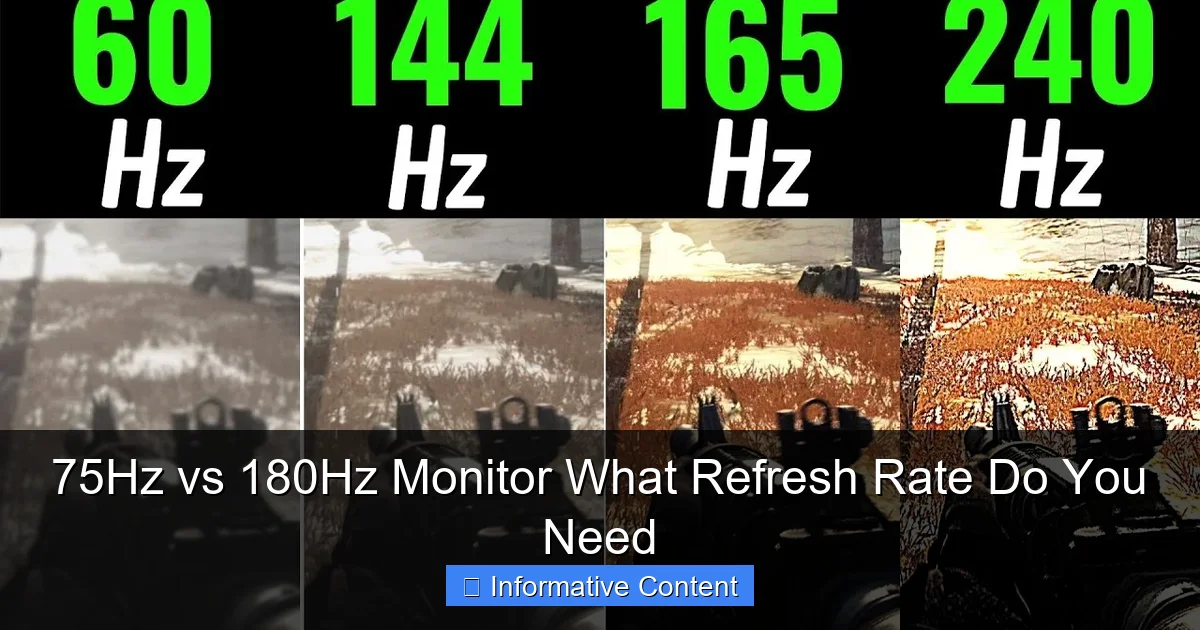
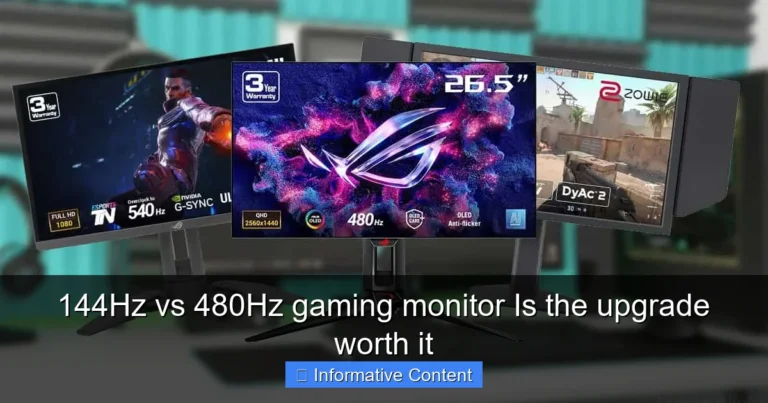
Visual guide about 75Hz vs 180Hz Monitor What Refresh Rate Do You Need
Image source: i.ytimg.com
Who is a 180Hz Monitor For?
If you’re considering a 180Hz monitor, you’re likely a serious enthusiast in one particular area:
- Competitive Gamers: This is where 180Hz truly shines. In games like CS:GO, Valorant, Apex Legends, or Overwatch, every frame matters. A 180Hz monitor drastically reduces motion blur and input lag, allowing you to react faster, track enemies more accurately, and simply see more of what’s happening on screen in real-time. This can provide a genuine competitive advantage.
- Esports Professionals: For anyone looking to compete at a high level, a high refresh rate monitor like a 180Hz option is almost a necessity. It’s part of the standard competitive setup.
- Enthusiasts with High-End Rigs: If you’ve invested heavily in a powerful gaming PC with a top-tier graphics card (like an RTX 4070 or above, or an RX 7800 XT and above), you’ll want a monitor that can keep up and display all those frames your GPU is rendering. A 180Hz monitor ensures you’re not leaving any performance on the table.
- Those Who Prioritize Ultimate Smoothness: Even outside of gaming, the desktop experience on a 180Hz monitor is incredibly smooth. Scrolling, dragging windows, and even just moving your mouse cursor feels incredibly fluid, almost like it’s physically connected to your hand.
Pros of a 180Hz Monitor
- Unparalleled Smoothness: Motion is incredibly fluid, making everything on screen feel instant and responsive.
- Significant Competitive Edge in Gaming: Lower input lag and less motion blur mean faster reactions and better target tracking.
- Reduced Eye Strain (for some): The smoother motion can reduce flickering and visual fatigue for some users, especially during extended gaming sessions.
- Future-Proofing: While technology always advances, 180Hz is a high standard that will remain relevant for competitive gaming for years to come.
Cons of a 180Hz Monitor
- Higher Cost: 180Hz monitors are significantly more expensive than 75Hz models, and often cost more than 144Hz or 165Hz monitors.
- Demanding on Hardware: To consistently achieve 180 FPS in modern games, you’ll need a very powerful (and often expensive) graphics card and processor. If your PC can only push 80-100 FPS, much of the 180Hz monitor’s capability will go unused.
- Minimal Benefit for Non-Gaming Use: For general productivity, web browsing, or watching videos (which are typically 24-60 FPS), the extra refresh rate offers little to no perceivable advantage over a 75Hz monitor. You’re paying for performance you won’t fully utilize.
- Potential for Screen Tearing: Without adaptive sync (G-Sync or FreeSync), running at very high frame rates that fluctuate can lead to screen tearing if the monitor’s refresh rate doesn’t match the GPU’s output.
The 180Hz monitor is a specialized tool. It’s fantastic for what it’s designed to do – deliver an elite-tier gaming experience – but it comes with a higher price tag and specific hardware requirements. When considering a 75Hz vs 180Hz monitor, the 180Hz option is clearly aimed at a niche, performance-hungry audience.
Beyond Refresh Rate: Other Critical Monitor Factors
While refresh rate is a huge piece of the puzzle, it’s not the only factor that determines a monitor’s quality and suitability for your needs. A truly great monitor combines a high refresh rate with other excellent features. Let’s look at a few that are especially important when considering a 75Hz vs 180Hz monitor.
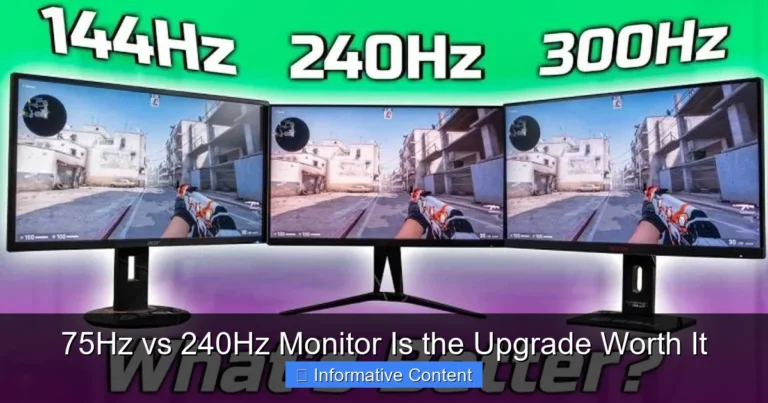
Visual guide about 75Hz vs 180Hz Monitor What Refresh Rate Do You Need
Image source: cdn.shopify.com
Response Time: How Fast Pixels Change
Refresh rate tells you how often the screen *can* update, but response time tells you how quickly individual pixels *actually* change from one color to another. It’s measured in milliseconds (ms). A low response time (1ms to 5ms) is crucial for gaming, especially with high refresh rates. Without it, you might experience ghosting, where trails are left behind fast-moving objects, even on a high Hz monitor. For competitive gaming, look for 1ms GtG (Gray-to-Gray).
Panel Type: The Foundation of Your Display
The type of panel technology used significantly impacts image quality, viewing angles, and, to some extent, response time.
- IPS (In-Plane Switching): Offers excellent color accuracy and wide viewing angles, making it great for content creation and general use. Response times have improved significantly, making IPS gaming monitors very popular.
- VA (Vertical Alignment): Known for superior contrast ratios and deep blacks, providing a more immersive experience for movies and atmospheric games. Response times can be slightly slower than TN or some IPS panels.
- TN (Twisted Nematic): Historically the fastest panel type with the lowest response times, but sacrifices color accuracy and viewing angles. Still found in some budget competitive gaming monitors.
When looking at a 75Hz vs 180Hz monitor, you’ll find all panel types available. IPS is a popular choice for both, offering a good balance.
Resolution: The Sharpness of Your Image
Resolution refers to the number of pixels on your screen (e.g., 1920×1080 for 1080p, 2560×1440 for 1440p, 3840×2160 for 4K). Higher resolutions provide a sharper, more detailed image. However, driving higher resolutions at high refresh rates demands immense GPU power. A 180Hz 1080p monitor is easier to drive than a 180Hz 1440p or 4K monitor. Always consider your GPU’s capabilities when choosing resolution alongside refresh rate.
Adaptive Sync Technology: Smooth Frames, No Tearing
Technologies like NVIDIA G-Sync and AMD FreeSync synchronize your monitor’s refresh rate with your graphics card’s frame rate. This eliminates screen tearing (where different parts of the screen display different frames) and stuttering (when frames drop), providing an incredibly smooth gaming experience. This is especially important for high refresh rate monitors, as tearing becomes more noticeable at higher FPS. Ensure your chosen monitor supports adaptive sync and is compatible with your GPU.
GPU Compatibility and Performance
This is perhaps the most crucial factor after refresh rate itself. There’s no point in buying a 180Hz monitor if your graphics card can only push 60-80 FPS in your favorite games. You’d be paying for a feature you can’t fully utilize. Always assess your current PC’s capabilities or plan for a GPU upgrade if you’re aiming for a high refresh rate like 180Hz.
Which One Do You Need? Making the Right Choice
Alright, it’s decision time. Now that you understand the ins and outs of both options, let’s break down who should pick a 75Hz monitor and who should invest in a 180Hz monitor. Remember, there’s no universally “best” monitor; there’s only the best monitor for you.
Scenario 1: The Everyday User, Casual Gamer, and Productivity Pro
If your daily routine involves a mix of web browsing, working with documents, streaming videos, and perhaps some light or casual single-player gaming, a 75Hz monitor is likely your ideal choice.
- You’ll get a noticeable smoothness upgrade from a standard 60Hz display.
- It’s far more budget-friendly, leaving room for other PC components or peripherals.
- Your current mid-range PC will likely have no trouble hitting 75 FPS in most games you play, fully utilizing the monitor’s capabilities.
- The benefits of 180Hz for these tasks are minimal and often imperceptible, making the extra cost unwarranted.
Practical Tip: Look for a 75Hz IPS panel for excellent colors and viewing angles. A 1080p or 1440p resolution will be great depending on your screen size preference.
Scenario 2: The Competitive Gamer and Esports Enthusiast
If you live for competitive multiplayer games, chase high ranks, and believe that every millisecond matters, then a 180Hz monitor is a strong contender.
- The ultra-smooth motion and reduced input lag will give you a genuine competitive edge, allowing for faster reactions and more precise aiming.
- You likely already have, or are planning to build, a high-end gaming PC capable of consistently pushing 180+ FPS in your preferred titles.
- You prioritize performance and responsiveness above all else, even if it comes at a higher cost.
- Adaptive sync (G-Sync or FreeSync) is a must-have feature to eliminate tearing at these high frame rates.
Practical Tip: Pair your 180Hz monitor with a powerful GPU. Consider a fast IPS or TN panel with a 1ms response time. For competitive play, 1080p is often preferred for maximum FPS, though 1440p is becoming more common for a balance of detail and speed.
Scenario 3: The Content Creator with Some Gaming Interest
This is a slightly trickier scenario. If you primarily do creative work (video editing, graphic design) but also enjoy serious gaming, you’ll need to weigh your priorities.
- If creative work is 70%+ of your usage: A high-quality IPS panel with excellent color accuracy and perhaps a 75Hz or 100Hz refresh rate might be sufficient. The money saved could go towards a larger screen or better resolution.
- If gaming is 50%+ of your usage and competitive: A 180Hz IPS monitor would be a good compromise, giving you excellent colors for work and the speed you need for gaming, but expect to pay a premium.
Practical Tip: For this blended use, an IPS panel is almost always the best choice due to its color reproduction. Evaluate whether the cost premium of a 180Hz monitor truly benefits your creative workflow, or if a 75Hz or 100-120Hz monitor offers enough smoothness without breaking the bank.
Ultimately, the choice between a 75Hz vs 180Hz monitor boils down to your personal use case, your budget, and the capabilities of your existing PC hardware. Don’t simply buy the highest number; buy the monitor that best aligns with your needs and provides the most value for your specific setup.
Conclusion: Your Refresh Rate, Your Experience
Navigating the monitor market, especially when comparing a 75Hz vs 180Hz monitor, can feel overwhelming. But by understanding what each refresh rate offers, who it benefits, and what other factors come into play, you can confidently make a choice that enhances your digital experience.
A 75Hz monitor is a fantastic all-rounder, offering a noticeable upgrade in smoothness and responsiveness for general use, casual gaming, and productivity, all while being kind to your wallet and your PC’s hardware. It’s a smart, practical choice for the vast majority of users looking for a solid performance boost without unnecessary extravagance.
On the other hand, the 180Hz monitor is a specialized tool, purpose-built for the demands of competitive gaming. It delivers unparalleled fluidity and a significant edge in fast-paced titles, but it requires a powerful PC to match and comes with a higher price tag. If you’re serious about esports or simply demand the absolute fastest visuals, and your budget and hardware can support it, then 180Hz is an exhilarating experience.
Take stock of your needs, your budget, and your PC’s specifications. Whether you opt for the balanced charm of a 75Hz monitor or the blistering speed of a 180Hz monitor, you’re now equipped with the knowledge to make the perfect choice for your setup. Happy viewing, and happy gaming!
Frequently Asked Questions
What is the main difference between a 75Hz and 180Hz monitor?
The main difference is how many times the screen refreshes per second. A 180Hz monitor refreshes 180 times per second, offering significantly smoother motion and less input lag compared to a 75Hz monitor, which refreshes 75 times per second.
Is 75Hz good for competitive gaming?
While 75Hz is a decent step up from 60Hz for general use and casual gaming, it is generally not considered ideal for competitive gaming. Competitive players typically prefer refresh rates of 144Hz, 180Hz, or higher for the best responsiveness and clarity.
Do I need a powerful graphics card for a 180Hz monitor?
Yes, to truly benefit from a 180Hz monitor, you absolutely need a powerful graphics card (GPU) capable of consistently delivering 180 frames per second (FPS) or more in the games you play. Otherwise, the monitor’s high refresh rate capability will go largely unused.
Will I notice a difference upgrading from 60Hz to 75Hz?
Yes, most users report a noticeable improvement in smoothness when upgrading from a 60Hz to a 75Hz monitor. Desktop scrolling, window dragging, and general motion will appear slightly more fluid and responsive.
Are 180Hz monitors more expensive?
Generally, yes. 180Hz monitors are significantly more expensive than 75Hz monitors due to the advanced technology required for such high refresh rates, and they are typically marketed towards the premium gaming segment.
Does refresh rate matter for watching movies or streaming?
For movies and most streaming content, refresh rate typically doesn’t matter much beyond 60Hz. Most films are shot at 24 frames per second, and TV shows or streaming videos are often 30 or 60 FPS. A 75Hz monitor is perfectly adequate for these uses, and a 180Hz monitor offers little to no additional benefit.