Dell S2721DGF vs AOC Q27G2S Which Monitor Should You Buy
When choosing between the Dell S2721DGF and AOC Q27G2S, you’re looking at two excellent 1440p IPS gaming monitors. The Dell S2721DGF often offers a slightly more premium build and marginally better overdrive performance, making it a favorite for many serious gamers. Meanwhile, the AOC Q27G2S provides fantastic value with comparable core specs, often at a more attractive price point, making it an excellent choice for budget-conscious gamers who still demand high performance. Your decision ultimately hinges on your budget and specific priorities for design and subtle performance nuances.
Choosing a new gaming monitor can feel like navigating a maze, especially when you’re looking for that sweet spot of performance, features, and value. In the realm of 1440p IPS displays, two names consistently pop up in discussions among gamers and tech enthusiasts: the Dell S2721DGF and the AOC Q27G2S. Both monitors have earned significant praise for their exceptional gaming performance, vibrant picture quality, and overall bang for your buck.
You’re likely here because you’re considering one of these two fantastic options and want to understand the nuances that separate them. Is one truly better than the other, or is it a matter of subtle differences that cater to specific needs? This comprehensive guide aims to break down everything you need to know about the Dell S2721DGF vs AOC Q27G2S, helping you make an informed decision that perfectly aligns with your gaming setup and personal preferences. Let’s dive in and dissect these popular contenders to see which monitor deserves a spot on your desk.
Key Takeaways
- Core Specifications are Similar: Both the Dell S2721DGF and AOC Q27G2S are 27-inch, 1440p (QHD) IPS monitors with high refresh rates (Dell 165Hz, AOC 144Hz) and low response times (1ms MPRT).
- Build Quality and Ergonomics: The Dell S2721DGF generally boasts a more premium, robust build and a highly adjustable stand, often feeling more refined than the AOC Q27G2S.
- Gaming Performance: Both monitors offer excellent gaming experiences with FreeSync Premium support. The Dell S2721DGF might have a slight edge in response time tuning and overall smoothness for some users due to its higher refresh rate and Dell’s reputation for excellent overdrive.
- Color Accuracy and Image Quality: Being IPS panels, both deliver vibrant colors and wide viewing angles. The Dell S2721DGF often exhibits slightly better factory calibration and a wider color gamut coverage (e.g., DCI-P3), making it a touch better for content creation alongside gaming.
- Value for Money: The AOC Q27G2S frequently comes in at a lower price point, offering exceptional performance for its cost, making it a strong contender for those on a tighter budget without sacrificing much.
- Connectivity: Both monitors offer a good selection of ports, including DisplayPort and HDMI, along with a USB hub. Dell often provides a more comprehensive USB hub.
Quick Answers to Common Questions
What is the main difference in refresh rate between the Dell S2721DGF and AOC Q27G2S?
The Dell S2721DGF features a maximum refresh rate of 165Hz, while the AOC Q27G2S offers 144Hz. This means the Dell can display 21 more frames per second, offering slightly smoother motion in games.
Are both monitors G-Sync Compatible?
The Dell S2721DGF is officially G-Sync Compatible certified by NVIDIA. The AOC Q27G2S is FreeSync Premium certified, and while it generally works well with NVIDIA cards, it may not carry official G-Sync Compatible certification.
Which monitor has a better build quality?
The Dell S2721DGF generally offers a more premium and robust build quality with a highly adjustable and stable stand, often feeling more refined than the AOC Q27G2S.
Does either monitor have a USB hub?
Yes, the Dell S2721DGF typically includes a comprehensive USB 3.0 hub, which is very convenient for connecting peripherals. The AOC Q27G2S may or may not include a USB hub depending on the specific model revision, and it’s generally less featured.
Which monitor is usually more affordable?
The AOC Q27G2S is often priced more competitively and is generally the more affordable option between the two, offering excellent performance for its cost.
📑 Table of Contents
Design, Build Quality, and Ergonomics: A Tale of Two Aesthetics
When you unbox a new monitor, the first thing you notice isn’t the refresh rate or response time; it’s the physical presence. The design, build quality, and ergonomic flexibility play a significant role in your overall user experience, especially if you spend long hours in front of your screen. Let’s compare the Dell S2721DGF vs AOC Q27G2S in this crucial area.
Aesthetic Appeal and Build Materials
The Dell S2721DGF embraces a more understated, professional aesthetic that Dell is well-known for, even in its gaming line. It features a sleek, almost minimalist design with thin bezels on three sides and a clean, dark grey finish. The plastic used feels robust and premium to the touch, and the overall construction exudes quality. It wouldn’t look out of place in a professional office environment, yet it packs a serious gaming punch.
In contrast, the AOC Q27G2S leans into a more traditional “gamer” aesthetic. It incorporates subtle red accents on the stand and the bottom bezel, giving it a more aggressive, though not overly flashy, look. While the build quality is perfectly acceptable and sturdy, it might not feel quite as premium or refined as the Dell S2721DGF. Both monitors feature relatively thin bezels, contributing to an immersive experience, especially in multi-monitor setups.
Stand Adjustability and Desk Footprint
Ergonomics are paramount for comfort and productivity. Both monitors offer a good degree of adjustability, which is essential for finding that perfect viewing angle. The Dell S2721DGF comes with an excellent stand that allows for height adjustment, tilt, swivel, and pivot (portrait mode). This level of flexibility ensures you can position the screen exactly where you need it, reducing strain during extended gaming sessions or work. The stand is also quite stable, with minimal wobble.
The AOC Q27G2S also provides comprehensive ergonomic adjustments, including height, tilt, and swivel. While it generally offers good flexibility, some users might find the Dell’s stand to feel a touch more solid or smoother in its adjustments. Both monitors are VESA mount compatible, meaning you can easily attach them to a third-party monitor arm if you prefer, which is a fantastic feature for desk space optimization. The footprint of both stands is reasonable, but Dell’s triangular base might take up slightly less linear desk space than AOC’s.
Picture Perfect? Display Performance Showdown
This is where the rubber meets the road for any monitor comparison. Both the Dell S2721DGF and AOC Q27G2S are highly regarded for their display performance, offering excellent specs on paper. Let’s dig deeper into what makes each one shine and where subtle differences lie in the Dell S2721DGF vs AOC Q27G2S battle.
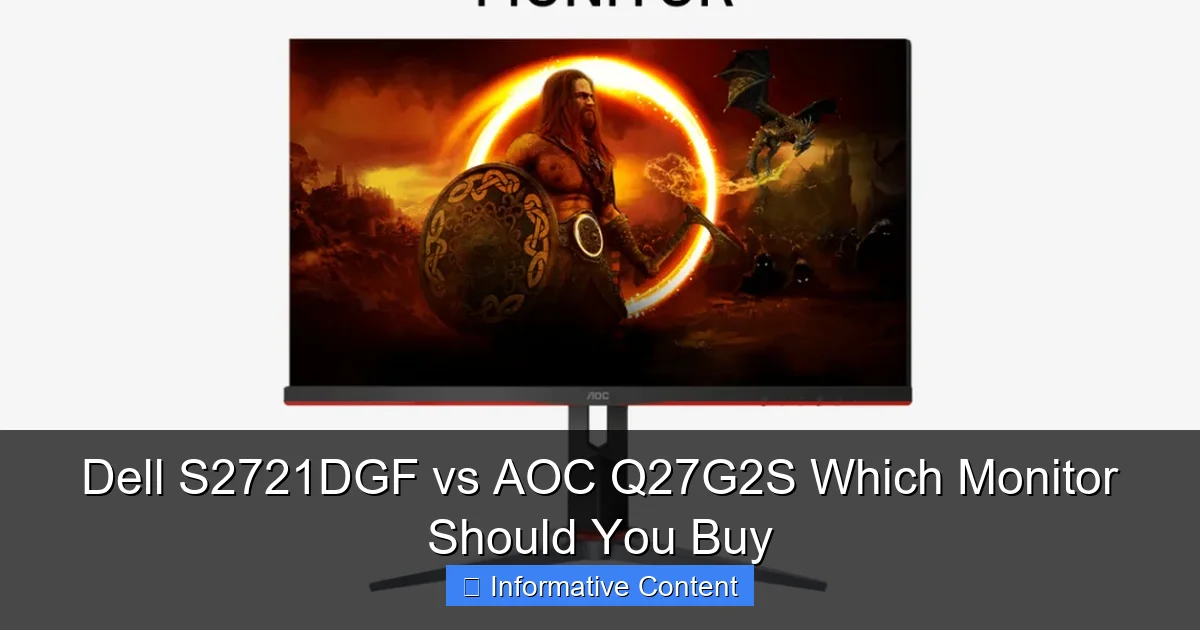
Visual guide about Dell S2721DGF vs AOC Q27G2S Which Monitor Should You Buy
Image source: down-sg.img.susercontent.com
Resolution and Panel Type
Both monitors are 27-inch displays featuring a Quad HD (QHD) resolution of 2560×1440 pixels. This resolution at 27 inches is often considered the sweet spot for gaming, offering a significant step up in clarity and screen real estate compared to 1080p, without being as demanding on your graphics card as 4K. Both utilize In-Plane Switching (IPS) panel technology. IPS panels are celebrated for their superb color accuracy, wide viewing angles, and generally good contrast, making them excellent for both gaming and general productivity or content consumption. You won’t see color shifting when viewing from the sides, which is a big plus.
Refresh Rate and Response Time
For gamers, these are often the most crucial specs. The Dell S2721DGF boasts a maximum refresh rate of 165Hz, while the AOC Q27G2S offers a still impressive 144Hz. While 21Hz might not seem like a huge difference, competitive gamers might notice the slightly smoother motion provided by the Dell, especially in fast-paced titles. Both monitors advertise a 1ms MPRT (Moving Picture Response Time), which uses backlight strobing to reduce motion blur. For grey-to-grey (GtG) response time, both are excellent. Dell has a reputation for fine-tuning its overdrive settings to minimize ghosting and inverse ghosting, often outperforming competitors in this regard. While the AOC is also very good, some reviews suggest the Dell S2721DGF has a slight edge in achieving optimal response times across its refresh rate range without introducing noticeable artifacts.
Color Accuracy and Gamut
As IPS panels, both monitors deliver vibrant and accurate colors. The Dell S2721DGF typically offers a wider color gamut, often covering around 98% of the DCI-P3 color space, which is fantastic for HDR content and offers more saturated, lifelike colors. It also generally comes with excellent factory calibration, meaning colors are accurate right out of the box (low Delta E values). The AOC Q27G2S also provides good color accuracy and coverage, usually around 90-95% DCI-P3, which is still very good for gaming and general use, but perhaps not quite as wide as the Dell. For casual gaming and content consumption, both will look stunning. For tasks requiring professional-level color accuracy, the Dell might have a slight advantage, though neither is a dedicated professional color-grading monitor.
HDR Capabilities
Both the Dell S2721DGF and AOC Q27G2S carry VESA DisplayHDR 400 certification. While this certification indicates basic HDR support, it’s important to manage expectations. DisplayHDR 400 primarily means the monitor can reach a peak brightness of 400 nits. This is enough to provide a slight enhancement to contrast and highlights compared to standard dynamic range (SDR) content, but it won’t deliver the truly impactful HDR experience you’d get from monitors with higher certifications (e.g., DisplayHDR 600 or 1000) that feature local dimming zones. For gaming, it adds a nice touch, but it’s not a transformative feature on either monitor.
Gaming Prowess: Speed, Smoothness, and Features
Beyond raw specs, how do these monitors actually perform in the heat of a game? The Dell S2721DGF vs AOC Q27G2S comparison for gaming is incredibly close, but there are always subtle differences that can sway your decision.
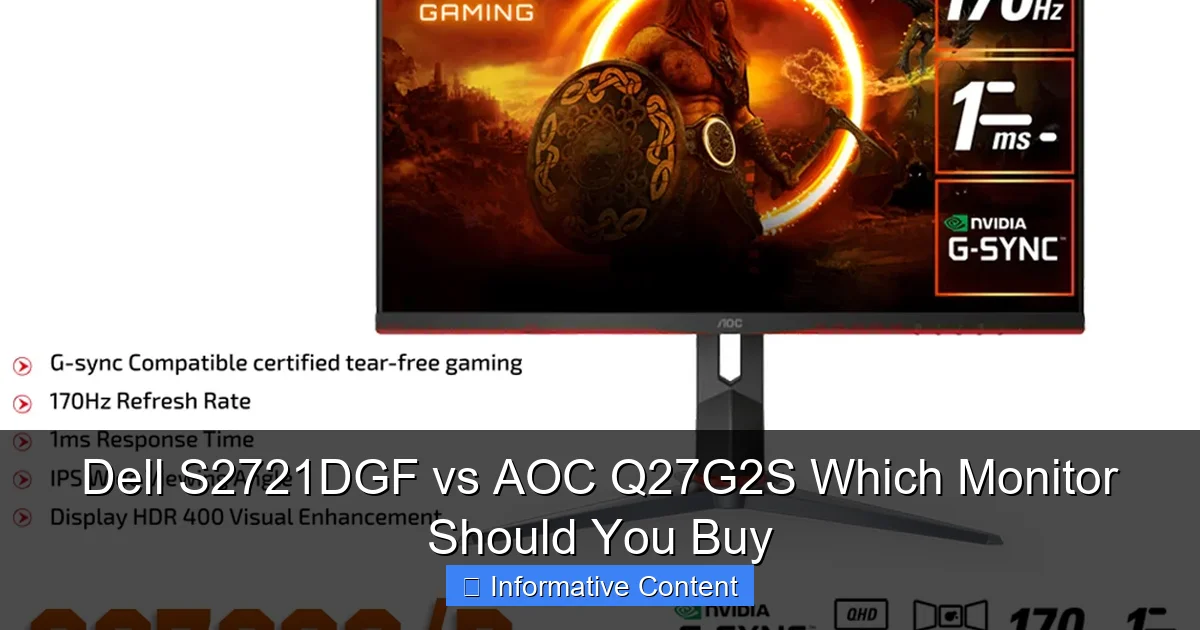
Visual guide about Dell S2721DGF vs AOC Q27G2S Which Monitor Should You Buy
Image source: down-id.img.susercontent.com
Adaptive Sync Technology
Both monitors support Adaptive Sync, which is crucial for a tear-free and stutter-free gaming experience. The Dell S2721DGF is FreeSync Premium certified and also officially G-Sync Compatible by NVIDIA, meaning it has passed NVIDIA’s stringent tests for variable refresh rate (VRR) performance with NVIDIA graphics cards. This provides excellent peace of mind for users with NVIDIA GPUs.
The AOC Q27G2S is also FreeSync Premium certified. While it doesn’t always carry official “G-Sync Compatible” certification (it depends on the specific revision and NVIDIA’s current list), it generally works flawlessly with NVIDIA cards using Adaptive Sync. Both technologies effectively synchronize the monitor’s refresh rate with your GPU’s frame rate, eliminating screen tearing and minimizing stutter, making for a much smoother and more enjoyable gaming experience across a wide range of frame rates.
Response Time Performance and Input Lag
As mentioned, both monitors boast 1ms MPRT, indicating very low motion blur with backlight strobing enabled. In terms of grey-to-grey (GtG) response times, both are exceptionally fast for IPS panels. The Dell S2721DGF, thanks to its generally superior overdrive implementation, often manages to achieve very low GtG times across its entire refresh rate range without significant overshoot (inverse ghosting). This translates to incredibly clear motion, even in the fastest games. The AOC Q27G2S is also very capable, offering excellent response times, but some tests might show the Dell having a slight edge in terms of “perfect” overdrive tuning across different frame rates.
Input lag is also minimal on both displays. Modern gaming monitors, especially those in this performance tier, are designed to have extremely low input lag, ensuring that your actions on the mouse and keyboard are almost instantly reflected on the screen. You won’t feel any noticeable delay with either the Dell S2721DGF or the AOC Q27G2S.
Gaming-Specific OSD Features
Both monitors offer various gaming-centric features accessible via their On-Screen Display (OSD). These typically include:
- Crosshairs: On-screen crosshairs to aid aiming in games.
- FPS Counter: A built-in frame rate counter to monitor your performance without external software.
- Dark Stabilizer/Shadow Control: Enhances visibility in dark areas of games, helping you spot enemies hidden in shadows.
- Game Modes: Pre-set display modes optimized for different game genres (FPS, RTS, RPG).
Dell’s OSD is generally well-designed and easy to navigate with a joystick, while AOC also uses a joystick or combination of buttons, depending on the specific model revision. Both provide enough customization to fine-tune your gaming visual experience.
Connectivity and User Experience
Beyond the core display capabilities, a monitor’s connectivity options and how easy it is to interact with its settings contribute significantly to the overall user experience. Let’s compare the Dell S2721DGF vs AOC Q27G2S in this regard.

Visual guide about Dell S2721DGF vs AOC Q27G2S Which Monitor Should You Buy
Image source: m.media-amazon.com
Port Selection
Both monitors offer a robust selection of ports to connect to various devices:
- Dell S2721DGF: Typically includes 2x HDMI 2.0 ports, 1x DisplayPort 1.4, a USB 3.0 hub (1x upstream, 4x downstream ports), and a 3.5mm audio line-out jack. The HDMI 2.0 ports can handle 1440p at 144Hz, while the DisplayPort 1.4 can push up to 1440p at 165Hz.
- AOC Q27G2S: Usually features 2x HDMI 2.0 ports, 1x DisplayPort 1.4, and a 3.5mm audio line-out. Some AOC models in this series might also include a basic USB hub, but it’s less consistently featured or as comprehensive as Dell’s.
The Dell S2721DGF clearly has an advantage with its integrated USB hub, which is incredibly useful for connecting peripherals like your mouse, keyboard, or webcam directly to the monitor, reducing cable clutter on your desk. This is a practical example of Dell’s attention to user convenience.
OSD Navigation and Software
Navigating the On-Screen Display (OSD) is a crucial part of setting up and customizing your monitor. Dell generally excels in OSD design, utilizing a small joystick on the back or bottom right of the monitor. This joystick makes navigating menus intuitive and quick. Dell also provides companion software (Dell Display Manager) that allows you to control many OSD settings directly from your desktop, offering even greater convenience.
AOC monitors, including the Q27G2S, also often feature a joystick for OSD navigation, which is a significant improvement over traditional button arrays. AOC also offers its “G-Menu” software, allowing for desktop control of settings, though some users might find Dell’s software slightly more refined. Both methods are generally good, but Dell’s overall package, including the hardware joystick and software, often feels a bit more polished.
Built-in Speakers
Neither the Dell S2721DGF nor the AOC Q27G2S comes with built-in speakers. This is a common characteristic of high-performance gaming monitors, as integrated speakers typically offer poor audio quality and most gamers prefer to use headphones or external speaker systems. The presence of an audio line-out jack on both allows you to easily connect external speakers if needed.
Value Proposition: Price, Warranty, and Support
Ultimately, your decision often comes down to balancing performance with cost. The Dell S2721DGF vs AOC Q27G2S comparison wouldn’t be complete without looking at their price, warranty, and overall value.
Initial Cost
Historically, the AOC Q27G2S has often been priced more competitively than the Dell S2721DGF. This makes the AOC a very attractive option for budget-conscious gamers who want high-end performance without breaking the bank. Dell monitors, especially their gaming line, often command a slightly higher price point due to their premium build, design, and reliable performance.
However, monitor prices fluctuate constantly, especially during sales events. It’s always wise to check current pricing from various retailers before making a final decision. Sometimes, the price difference can narrow considerably, making the Dell S2721DGF an even more compelling option.
Long-Term Value and Warranty
Dell is renowned for its excellent warranty and customer support. The Dell S2721DGF typically comes with a 3-year advanced exchange service warranty, which means if your monitor develops a fault, Dell will ship a replacement unit before you even send back the defective one. This offers fantastic peace of mind for long-term ownership.
AOC’s warranty varies by region but is generally good, often offering 3 years, though the specific terms and advanced exchange options might not always match Dell’s premium service. Both brands are reputable, but Dell’s customer service reputation often gives it an edge for many users when considering long-term reliability and support.
Brand Reputation and Support
Both Dell and AOC are well-established brands in the monitor market. Dell, as a larger company, has a generally stronger reputation for customer service and support infrastructure. AOC, part of TPV Technology (the world’s largest manufacturer of computer monitors), also has a solid reputation, especially for delivering performance-per-dollar. When investing in a monitor, knowing that the manufacturer stands behind their product with good support can be a significant factor.
Which Monitor Should You Buy? Tailoring to Your Needs
After a deep dive into the Dell S2721DGF vs AOC Q27G2S, it’s clear that both are outstanding choices in the 1440p IPS gaming monitor segment. The “better” monitor really depends on your specific priorities and budget.
For the Discerning Gamer Who Appreciates Refinement
If you’re a serious gamer who values a premium build, slightly higher refresh rate, exceptional overdrive tuning, excellent factory color calibration, and comprehensive connectivity (especially the USB hub), the Dell S2721DGF is likely the monitor for you. It offers that extra layer of polish and performance consistency that can elevate your gaming experience, especially if you have an NVIDIA GPU and appreciate the official G-Sync Compatible certification. The robust Dell warranty is also a significant bonus for peace of mind.
For the Budget-Conscious Gamer Seeking High Performance
If you’re looking for incredible gaming performance without spending top dollar, the AOC Q27G2S is an absolute powerhouse. It delivers nearly identical core gaming specs – 1440p, 144Hz, fast IPS panel, FreeSync Premium – often at a noticeably lower price point. You’ll still get a fantastic, fluid, and vibrant gaming experience. While it might lack some of Dell’s premium touches like the USB hub or the absolute finest overdrive tuning, these are minor concessions considering the significant savings. It represents exceptional value in the gaming monitor market.
For the Hybrid User (Gaming & Productivity)
For users who split their time between intense gaming and productivity tasks like photo editing or general office work, both monitors are excellent due to their IPS panels and 1440p resolution. However, the Dell S2721DGF’s often superior factory color calibration and wider DCI-P3 gamut coverage might give it a slight edge for tasks where color accuracy is more critical, though the AOC is still very capable. The Dell’s integrated USB hub also adds practical convenience for peripheral management in a hybrid setup.
Ultimately, you cannot go wrong with either the Dell S2721DGF or the AOC Q27G2S. Both are stellar monitors that offer an incredible 1440p gaming experience. Your choice boils down to whether the Dell’s premium features, slightly higher refresh rate, and renowned customer service are worth the typically higher price tag for you. If raw performance-per-dollar is your main concern, the AOC Q27G2S will serve you exceptionally well. Consider your budget, your aesthetic preferences, and how much you value those subtle refinements, and you’ll find your perfect display.
Frequently Asked Questions
Is the 21Hz refresh rate difference between 144Hz and 165Hz noticeable?
For most casual gamers, the difference between 144Hz and 165Hz might not be immediately obvious. However, competitive gamers or those with very sensitive eyes might perceive a slightly smoother motion and reduced input lag at 165Hz, especially in fast-paced titles.
Are these monitors suitable for console gaming (PS5/Xbox Series X)?
Yes, both monitors are excellent choices for current-gen console gaming. They can display 1440p at 120Hz via HDMI 2.0, providing a significant upgrade in resolution and refresh rate over traditional 1080p/60Hz TV setups.
How important is the USB hub feature on the Dell S2721DGF?
The integrated USB hub on the Dell S2721DGF is a valuable convenience feature. It allows you to connect your mouse, keyboard, webcam, or other USB peripherals directly to the monitor, simplifying cable management and making it easier to switch peripherals between different computers if you use the monitor with multiple inputs.
Do these monitors suffer from common IPS panel issues like backlight bleed or IPS glow?
As with all IPS panels, both the Dell S2721DGF and AOC Q27G2S can exhibit some degree of backlight bleed or IPS glow, particularly in dark room conditions. The severity varies from unit to unit, but neither monitor is known for particularly egregious issues in this regard, and it’s generally within acceptable limits for the technology.
Is either monitor better for photo or video editing?
While primarily gaming monitors, their IPS panels and 1440p resolution make them decent for content creation. The Dell S2721DGF often has a slight edge due to generally better factory calibration and wider DCI-P3 color gamut coverage, making it marginally more suitable for tasks requiring good color accuracy out of the box.
Which monitor offers better HDR performance?
Both monitors are VESA DisplayHDR 400 certified, which provides a very basic HDR experience. Neither offers true, impactful HDR performance found in higher-tier monitors with local dimming. The HDR feature on both is more of an added bonus rather than a primary selling point.