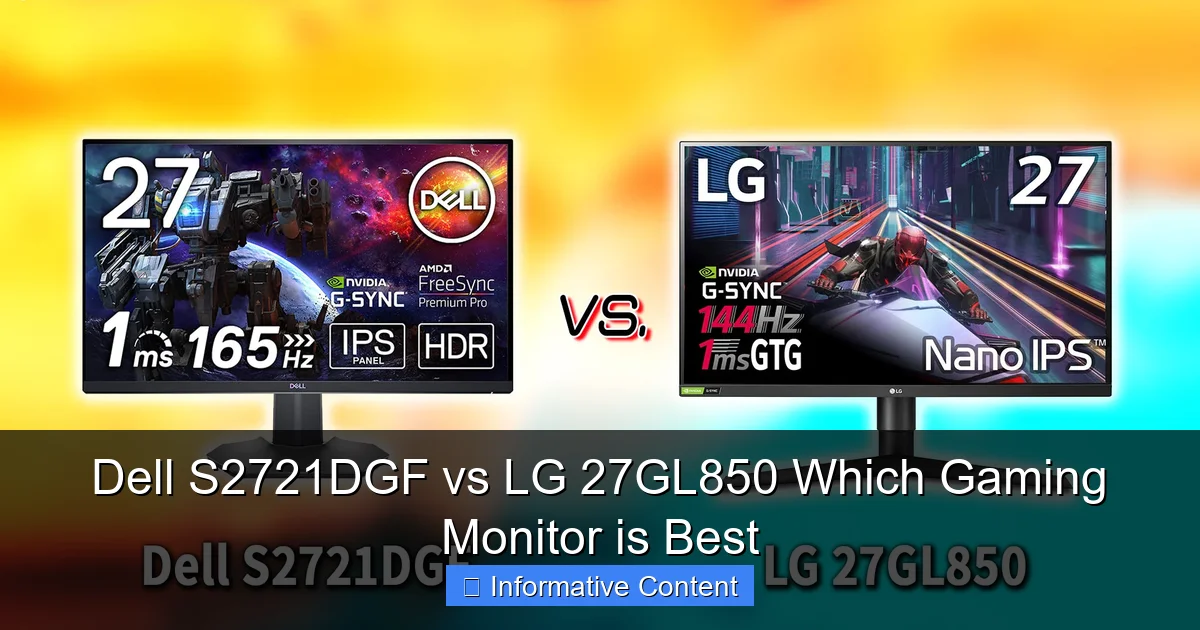
Dell S2721DGF vs LG 27GL850 Which Gaming Monitor is Best
Choosing between the Dell S2721DGF vs LG 27GL850 means comparing two exceptional 1440p high-refresh-rate gaming monitors that share the same cutting-edge Nano IPS panel technology. While both deliver stunning visuals and incredibly smooth gaming, the LG 27GL850 often boasts slightly faster pixel response times out of the box, whereas the Dell S2721DGF frequently offers superior ergonomics and better overall value, especially during sales, making the “best” choice dependent on your specific priorities and budget.
Embarking on the quest for the ultimate gaming monitor can feel like navigating a maze of acronyms, specifications, and conflicting opinions. Every gamer dreams of a display that brings their virtual worlds to life with stunning clarity, buttery-smooth motion, and lightning-fast responsiveness. In the popular 1440p high-refresh-rate category, two titans frequently rise to the top of discussions, often causing a delightful dilemma for potential buyers: the Dell S2721DGF vs LG 27GL850.
These two monitors have earned widespread acclaim for delivering an exceptional balance of features, performance, and value. Both promise an immersive gaming experience that transcends standard 1080p panels, offering sharper visuals and more fluid gameplay. But when you put the Dell S2721DGF vs LG 27GL850 head-to-head, which one truly stands out? This comprehensive guide will dissect every aspect of these impressive displays, helping you decide which is the perfect companion for your gaming rig.
From their shared panel technology to their unique design philosophies, we’ll explore what makes each monitor a formidable contender. We’ll delve into their gaming prowess, image quality, ergonomic features, and connectivity options, giving you all the information you need to make an informed decision. So, grab your favorite beverage, get comfortable, and let’s dive deep into the world of high-performance gaming monitors to find out which monitor is best for you.
Key Takeaways
- Shared Panel Technology: Both the Dell S2721DGF and LG 27GL850 utilize LG’s high-performance Nano IPS panel, ensuring vibrant colors, wide viewing angles, and excellent image quality.
- Gaming Performance Excellence: Expect superb gaming experiences from both, featuring 1440p resolution, 144Hz+ refresh rates, low input lag, and fast response times, making them ideal for competitive play.
- Response Time Edge: The LG 27GL850 often holds a slight advantage in pixel response times, particularly with its optimal overdrive settings, providing a marginally clearer image in fast-paced scenes, though the Dell S2721DGF is extremely close.
- Adaptive Sync Support: Both monitors are FreeSync Premium certified and G-SYNC Compatible, ensuring tear-free and stutter-free gaming with compatible NVIDIA and AMD graphics cards.
- Ergonomics and Build: The Dell S2721DGF typically offers a more robust and highly adjustable stand, providing superior ergonomic comfort compared to the LG 27GL850’s solid but simpler design.
- Connectivity and Features: The Dell S2721DGF often includes a convenient USB hub, adding to its versatility, while the LG 27GL850 keeps things more streamlined, focusing purely on its core display performance.
- Value Proposition: The Dell S2721DGF frequently presents a better value, especially during promotions, delivering nearly identical core performance to the LG 27GL850 at a more competitive price point.
Quick Answers to Common Questions
Are both the Dell S2721DGF and LG 27GL850 G-SYNC Compatible?
Yes, both monitors are officially validated as G-SYNC Compatible by NVIDIA, ensuring smooth, tear-free gaming with NVIDIA graphics cards, in addition to supporting AMD FreeSync Premium.
Which monitor generally offers better ergonomic adjustments?
The Dell S2721DGF typically provides superior ergonomic adjustments, featuring a stand with full height, tilt, swivel, and pivot capabilities, whereas the LG 27GL850’s stand lacks swivel.
Is Nano IPS the same as standard IPS technology?
Nano IPS is an enhanced version of standard IPS technology, incorporating a layer of nanoparticles to improve color accuracy and widen the color gamut, resulting in more vibrant and precise colors.
Which monitor is considered better for highly competitive esports gaming?
While both are excellent, the LG 27GL850 often has a very slight edge in raw pixel response times out of the box, making it marginally preferred by some professional competitive gamers who prioritize every millisecond.
Do either of these monitors excel at HDR content?
No, while both are DisplayHDR 400 certified, this is the lowest tier of HDR, and they lack the local dimming zones required for a truly impactful HDR experience with deep contrast and bright highlights.
📑 Table of Contents
The Heart of the Battle: Display Technology and Image Quality
When you’re comparing the Dell S2721DGF vs LG 27GL850, the first thing that becomes clear is their shared heritage in display technology. Both monitors leverage the same groundbreaking Nano IPS panel developed by LG Display. This isn’t just a coincidence; it’s a testament to the quality and performance capabilities of this particular panel. But what exactly does Nano IPS mean for your gaming and viewing experience?
Nano IPS Powerhouse
Nano IPS technology is LG’s enhancement to traditional IPS (In-Plane Switching) panels. It incorporates a layer of nanoparticles that absorb unwanted light wavelengths, specifically those that can interfere with color purity. The result is a wider color gamut and more precise, vibrant color reproduction. For gamers, this means a more immersive and visually stunning experience, with richer greens, deeper reds, and more lifelike blues. Unlike older TN panels that prioritized speed at the cost of color, Nano IPS offers the best of both worlds: incredible speed with breathtaking visuals. Both the Dell S2721DGF and the LG 27GL850 benefit immensely from this technology, offering wide 178-degree viewing angles, which means colors and contrast remain consistent even when viewed from the side, a significant advantage over VA or TN panels.
Color Accuracy and Gamut
Both monitors boast impressive color coverage, typically covering 98% of the DCI-P3 color space, which is a much wider gamut than the standard sRGB. This expanded color volume makes games and media truly pop, displaying a broader range of hues. For content creators who also game, this is a huge plus, as it means the monitors are capable of displaying professional-grade color accuracy right out of the box, often requiring minimal calibration. While both perform excellently here, individual unit variations can occur, but generally, you’re looking at top-tier color performance from either the Dell S2721DGF or the LG 27GL850.
Contrast and HDR Performance
Here’s where IPS technology, even Nano IPS, has a common inherent limitation: native contrast ratio. Typically, both the Dell S2721DGF and LG 27GL850 hover around a 1000:1 static contrast ratio. This is perfectly acceptable for most uses, but it means that deep blacks might appear more like dark gray, especially in a dimly lit room, compared to a VA panel. Neither monitor is a true HDR (High Dynamic Range) superstar. While both are technically HDR-compatible (DisplayHDR 400 certified), this certification is the lowest tier and essentially means they can accept an HDR signal and reach a peak brightness of 400 nits. They lack local dimming zones, which are crucial for delivering the truly striking contrast and vibrant highlights associated with high-quality HDR experiences. So, if you’re buying either of these for transformative HDR, you might be a little disappointed. For SDR gaming, however, their brightness is more than adequate for most environments, and the colors are fantastic.
Unleashing Speed: Gaming Performance Metrics
For gamers, raw speed and responsiveness are paramount. This is where the Dell S2721DGF vs LG 27GL850 comparison gets truly interesting, as both monitors are engineered from the ground up to deliver a competitive edge. With high refresh rates and low response times, they ensure your actions translate instantly onto the screen.
Visual guide about Dell S2721DGF vs LG 27GL850 Which Gaming Monitor is Best
Image source: ashradar.com
Refresh Rate and Resolution Sweet Spot
Both monitors hit the sweet spot for modern PC gaming: 1440p (2560×1440) resolution combined with a high refresh rate. The LG 27GL850 offers a native 144Hz refresh rate, while the Dell S2721DGF pushes it slightly further with an overclockable refresh rate of up to 165Hz. This extra 21Hz might seem small on paper, but for competitive gamers, every frame counts. A 144Hz or 165Hz refresh rate means the screen updates 144 or 165 times per second, resulting in incredibly fluid motion, reduced motion blur, and a much smoother overall experience compared to standard 60Hz displays. The 1440p resolution offers a significant visual upgrade over 1080p without being as demanding on your graphics card as 4K, making it perfect for achieving high frame rates with current-generation hardware.
Response Time and Overdrive Settings
This is arguably the most crucial area for competitive gamers in the Dell S2721DGF vs LG 27GL850 debate. Both monitors boast a 1ms GtG (Gray-to-Gray) response time, a marketing claim that often requires specific overdrive settings to achieve. In practice, the LG 27GL850 has historically been lauded for its exceptional pixel response times out of the box, often achieving very low ghosting with its “Fast” overdrive setting, while its “Faster” setting can introduce some inverse ghosting (overshoot). The Dell S2721DGF is not far behind, and with its optimal “Extreme” overdrive setting, it can almost match the LG’s performance, providing incredibly clear motion. However, some users report that Dell’s overdrive might require more fine-tuning to avoid inverse ghosting compared to LG. The key takeaway is that both are incredibly fast, and the differences are often only discernible to the most eagle-eyed competitive players or when directly comparing them side-by-side.
Adaptive Sync: FreeSync Premium and G-SYNC Compatibility
Tearing and stuttering can ruin an otherwise perfect gaming session. Thankfully, both the Dell S2721DGF and LG 27GL850 are equipped with adaptive sync technology to eliminate these issues. Both are certified FreeSync Premium monitors, meaning they support a wide variable refresh rate (VRR) range and low framerate compensation (LFC). Even better, both are also officially validated as G-SYNC Compatible by NVIDIA. This ensures that whether you have an AMD or NVIDIA graphics card, you can enjoy incredibly smooth, tear-free gameplay across their entire VRR range, from low FPS all the way up to their maximum refresh rates. This universal compatibility is a massive advantage, making either monitor a safe bet regardless of your GPU manufacturer.
Input Lag Analysis
Another critical metric for gamers is input lag – the delay between your mouse click or keyboard press and the action appearing on screen. Both the Dell S2721DGF and LG 27GL850 excel here, offering extremely low input lag. This means that when you make a move in a fast-paced shooter or execute a complex combo in a fighting game, the monitor responds virtually instantaneously. Professional reviews consistently show both monitors having input lag well under 10ms, often even under 5ms, which is imperceptible to human eyes and ensures you’re never held back by your display.
Design, Ergonomics, and Connectivity
Beyond the raw performance, how a monitor looks on your desk, how comfortable it is to use, and how well it connects to your devices can significantly impact your overall satisfaction. Here, the Dell S2721DGF vs LG 27GL850 starts to show more distinct differences.
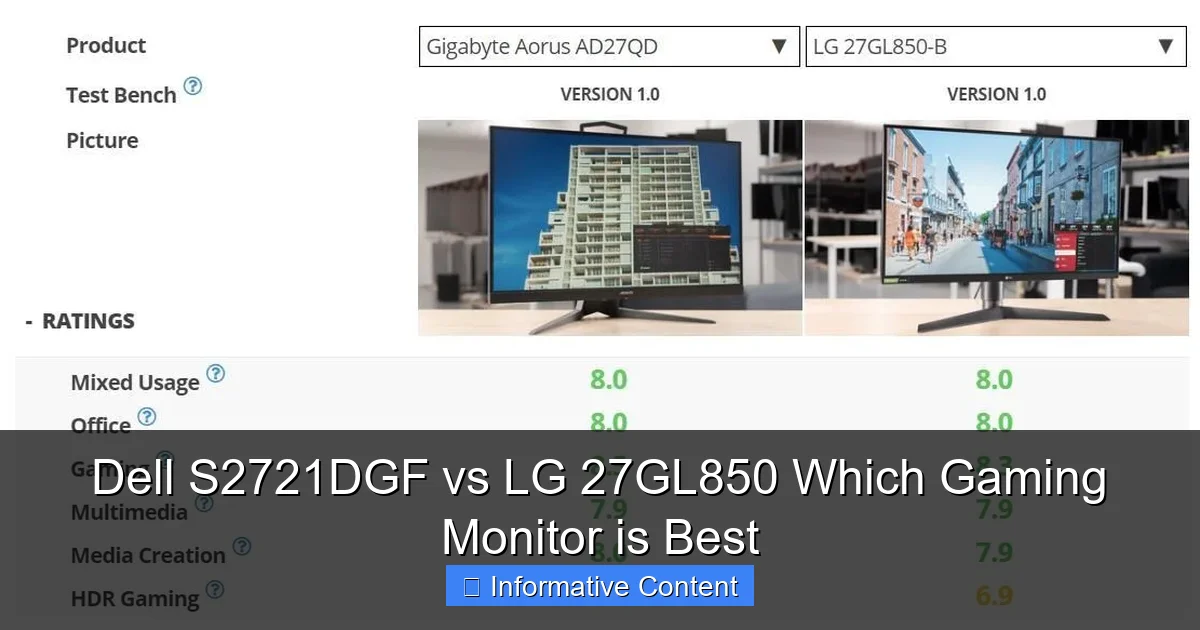
Visual guide about Dell S2721DGF vs LG 27GL850 Which Gaming Monitor is Best
Image source: truth.bahamut.com.tw
Build Quality and Aesthetics
Dell is known for its understated, professional, and robust designs, and the S2721DGF is no exception. It features a sleek, dark grey finish with a sturdy build and minimal bezels, giving it a premium feel that blends well into any setup. The LG 27GL850, on the other hand, sports a slightly more “gamer-centric” aesthetic with subtle red accents on the stand and a slightly more aggressive shape, though it still maintains a largely minimalist look with thin bezels. Both monitors offer excellent build quality, but Dell’s often feels a touch more industrial and durable.
Stand Adjustability: A Gamer’s Comfort
This is an area where the Dell S2721DGF generally pulls ahead. Dell monitors are renowned for their highly ergonomic stands, and the S2721DGF delivers full adjustability: height, tilt, swivel, and pivot (for portrait mode). This extensive range of motion allows you to perfectly position the monitor for maximum comfort, reducing strain during long gaming sessions. The LG 27GL850’s stand is good, offering height adjustment, tilt, and pivot, but it lacks swivel functionality. While a VESA mount can solve this for both, Dell’s included stand offers superior flexibility right out of the box. If desk space is tight or you frequently adjust your viewing angle, the Dell’s stand is a definite advantage.
Port Selection: USB Hubs and More
Connectivity is another point where Dell often provides a bit more versatility. The Dell S2721DGF typically comes equipped with:
- 2 x HDMI 2.0 ports
- 1 x DisplayPort 1.4
- 1 x USB 3.0 Upstream port
- 4 x USB 3.0 Downstream ports (for connecting peripherals like mice, keyboards, or charging devices)
- 1 x Audio Line-out port
The LG 27GL850 usually includes:
- 2 x HDMI 2.0 ports
- 1 x DisplayPort 1.4
- 1 x USB 3.0 Upstream port
- 2 x USB 3.0 Downstream ports
- 1 x Headphone out port
The extra two USB downstream ports on the Dell S2721DGF can be very convenient for cable management and connecting multiple peripherals directly to your monitor, effectively turning it into a mini-hub. Both monitors have the essential display inputs for connecting your PC and consoles, but Dell adds that extra layer of utility.
Beyond the Specs: Features, Software, and User Experience
Beyond the core hardware, the overall user experience, including how easy it is to navigate settings and the extra features offered, can influence your satisfaction with either the Dell S2721DGF or LG 27GL850.
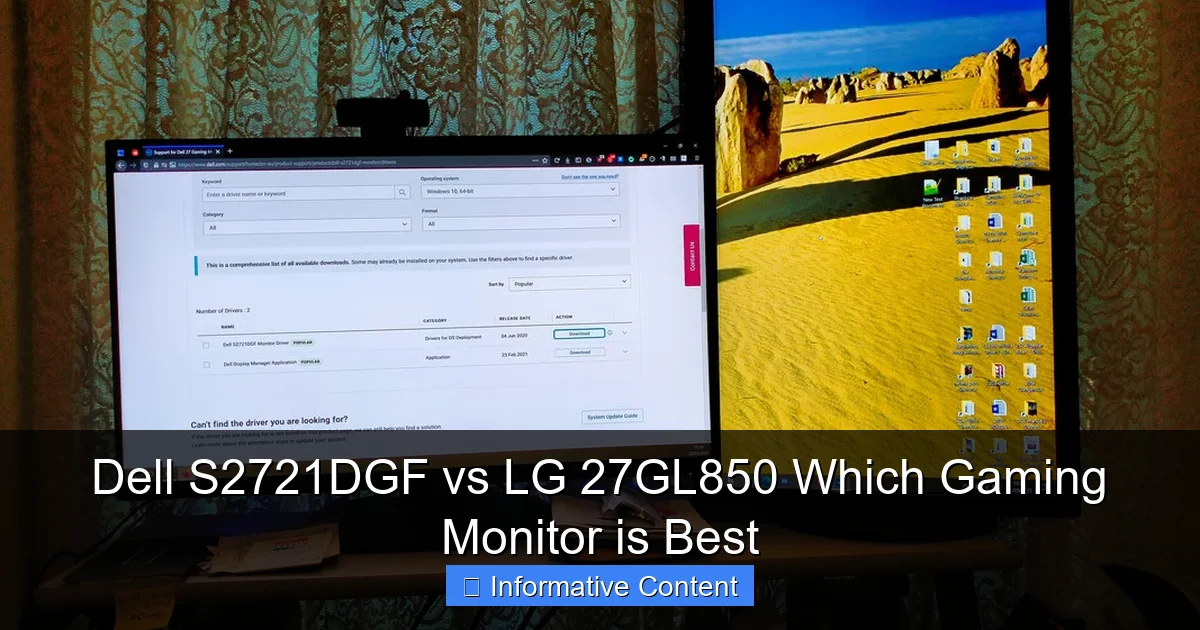
Visual guide about Dell S2721DGF vs LG 27GL850 Which Gaming Monitor is Best
Image source: i.postimg.cc
OSD (On-Screen Display) Navigation
Both monitors feature intuitive OSDs, but their navigation methods differ. Dell typically uses a set of physical buttons located on the bottom right bezel for navigating its OSD. LG, on the other hand, frequently employs a single joystick-like button, also often located at the center-bottom of the monitor. Many users find LG’s joystick incredibly intuitive and faster for making adjustments, while Dell’s button layout, though functional, can feel a bit more traditional. Ultimately, both get the job done efficiently, but personal preference will play a role here.
Dell’s Gaming Features vs. LG’s Simplicity
Dell’s S-series gaming monitors often come with a suite of gaming-specific features built into their OSD, such as timers, frame rate counters, and display alignment tools (for multi-monitor setups). These are nice additions that some gamers might appreciate. LG’s approach with the 27GL850 is often more streamlined, focusing purely on delivering core performance with fewer bells and whistles. Both offer standard picture modes, gamma settings, and color temperature controls. Neither monitor comes with advanced software suites for desktop control like some higher-end gaming monitors, but their OSDs are robust enough for most adjustments.
Power Consumption and Efficiency
Both monitors are relatively energy efficient for their size and performance. While exact numbers can vary by brightness settings and usage, they typically consume around 30-40W during typical operation and significantly less in standby mode. Neither is particularly power-hungry, so this is unlikely to be a major differentiating factor when choosing between the Dell S2721DGF vs LG 27GL850.
Price, Value, and Availability
For many, the final decision often comes down to budget. The Dell S2721DGF vs LG 27GL850 comparison in terms of price and value is particularly compelling, as performance is so close.
Cost Comparison and Sales Trends
The LG 27GL850 was arguably the pioneer that brought Nano IPS gaming to the masses at a competitive price, and it has maintained a strong presence. The Dell S2721DGF entered the market a bit later, building on the same technology but often positioned as a more value-oriented alternative. Historically, the Dell S2721DGF has frequently been available at a lower price point than the LG 27GL850, especially during sales events like Black Friday or Prime Day. While prices fluctuate, it’s common to find the Dell S2721DGF offering similar, if not identical, performance for less money. This can make the Dell a very attractive option for budget-conscious gamers.
What You Get for Your Money
When you weigh the slight differences in response time (LG having a marginal edge), against Dell’s superior ergonomics and additional USB ports, the Dell S2721DGF often presents a more compelling overall package for its price. You’re getting 95% of the LG’s raw panel performance, plus a better stand and more connectivity, often for a lower cost. If you catch the Dell S2721DGF on sale, the value proposition becomes incredibly strong, potentially making it the smarter buy if pure performance isn’t the *absolute* only factor.
Long-Term Value and Reliability
Both Dell and LG are reputable brands with strong warranty support. Dell is particularly known for its excellent customer service and often offers more robust warranty policies, sometimes including advanced exchange services. While both monitors are built to last, factors like warranty and long-term support can add to the overall value proposition. The longevity of Nano IPS panels is generally very good, providing years of reliable service.
Which Monitor Wins for YOU? Tailoring Your Choice
After a thorough examination of the Dell S2721DGF vs LG 27GL850, it’s clear that both are outstanding choices for 1440p high-refresh-rate gaming. There isn’t a single “winner” that suits everyone, but rather a monitor that aligns best with your specific priorities.
When to Pick the Dell S2721DGF
Choose the Dell S2721DGF if:
- Value is a top priority: You want nearly identical performance to the LG, but at a potentially lower price point, especially during sales.
- Ergonomics matter: You need a stand with full adjustability (height, tilt, swivel, pivot) for optimal comfort and flexibility.
- Connectivity is key: You appreciate having a built-in USB hub with more ports to connect peripherals directly to your monitor.
- Slightly higher refresh rate: The 165Hz overclock appeals to your competitive side, even if the difference from 144Hz is subtle.
- Sleek, understated aesthetics: You prefer a more professional and less “gamer-y” look for your setup.
When to Pick the LG 27GL850
Opt for the LG 27GL850 if:
- Absolute fastest response time is paramount: You’re a highly competitive gamer who needs the marginal edge in pixel response times that the LG often provides out of the box, with slightly less overdrive fuss.
- Brand loyalty: You trust LG’s pioneering role in Nano IPS technology and prefer sticking with the original.
- Simpler, focused design: You don’t need extra USB ports or a highly adjustable stand (perhaps you use a VESA arm anyway).
- You find a great deal: If the price difference between the two is negligible or the LG is on sale, its slight performance edge might sway you.
The Verdict: A Tie, But With Nuances
In the grand showdown of Dell S2721DGF vs LG 27GL850, it’s truly a battle of two champions. Both monitors deliver an incredible 1440p high-refresh-rate gaming experience, thanks to their shared Nano IPS panel. The Dell S2721DGF offers a fantastic value proposition with superior ergonomics and additional connectivity, making it a highly practical choice. The LG 27GL850, on the other hand, provides that ever-so-slight edge in raw pixel response speed, appealing to the most demanding competitive gamers.
Ultimately, your “best” gaming monitor will come down to what you prioritize. If you want the absolute best value with excellent features and ergonomics, the Dell S2721DGF is likely your winner. If you’re chasing every millisecond of pixel response and don’t mind a simpler stand or fewer USB ports, the LG 27GL850 might be your slight preference. Whichever you choose, you’re investing in a superb display that will elevate your gaming experience to new heights. Happy gaming!
Frequently Asked Questions
What’s the main difference between Dell S2721DGF and LG 27GL850?
The main difference lies in slight nuances: the LG 27GL850 often has marginally faster pixel response times, while the Dell S2721DGF usually offers better ergonomic adjustability, more USB ports, and frequently a more attractive price point, especially during sales.
Do these monitors come with a USB hub?
Yes, both monitors include a USB 3.0 hub. The Dell S2721DGF typically provides four downstream USB ports, offering more connectivity than the LG 27GL850 which usually has two downstream ports.
Are these monitors good for professional work like video editing or graphic design?
Absolutely. Both monitors use Nano IPS panels with excellent color accuracy (covering a wide DCI-P3 gamut), making them suitable for professional work like video editing, graphic design, and photo editing where color fidelity is crucial.
What kind of cables are typically included with these monitors?
Generally, both the Dell S2721DGF and LG 27GL850 come with essential cables, which usually include a DisplayPort cable, an HDMI cable, and a USB upstream cable for enabling the monitor’s USB hub functionality.
Can I mount these monitors on a VESA arm?
Yes, both the Dell S2721DGF and LG 27GL850 are VESA mount compatible, typically using a 100x100mm pattern. This allows you to easily remove their default stands and mount them on a monitor arm or wall mount for greater flexibility.
What is the typical warranty for these monitors?
Both Dell and LG generally offer a standard 3-year limited warranty for their monitors. Dell is often known for its robust customer support and sometimes offers advanced exchange services, providing a replacement before you send in your faulty unit.