165Hz vs 180Hz Gaming Monitor – Real World Difference
When comparing a 165Hz versus 180Hz gaming monitor, the practical difference in visual smoothness and input lag is often negligible for most gamers. While 180Hz technically refreshes faster, this marginal increase is incredibly difficult for the human eye to perceive, especially when compared to more impactful features like response time, panel type, and adaptive sync technologies. Prioritize overall monitor quality and your GPU’s capability to consistently reach high frame rates.
Hey there, fellow gamers! If you’re anything like me, you’re always on the hunt for that tiny edge, that little bit of extra performance that can elevate your gaming experience. We obsess over graphics cards, CPUs, and every spec on a monitor. And speaking of monitors, the refresh rate often takes center stage. We’ve seen the monumental leap from 60Hz to 144Hz, and then the incremental steps to 165Hz, 170Hz, 240Hz, and even higher. But what about the more subtle differences?
Today, we’re diving into a very specific, often debated comparison: 165Hz versus 180Hz gaming monitor. On paper, 180Hz sounds better, right? More Hertz must mean smoother gameplay, faster reactions, and a clearer picture. But in the real world, does that extra 15Hz truly make a discernible difference? Or is it one of those marketing numbers that sound great but offer minimal practical benefit? Let’s break it down and see if your hard-earned cash is best spent chasing those extra few frames.
Our goal here is to cut through the marketing jargon and give you an honest, no-nonsense look at what you can expect. We’ll explore the technical aspects, how it impacts your actual gameplay, what other monitor features you should really prioritize, and ultimately, help you decide which refresh rate, if either, is the right choice for your gaming setup. So, grab your favorite snack, and let’s get into the nitty-gritty of 165Hz vs 180Hz gaming monitors!
Key Takeaways
- Minimal Perceptible Difference: The jump from 165Hz to 180Hz (a mere 15 frames per second more) is exceptionally small and often imperceptible to the human eye, even for experienced gamers.
- Diminishing Returns: Beyond 144Hz or 165Hz, the visible improvements from higher refresh rates become progressively smaller. The difference between 60Hz and 144Hz is massive; between 165Hz and 180Hz, it’s virtually non-existent.
- Hardware Requirements: To fully utilize a 180Hz monitor, your graphics card must be capable of consistently pushing 180 frames per second (FPS) in your favorite games, which can be demanding, especially at higher resolutions.
- Other Specs Matter More: Features like low response time (1ms GtG), a good panel type (IPS for colors, VA for contrast), proper resolution, and adaptive sync (G-Sync/FreeSync) often have a far greater impact on your gaming experience than a small refresh rate bump.
- Cost-Benefit Analysis: If a 180Hz monitor costs significantly more than a comparable 165Hz model, the added expense is likely not justified by the refresh rate alone. Invest in a monitor with a balanced set of excellent specifications.
- Focus on Overall Quality: When choosing a gaming monitor, look at the complete package. A well-rounded 165Hz monitor with excellent response time and panel quality will almost always outperform a mediocre 180Hz monitor.
Quick Answers to Common Questions
Question 1?
Is 180Hz noticeably better than 165Hz for gaming?
Answer 1?
For most users, the difference between 165Hz and 180Hz is virtually imperceptible. The 15Hz gap is too small for the human eye to consistently discern a real-world improvement in smoothness or responsiveness.
Question 2?
What’s the millisecond difference between 165Hz and 180Hz?
Answer 2?
A 165Hz monitor displays a frame every 6.06ms, while a 180Hz monitor displays one every 5.55ms. This is a difference of roughly 0.51 milliseconds per frame.
Question 3?
Should I prioritize 180Hz over 165Hz if the price is the same?
Answer 3?
If two monitors are identical in every other aspect (panel type, response time, adaptive sync, resolution, build quality) and the price is exactly the same, then choosing the 180Hz model might be a minor preference, but it won’t offer a significant practical advantage.
Question 4?
Does a 180Hz monitor require a stronger GPU than a 165Hz monitor?
Answer 4?
Yes, to fully utilize a 180Hz monitor, your GPU needs to consistently render 180 frames per second. While the difference from 165 FPS is small, maintaining higher FPS always requires more GPU power.
Question 5?
What features are more important than the 165Hz vs 180Hz difference?
Answer 5?
Much more important features include low response time (1ms GtG), a good panel type (IPS, VA), appropriate resolution, and adaptive sync technology (G-Sync/FreeSync) to prevent tearing and stuttering.
📑 Table of Contents
- Understanding Refresh Rates: The Foundation of Smoothness
- The Numerical Nitty-Gritty: 165Hz vs 180Hz
- Real-World Impact on Your Gaming Experience
- Beyond Refresh Rate: What *Really* Matters in a Gaming Monitor
- The Price Factor and Value Proposition
- Conclusion: Focus on the Full Picture, Not Just a Number
Understanding Refresh Rates: The Foundation of Smoothness
Before we dive into the specific comparison of a 165Hz versus 180Hz gaming monitor, let’s quickly recap what refresh rate actually means. In the simplest terms, a monitor’s refresh rate (measured in Hertz, or Hz) tells you how many times per second the display can draw a new image. Think of it like flipping through a stack of pictures. The faster you flip, the smoother the motion appears. For a monitor, each “flip” is a new frame being displayed.
The Power of Higher Hz
Why do gamers crave higher refresh rates? It boils down to a few key advantages:
- Smoother Motion: The more frames your monitor displays per second, the less “jerky” or “stuttery” motion appears, especially during fast-paced action. This is the most noticeable benefit.
- Reduced Input Lag: While not the only factor, a higher refresh rate generally means the monitor is displaying the most current information from your PC more frequently, which can contribute to a slight reduction in perceived input lag. You see what’s happening on screen closer to when it actually happened in the game.
- Improved Clarity in Motion: Fast-moving objects appear clearer and less blurry because there are more distinct frames in their trajectory. This can make it easier to track targets in competitive games.
The leap from a standard 60Hz monitor to a 144Hz or 165Hz gaming monitor is truly transformative. It’s often cited as one of the most impactful upgrades a gamer can make. The difference is immediately apparent and genuinely enhances the gaming experience. But what happens when the jumps become smaller?
The Numerical Nitty-Gritty: 165Hz vs 180Hz
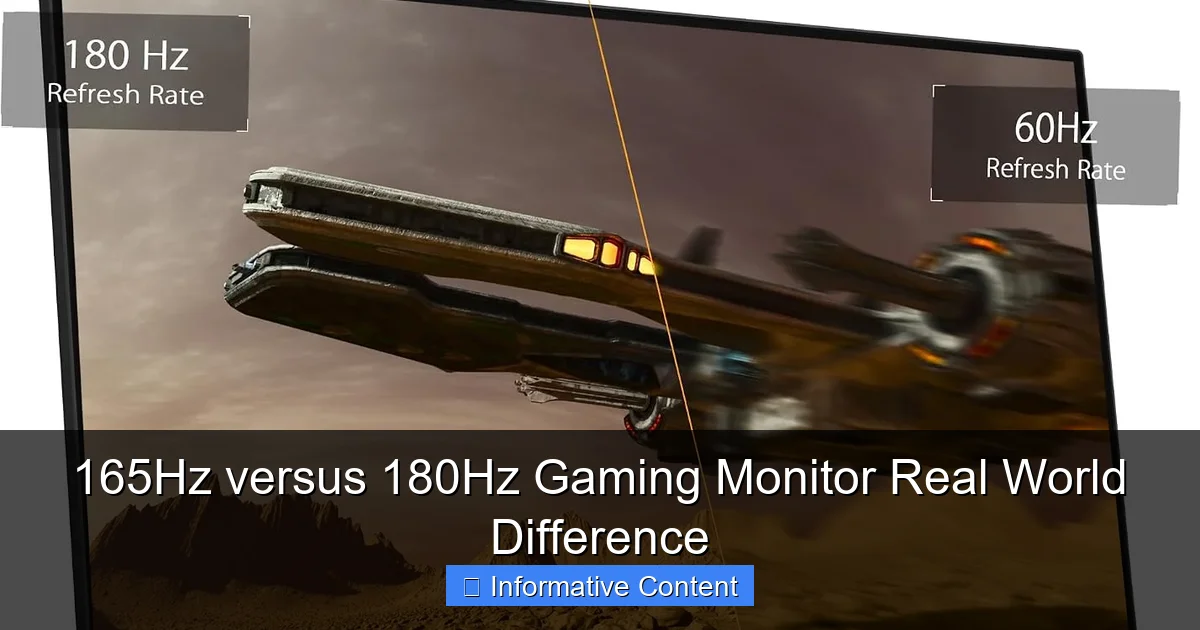
Now, let’s get down to the numbers that spark our discussion: 165Hz versus 180Hz. We’re talking about a difference of just 15Hz. Is this a significant gap, or a microscopic one?
Visual guide about 165Hz versus 180Hz Gaming Monitor Real World Difference
Image source: m.media-amazon.com
Frames Per Second (FPS) Breakdown
A 165Hz monitor can display up to 165 frames per second, provided your graphics card can render them that quickly. A 180Hz monitor, conversely, can display up to 180 frames per second. So, the 180Hz panel theoretically shows 15 more frames every second. To put that into perspective, let’s look at the time each frame is displayed:
- 165Hz: Each frame is displayed for approximately 1/165th of a second, or about 6.06 milliseconds (ms).
- 180Hz: Each frame is displayed for approximately 1/180th of a second, or about 5.55 milliseconds (ms).
The actual difference in frame display time is roughly 0.51 milliseconds. To give you some context, a blink of an eye takes about 100-400 milliseconds. So, we’re talking about half a millisecond per frame difference. This is an incredibly tiny slice of time!
Can the Human Eye Perceive 0.51ms?
This is where the debate gets interesting. The human visual system is incredibly complex, but its ability to discern differences at such minute intervals is highly limited. While some elite athletes and professional gamers might claim to detect differences at very high frame rates, general scientific consensus and practical experience suggest that distinguishing between 165Hz and 180Hz is exceedingly difficult, if not impossible, for the vast majority of people.
Most studies on human perception of frame rates indicate that the point of diminishing returns kicks in somewhere around 120Hz to 144Hz. Beyond that, while technical improvements exist, the subjective *feel* of the smoothness plateaus rapidly. The difference between 60Hz and 120Hz is stark. The difference between 144Hz and 165Hz is subtle. The difference between 165Hz and 180Hz is, for all intents and purposes, negligible to the naked eye.
Real-World Impact on Your Gaming Experience
So, if the numerical difference is tiny and hard to perceive, what does that mean for your actual gameplay when considering a 165Hz versus 180Hz gaming monitor?
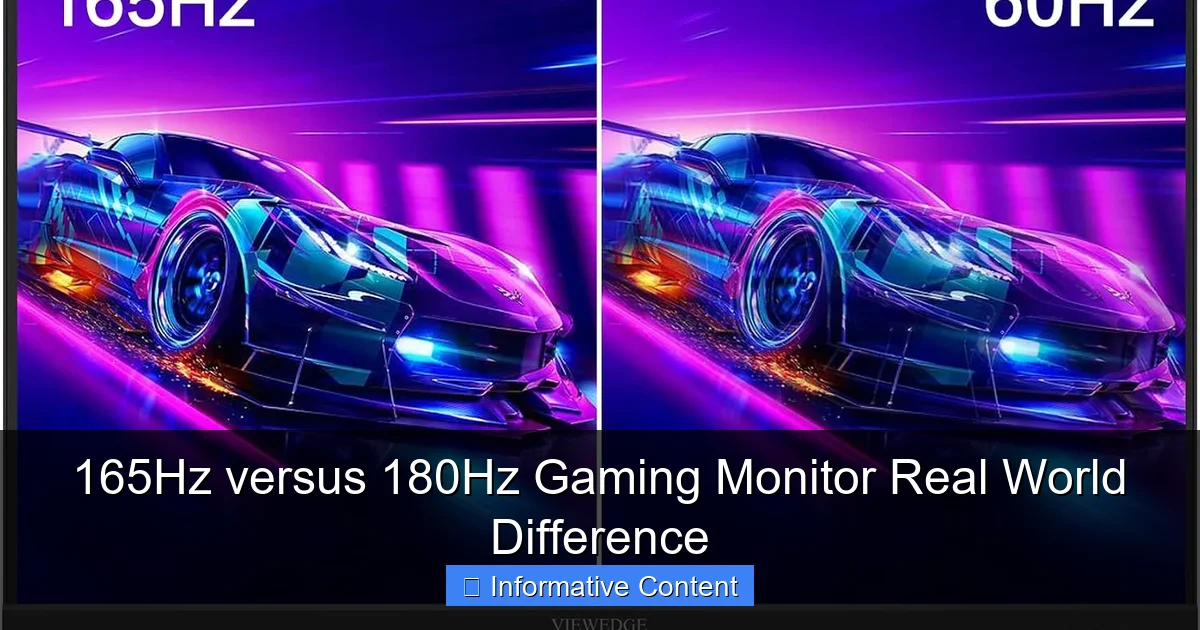
Visual guide about 165Hz versus 180Hz Gaming Monitor Real World Difference
Image source: m.media-amazon.com
Competitive Gaming: The Pursuit of Every Edge
In the ultra-competitive world of esports, players often seek every conceivable advantage. Pro players spend countless hours training their reflexes and fine-tuning their setups. So, would 180Hz give them an edge over 165Hz? Honestly, it’s highly improbable.
- Reaction Time: Human reaction times typically range from 150-300ms. A 0.51ms difference in frame display time falls well within the noise of even the fastest human reaction. Your internet latency, mouse input lag, and even your own physical reaction time will have a far greater impact.
- Target Tracking: While higher refresh rates improve motion clarity, the incremental boost from 165Hz to 180Hz is unlikely to make a tangible difference in tracking fast-moving targets that you couldn’t achieve just as well on a 165Hz display.
For competitive gamers, factors like a consistent, high frame rate (above 144 FPS), extremely low response time (1ms GtG), and reliable adaptive sync technology (G-Sync or FreeSync) are vastly more critical than a marginal refresh rate bump.
Casual Gaming and Immersion
For casual gamers who enjoy single-player adventures, RPGs, strategy games, or less twitch-reflex-demanding titles, the difference between a 165Hz versus 180Hz gaming monitor is completely irrelevant. These types of games prioritize visual fidelity, immersion, and storytelling. While a high refresh rate still provides a smoother experience overall, the nuanced difference between these two specific rates will not enhance your enjoyment in any meaningful way.
Hardware Requirements: Can Your PC Handle It?
This is a crucial point often overlooked. A 180Hz monitor is only beneficial if your graphics card can consistently deliver 180 frames per second (or very close to it) in the games you play. If your GPU can only manage 120-144 FPS in your favorite titles, then a 180Hz monitor won’t be utilized to its full potential, and you’re essentially paying for a capability your system can’t consistently provide. Even maintaining 165 FPS can be a challenge in demanding games at higher resolutions.
Before considering a 180Hz display, honestly evaluate your current PC’s performance. Can it comfortably exceed 165 FPS in your primary games? If not, upgrading your GPU might be a more impactful investment than a slightly higher refresh rate monitor.
Beyond Refresh Rate: What *Really* Matters in a Gaming Monitor
Chasing the highest refresh rate number can be a red herring. While refresh rate is important, it’s just one piece of the puzzle. When evaluating a 165Hz versus 180Hz gaming monitor, you need to consider the monitor’s overall specifications. Often, other features contribute far more to a superior gaming experience.
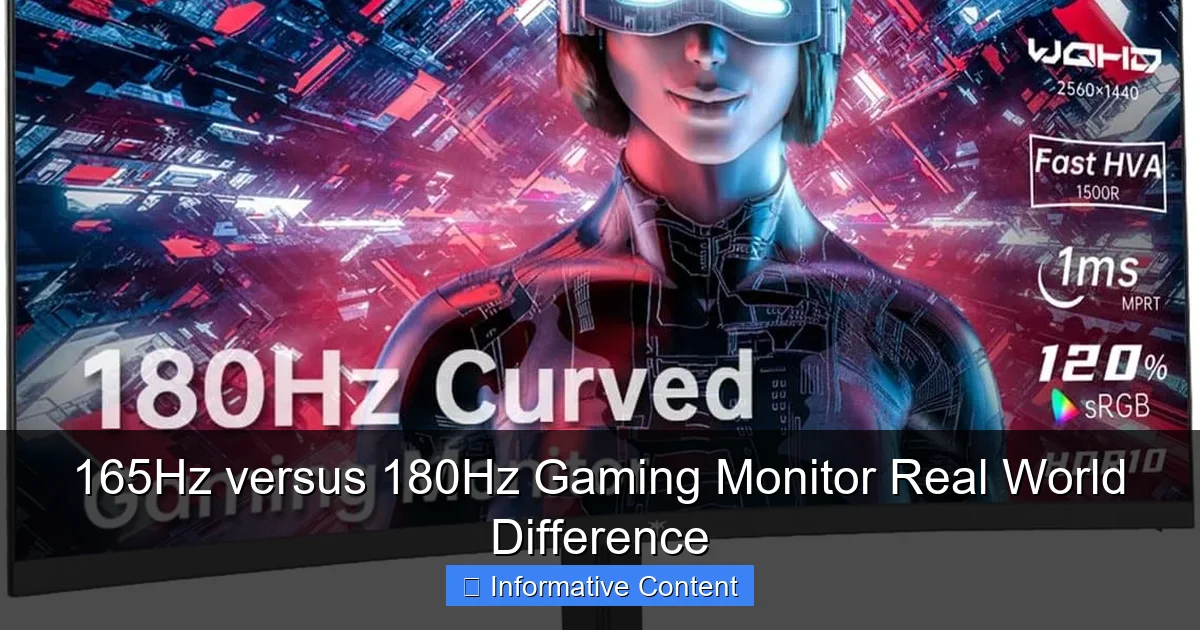
Visual guide about 165Hz versus 180Hz Gaming Monitor Real World Difference
Image source: m.media-amazon.com
Response Time (GtG)
This is arguably more important than a slight refresh rate difference. Response time measures how quickly a pixel can change from one color to another (typically grey-to-grey, or GtG). A slow response time leads to “ghosting” or “smearing” – a blurry trail left behind fast-moving objects. For gaming, especially fast-paced titles, you want a low response time, ideally 1ms GtG. A 165Hz monitor with 1ms GtG will feel much more responsive and clear than a 180Hz monitor with a 4ms or 5ms GtG response time.
Panel Type (IPS, TN, VA)
- IPS (In-Plane Switching): Offers excellent color accuracy, wide viewing angles, and generally good response times. A great all-rounder for both gaming and content creation.
- TN (Twisted Nematic): Historically the fastest response times and highest refresh rates, but suffers from poor color reproduction and narrow viewing angles. Less common today as IPS has improved.
- VA (Vertical Alignment): Delivers superior contrast ratios and deeper blacks, making it great for immersive, atmospheric games. Response times can be a bit slower than IPS or TN, sometimes leading to “black smearing” in dark scenes.
The panel type significantly impacts the visual quality and overall enjoyment. A vibrant IPS 165Hz gaming monitor will look far better than a dull TN 180Hz monitor, even if the latter has a slightly higher refresh rate.
Resolution (1080p, 1440p, 4K)
Resolution dictates the sharpness and detail of the image. While 1080p (Full HD) is still popular for achieving very high frame rates, 1440p (QHD) has become the sweet spot for many gamers, offering a significant visual upgrade without being as demanding as 4K (UHD). If you’re comparing a 1080p 180Hz gaming monitor to a 1440p 165Hz gaming monitor, the latter will likely offer a more impactful visual upgrade for most users, provided their GPU can handle 1440p at high frame rates.
Adaptive Sync Technology (G-Sync, FreeSync)
These technologies are game-changers. Adaptive Sync synchronizes your monitor’s refresh rate with your GPU’s frame rate, eliminating screen tearing and reducing stuttering. This creates an incredibly smooth and fluid experience, even when your frame rate fluctuates. A monitor with robust Adaptive Sync support (whether NVIDIA G-Sync or AMD FreeSync) is a far more important feature than a tiny refresh rate increase from 165Hz to 180Hz.
Other Visual Enhancements
Consider features like HDR (High Dynamic Range), brightness, and color gamut coverage. These factors contribute significantly to the visual richness and immersion of your games. A monitor with a wider color gamut and good HDR support can make your games pop in ways that an extra 15Hz simply cannot.
The Price Factor and Value Proposition
Finally, let’s talk about cost. When comparing a 165Hz versus 180Hz gaming monitor, is there a significant price difference? And if so, is it justified?
Is the Extra Cost Worth It?
Often, 180Hz monitors might carry a slightly higher price tag than their 165Hz counterparts, even if they share similar core specifications. This is sometimes due to minor component differences or simply marketing. Given the minimal real-world performance benefit, paying a premium purely for the extra 15Hz is generally not a wise investment.
Imagine you’re looking at two monitors:
- Monitor A: 165Hz, 1ms GtG, IPS panel, FreeSync Premium, $250.
- Monitor B: 180Hz, 4ms GtG, VA panel, FreeSync, $270.
In this hypothetical scenario, Monitor A, despite its lower refresh rate, would likely provide a superior overall gaming experience due to its faster response time and better panel technology. The $20 difference for Monitor B is not justified. You should always look at the complete package, not just one number.
Where to Invest Your Money Instead
If you have extra budget to spend, consider investing it in areas that will provide a more tangible improvement:
- Better Panel Quality: Upgrade from a budget TN to a high-quality IPS panel for superior colors and viewing angles.
- Lower Response Time: Ensure you have true 1ms GtG. Some manufacturers might advertise “MPRT” (Moving Picture Response Time) which isn’t the same as GtG.
- Higher Resolution: A jump from 1080p to 1440p makes a huge difference if your GPU can handle it.
- Robust Adaptive Sync: A monitor with certified G-Sync Ultimate or FreeSync Premium Pro will offer a smoother, tear-free experience across a wider FPS range.
- Ergonomics: A monitor with a fully adjustable stand (height, tilt, swivel, pivot) can greatly improve comfort during long gaming sessions.
Conclusion: Focus on the Full Picture, Not Just a Number
When it comes to the debate of a 165Hz versus 180Hz gaming monitor, the verdict for most gamers is clear: the real-world difference is incredibly subtle, bordering on imperceptible. While 180Hz is technically faster, the practical benefits over 165Hz are so minor that they are easily overshadowed by other, more impactful monitor specifications.
Don’t fall into the trap of solely chasing the highest refresh rate number. Instead, adopt a holistic approach when choosing your next gaming monitor. Prioritize a fast response time (1ms GtG), a quality panel type that suits your preferences (like IPS for vibrant colors), a resolution that your GPU can handle comfortably, and robust adaptive sync technology. These features collectively contribute far more to a truly immersive, responsive, and enjoyable gaming experience than a marginal 15Hz bump.
So, save your money, or better yet, reallocate that budget towards a monitor with a more balanced and feature-rich specification set. A well-chosen 165Hz gaming monitor with excellent all-around performance will serve you incredibly well for years to come, giving you that competitive edge and visual fidelity without needing those extra few Hertz.
Frequently Asked Questions
Does the human eye see a difference between 165Hz and 180Hz?
While the human eye doesn’t “see” in Hz like a monitor, our perception of motion smoothness is influenced by refresh rate. However, the difference between 165Hz and 180Hz is so marginal that it’s extremely unlikely for most individuals to perceive any distinct improvement.
Is 180Hz future-proof compared to 165Hz?
Neither 165Hz nor 180Hz offers a significant “future-proofing” advantage over the other. Both are considered high refresh rates for modern gaming. True future-proofing comes more from a monitor’s resolution, panel technology, and adaptive sync capabilities.
Will a 180Hz monitor reduce input lag more than a 165Hz monitor?
Technically, a higher refresh rate can contribute to a very minor reduction in input lag because the monitor displays the most current frame slightly faster. However, the 0.51ms difference between 165Hz and 180Hz is far too small to have any measurable or noticeable impact on your actual input lag during gameplay.
Do I need a specific cable for 180Hz?
To achieve 180Hz, especially at higher resolutions like 1440p, you’ll typically need a DisplayPort 1.4 cable. An HDMI 2.0 cable might support 180Hz at 1080p, but DisplayPort is generally recommended for high refresh rate gaming and provides more bandwidth.
Can a 165Hz monitor be overclocked to 180Hz?
Some 165Hz monitors may have a factory “overclock” option built-in to reach slightly higher refresh rates, such as 170Hz or 180Hz. This is monitor-specific and not all models support it. Always check the monitor’s specifications or reviews before attempting to overclock it.
Is 165Hz considered a good refresh rate for gaming?
Absolutely! 165Hz is an excellent refresh rate for gaming, offering a significantly smoother and more responsive experience than standard 60Hz or 75Hz monitors. It’s often considered a sweet spot for competitive and immersive gaming without the extreme hardware demands or diminishing returns of ultra-high refresh rates.