144Hz vs 240Hz Gaming Monitor – Worth the Upgrade
Deciding between a 144Hz vs 240Hz gaming monitor is a key choice for gamers. While 144Hz offers a superb, smooth experience for most players and game types, 240Hz delivers an undeniable edge in fast-paced competitive FPS games for those with powerful PCs and a desire for every possible advantage. The upgrade to 240Hz is often worth it for dedicated esports enthusiasts, but 144Hz remains excellent value for a wider range of gamers.
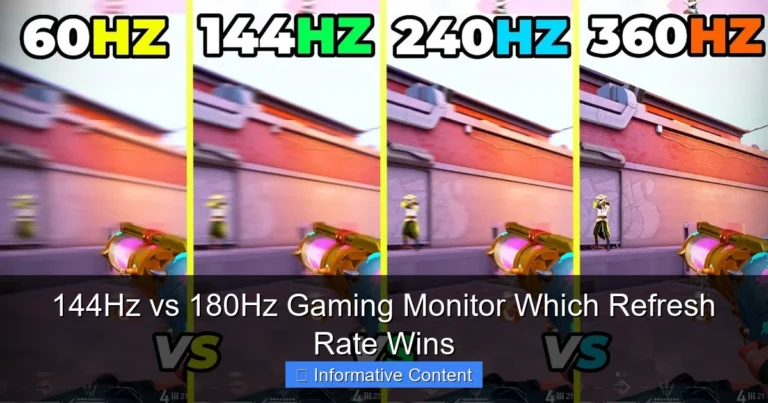
Ah, the eternal quest for the perfect gaming setup! If you’re a PC gamer, you know the feeling. You’re always looking for that next upgrade, that piece of hardware that will give you an edge, or simply make your games look and feel even more incredible. Among the most debated upgrades in recent years is the jump in monitor refresh rates, specifically the popular showdown: 144Hz vs 240Hz gaming monitor.
For years, 60Hz was the standard, and it served us well. But then came 144Hz, and it was a revelation. Games felt smoother, snappier, and just plain better. Now, 240Hz monitors are increasingly common and more affordable, prompting a crucial question for many: is 240Hz worth the upgrade? Is the extra investment truly noticeable, or are we hitting diminishing returns? Let’s dive deep into this topic and help you make an informed decision.
This article will break down everything you need to know about 144Hz vs 240Hz gaming monitors, from the technical jargon to real-world gaming scenarios, hardware requirements, and, of course, the ever-important price tag. We’ll explore who truly benefits from 240Hz and help you decide if it’s the right move for your gaming rig and your wallet.
Key Takeaways
- Refresh Rate Defined: Refresh rate, measured in Hertz (Hz), indicates how many times per second your monitor can update the image. Higher Hz means smoother motion, less ghosting, and a more fluid visual experience.
- 144Hz is Excellent for Most Gamers: A 144Hz gaming monitor provides a significant upgrade over standard 60Hz, offering incredibly smooth gameplay that satisfies the vast majority of players across various genres, from RPGs to most competitive titles.
- 240Hz Targets Competitive Edge: The jump from 144Hz to 240Hz offers a noticeable, though diminishing, return primarily beneficial for elite-level competitive FPS players. It can lead to quicker target acquisition and reaction times for those with highly trained eyes and reflexes.
- Hardware Requirements are Crucial: To fully utilize a 240Hz monitor, your PC must consistently push 240 frames per second (FPS) in your preferred games. This often demands a high-end CPU and GPU, especially at higher resolutions.
- Beyond Refresh Rate: Don’t overlook other vital monitor specs like panel type (IPS for colors, TN for speed), response time (lower is better, typically 1ms), and adaptive sync technology (G-Sync/FreeSync) for a complete gaming experience.
- Cost-Benefit Analysis: 240Hz monitors are generally more expensive. The decision to upgrade to 240Hz should weigh the performance gains against the increased cost of both the monitor and the PC hardware required to drive it, especially considering 144Hz still provides excellent value.
- Personal Preference Matters: Ultimately, the “worth” of a 240Hz upgrade is subjective. Some players immediately feel the difference and find it indispensable, while others might not perceive a major advantage over 144Hz, especially in less competitive scenarios.
Quick Answers to Common Questions
Can the human eye really tell the difference between 144Hz and 240Hz?
While the difference between 60Hz and 144Hz is very obvious to most people, the jump from 144Hz to 240Hz is much more subtle. Highly trained eyes, especially those of competitive gamers, can perceive the increased fluidity and responsiveness, but it’s not as dramatic for the average user.
Do I need a special cable for 240Hz?
Yes, to achieve 240Hz at resolutions like 1080p or 1440p, you will typically need a DisplayPort 1.4 cable or an HDMI 2.1 cable. Older cables like HDMI 1.4 or DisplayPort 1.2 may not have enough bandwidth to support such high refresh rates and resolutions.
Will a 240Hz monitor improve my K/D ratio?
A 240Hz monitor can potentially offer a slight edge in competitive games by providing clearer motion and lower display latency. However, it will not magically make you a better player. Your skill, aim, game sense, and overall PC performance are far more significant factors in improving your K/D ratio.
Is 240Hz useful for anything other than gaming?
For general desktop use, web browsing, or media consumption, the benefits of 240Hz over 144Hz are negligible. The smoothness might be slightly noticeable when rapidly scrolling or moving windows, but it’s not a transformative experience outside of fast-paced gaming.
Should I prioritize 1440p 144Hz or 1080p 240Hz?
This depends entirely on your primary goal. If you prioritize visual sharpness and immersion in your games, 1440p 144Hz is usually the better choice. If you are a dedicated competitive esports player who values every ounce of speed and responsiveness above all else, then 1080p 240Hz might be preferred, provided your PC can drive it.
📑 Table of Contents
- Understanding Refresh Rates: The Core Difference
- The Hardware Hurdle: Can Your PC Handle It?
- Gaming Experience: Where Does It Matter Most?
- Beyond the Refresh Rate: Other Monitor Features
- The Price Tag: Is 240Hz Worth the Investment?
- Who Should Upgrade to 240Hz? (And Who Should Stick to 144Hz?)
- Conclusion
Understanding Refresh Rates: The Core Difference
Before we get into the nitty-gritty of which is better, let’s quickly recap what a refresh rate actually is and why it matters so much for gaming.
What is a Refresh Rate Anyway?
In simple terms, a monitor’s refresh rate (measured in Hertz, Hz) tells you how many times per second the screen can update its image. A 60Hz monitor updates 60 times per second, 144Hz updates 144 times per second, and a 240Hz monitor updates, you guessed it, 240 times per second.
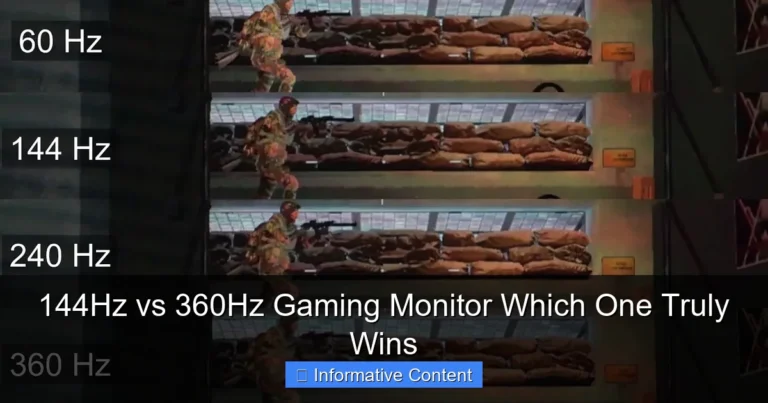
Why is this important for gaming? Because the more frequently your screen updates, the smoother and more fluid the motion appears. It reduces motion blur and ghosting, making fast-paced action clearer and easier to track. Think of it like a flipbook: more pages per second mean a smoother animation. A higher refresh rate, like what you find in a 144Hz vs 240Hz gaming monitor comparison, directly translates to a more responsive visual experience.
The Visual Impact of Higher Hz
The jump from 60Hz to 144Hz is often described as a “night and day” difference. It’s a truly transformative experience for most gamers. Everything from simply moving your mouse cursor across the desktop to tracking enemies in an FPS game feels significantly smoother and more responsive. You see more frames, which means you get more visual information in the same amount of time.
Now, when we compare 144Hz vs 240Hz gaming monitors, the difference is still there, but it’s less dramatic than the jump from 60Hz to 144Hz. Most people will immediately notice the difference between 60Hz and 144Hz. The jump to 240Hz, however, is subtler. It’s often described as a refinement of smoothness, an incremental improvement that keen eyes and highly trained gamers will appreciate more.
- 144Hz: Offers a buttery-smooth experience. Games feel incredibly responsive, and motion blur is greatly reduced compared to 60Hz. It’s the sweet spot for many gamers, providing a significant competitive advantage in most games.
- 240Hz: Pushes smoothness even further. For those with extremely fast reflexes and high-level competitive aspirations, 240Hz can offer marginal gains in visual clarity during extremely fast camera movements, potentially allowing for fractions of a second quicker target acquisition.
The Hardware Hurdle: Can Your PC Handle It?
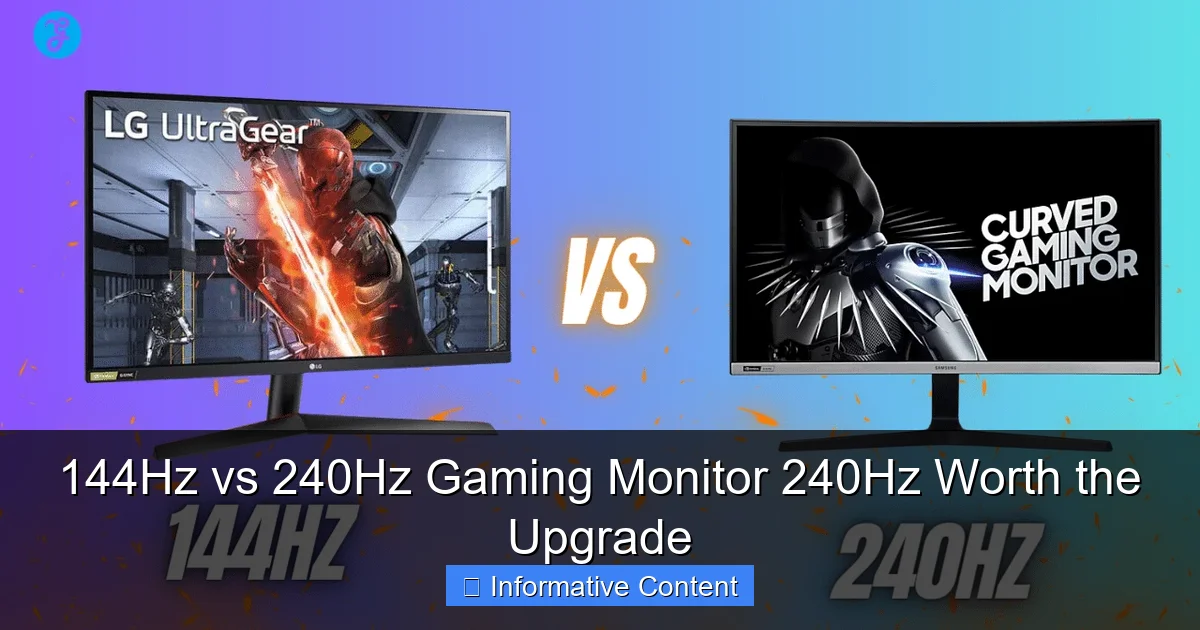
Having a 240Hz monitor is great, but it’s only as good as the frames your graphics card can push. There’s no point in having a 240Hz display if your PC can only manage 100 FPS in your favorite game. This is a critical factor when considering if 240Hz is worth the upgrade.
Visual guide about 144Hz vs 240Hz Gaming Monitor 240Hz Worth the Upgrade
Image source: editorialge.com
GPU and CPU Requirements
To fully utilize a 240Hz monitor, you need a PC capable of consistently rendering 240 frames per second (FPS) in the games you play. This is a demanding task, especially in modern AAA titles or even competitive games with high graphics settings.
- For 144Hz: A mid-to-high-tier GPU (like an Nvidia RTX 3060/4060 or AMD RX 6700XT/7700XT) can typically hit 144 FPS in many competitive games and older AAA titles, especially at 1080p. For 1440p, you’ll need something more powerful.
- For 240Hz: To consistently achieve 240 FPS, particularly at 1080p or 1440p, you’re looking at top-tier GPUs (e.g., Nvidia RTX 4070/4080/4090 or AMD RX 7800XT/7900XT/7900XTX). Even then, in graphically intensive games, you might need to lower settings. Your CPU also plays a more significant role in hitting such high frame rates, as it needs to process game logic and prepare frames for the GPU at a lightning-fast pace.
If your current PC struggles to maintain over 144 FPS in your go-to games, investing in a 240Hz monitor might be premature. You’d be better off upgrading your graphics card or CPU first to ensure you can actually hit those higher frame rates.
Resolution Matters
The resolution of your monitor significantly impacts the performance requirements. Higher resolutions mean more pixels for your GPU to render, which directly reduces your potential FPS.
- 1080p (Full HD): This is where 240Hz is most achievable. Many competitive esports titles are designed to run at very high frame rates on 1080p, making it the ideal resolution for a 240Hz vs 144Hz gaming monitor comparison focused on raw speed.
- 1440p (QHD): Hitting 240 FPS at 1440p is considerably more challenging. You’ll need one of the absolute best GPUs on the market, and even then, you might have to compromise on graphical settings in many games. For most 1440p gamers, 144Hz to 170Hz is often the sweet spot, balancing visual fidelity with high frame rates.
- 4K (UHD): Currently, 240Hz 4K monitors exist, but driving 240 FPS at 4K is virtually impossible in most modern games, even with a top-tier system. For 4K gaming, 120Hz or 144Hz is usually the maximum practical target.
The Cost Beyond the Monitor
Remember that the cost of upgrading to a 240Hz monitor isn’t just the monitor itself. If your current PC isn’t powerful enough, you’re also looking at potential upgrades to your GPU, CPU, and possibly even your motherboard and RAM. This can quickly escalate the total cost, making the question of “is 240Hz worth the upgrade” a much larger financial consideration.
Gaming Experience: Where Does It Matter Most?
The type of games you play and your gaming style are crucial factors in deciding whether to invest in a 240Hz gaming monitor.
Visual guide about 144Hz vs 240Hz Gaming Monitor 240Hz Worth the Upgrade
Image source: devicechecker.org
Competitive FPS Games (CS:GO, Valorant, Apex Legends)
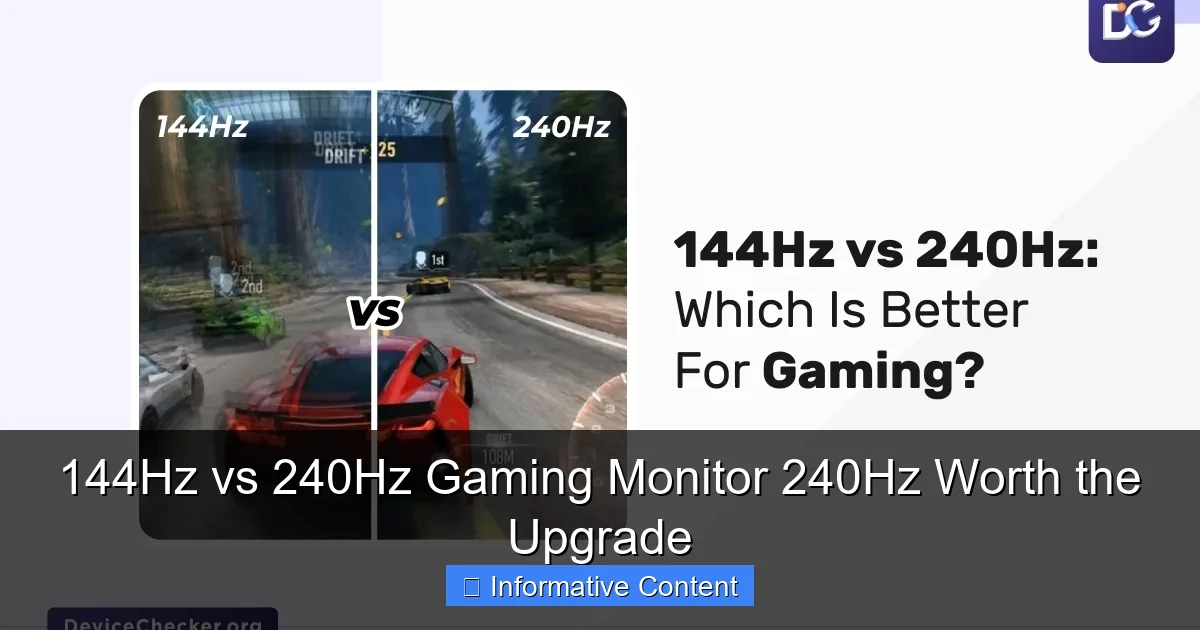
This is undeniably where 240Hz shines brightest. In games where every millisecond counts, like CS:GO, Valorant, Overwatch, or Apex Legends, the marginal gains from 240Hz can be perceived by highly skilled players. The increased smoothness means target models appear clearer during fast flick shots or rapid camera movements, potentially allowing for slightly quicker reactions and more precise aiming.
For professional esports players or those aspiring to reach that level, who spend countless hours training their aim and reflexes, a 240Hz vs 144Hz gaming monitor difference can be a legitimate competitive advantage. It’s about minimizing every possible delay and maximizing visual clarity.
Single-Player, RPGs, and Casual Games
For gamers who primarily enjoy single-player adventures, immersive RPGs, or more casual strategy and simulation games, the difference between 144Hz and 240Hz is far less impactful. These games often prioritize stunning visuals, detailed environments, and engaging narratives over ultra-low latency and hyper-fast reflexes.
In these genres, maintaining a consistent 100-144 FPS with beautiful graphics is usually more desirable than sacrificing visual fidelity just to hit 240 FPS. You’ll likely enjoy the cinematic experience more on a 144Hz monitor that allows for higher settings, or even a higher resolution, than on a 240Hz monitor that demands lower settings to hit its peak refresh rate.
Reaction Time and Input Lag
It’s true that a higher refresh rate can contribute to lower system latency (the time it takes for your actions to appear on screen). A 240Hz monitor updates twice as fast as 120Hz, theoretically reducing input lag by half for the display portion. While the human eye can only process so many frames, the benefit isn’t necessarily about “seeing” 240 distinct frames as much as it is about the *system* being more responsive and providing the most up-to-date information possible.
However, it’s important to set realistic expectations. While a 240Hz display offers lower display latency, this is only one component of overall system latency. Your mouse, keyboard, PC hardware, and even network latency (ping) all play a role. A 240Hz monitor won’t magically turn a slow PC or a bad internet connection into a competitive beast.
Beyond the Refresh Rate: Other Monitor Features
While refresh rate is a headline feature, it’s far from the only thing that makes a great gaming monitor. When you’re considering a 144Hz vs 240Hz gaming monitor, don’t forget these other crucial specifications.
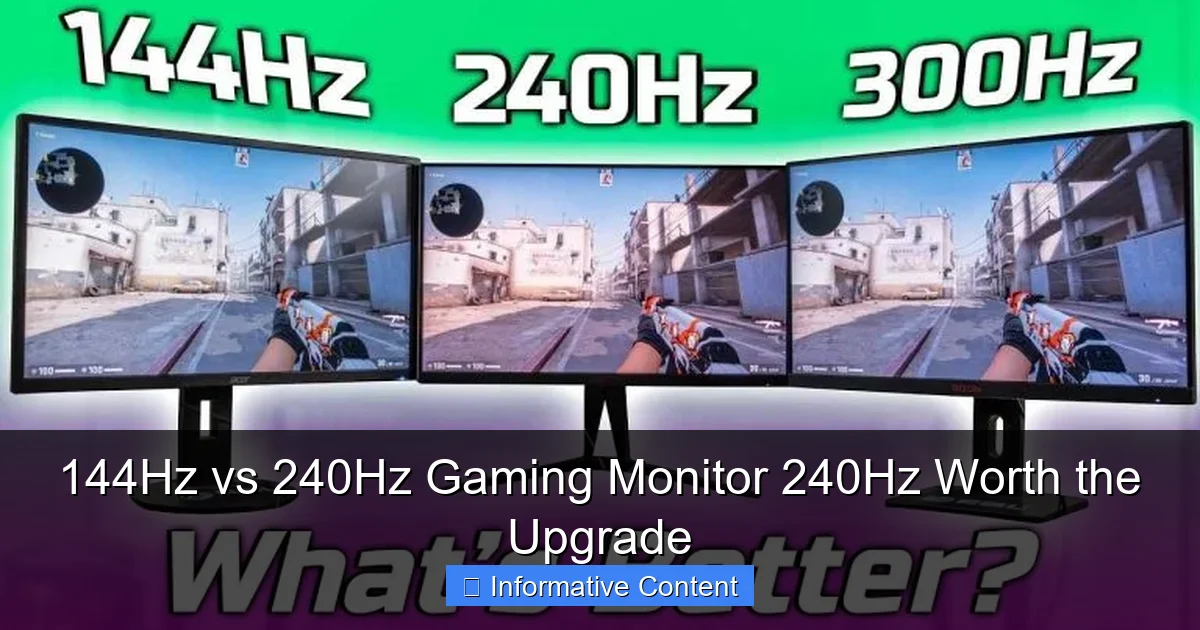
Visual guide about 144Hz vs 240Hz Gaming Monitor 240Hz Worth the Upgrade
Image source: techsynchron.com
Panel Type: TN, IPS, VA
- TN (Twisted Nematic): Traditionally the fastest response times (often 1ms GTG), making them ideal for competitive gaming. However, they suffer from poor viewing angles and color reproduction. Many early high-refresh-rate monitors were TN.
- IPS (In-Plane Switching): Offers excellent color accuracy and wide viewing angles, making them great for immersive games and content creation. Modern IPS panels have significantly improved response times, often matching or getting very close to TN panels, making them a popular choice for both 144Hz and 240Hz gaming monitors.
- VA (Vertical Alignment): Provides superior contrast ratios, leading to deeper blacks, which is great for movies and atmospheric games. Response times are generally slower than TN or IPS, though some newer VA panels have decent speeds.
When buying a 240Hz monitor, many prioritize an IPS panel for the best balance of speed and visual quality. TN panels are still around for the absolute budget-conscious, speed-focused players.
Response Time: The Unsung Hero
Response time (measured in milliseconds, ms) dictates how quickly pixels can change from one color to another. A slow response time causes “ghosting” or “smearing” artifacts, where trails are left behind moving objects. A 1ms GtG (gray-to-gray) response time is the gold standard for competitive gaming and is common on both 144Hz and 240Hz gaming monitors today.
Even a 240Hz monitor with a slow response time will deliver a less crisp image than a 144Hz monitor with a fast response time. Always check for a low response time, ideally 1ms GTG or a very low MPRT (Moving Picture Response Time) if the manufacturer provides it.
Adaptive Sync: Smoother Than Smooth
Technologies like Nvidia G-Sync and AMD FreeSync synchronize your monitor’s refresh rate with your GPU’s frame rate. This eliminates screen tearing and reduces stuttering, even if your FPS fluctuates below the monitor’s maximum refresh rate. This is an essential feature for any gaming monitor, whether 144Hz or 240Hz. Always ensure your chosen monitor supports either G-Sync (preferably “G-Sync Compatible” for FreeSync monitors validated by Nvidia) or FreeSync, depending on your graphics card.
Resolution vs. Refresh Rate: A Balancing Act
As mentioned, choosing between resolution and refresh rate is often a trade-off. Do you want the sharpest image possible (higher resolution) or the smoothest motion (higher refresh rate)? For the best 144Hz vs 240Hz gaming monitor experience, most competitive players will prioritize refresh rate and frame rate, often sticking to 1080p for 240Hz. Gamers who prioritize immersion might prefer 1440p at 144Hz.
The Price Tag: Is 240Hz Worth the Investment?
Let’s talk money. The financial aspect is often the biggest deciding factor when considering if 240Hz is worth the upgrade. Is the performance leap justified by the extra cost?
Cost Comparison: 144Hz vs 240Hz
Generally, 240Hz monitors are more expensive than their 144Hz counterparts, assuming similar panel types, resolutions, and other features. While the price gap has narrowed significantly over the years, you’ll still typically pay a premium for that extra Hz.
- 144Hz Monitors: You can find excellent 1080p 144Hz IPS monitors for well under $200-$250, and 1440p 144Hz/165Hz IPS monitors for $250-$400. These offer fantastic value.
- 240Hz Monitors: Entry-level 1080p 240Hz IPS monitors often start around $250-$350. For 1440p 240Hz, you’re looking at $400-$600+, and even more for premium features or larger sizes.
Value for Your Dollar
For the vast majority of gamers, a 144Hz monitor offers the best “bang for your buck.” The performance increase from 60Hz to 144Hz is profound and universally appreciated. The jump from 144Hz to 240Hz, while technically an improvement, offers diminishing returns in terms of perceived smoothness for most users, especially casual players.
If you’re on a budget and considering upgrading your entire setup (PC + monitor), investing in a stronger GPU/CPU and pairing it with a great 144Hz monitor will likely yield a more impactful and noticeable improvement in your overall gaming experience than stretching for a 240Hz monitor that your PC can’t fully drive.
Future-Proofing Your Setup
Some gamers might consider 240Hz an investment in “future-proofing” their setup. While it’s true that higher refresh rates are the trend, remember that monitor technology evolves quickly. What’s cutting-edge today might be commonplace in a few years. However, if you plan to keep your monitor for a very long time and anticipate upgrading your PC components in the future to consistently hit 240+ FPS, then a 240Hz monitor could be a reasonable long-term purchase.
Who Should Upgrade to 240Hz? (And Who Should Stick to 144Hz?)
So, after all this, is 240Hz worth the upgrade for you?
The 240Hz Enthusiast
You should strongly consider a 240Hz gaming monitor if:
- You are a hardcore competitive FPS gamer (e.g., aiming for esports, high ranks in Valorant, CS:GO, etc.).
- You have a top-tier PC (latest generation CPU and GPU) that can consistently push 240+ FPS in your preferred games at your desired resolution (likely 1080p, possibly 1440p with compromises).
- You are willing to invest the extra money for a marginal but potentially critical competitive edge.
- You have tested 240Hz and genuinely perceive and appreciate the difference over 144Hz.
For this specific group, the answer to “is 240Hz worth the upgrade” is a resounding yes. It provides that ultimate level of fluidity and responsiveness that can make a real difference in high-stakes situations.
The Savvy 144Hz Gamer
You’ll likely be perfectly happy, and perhaps better off, sticking with or upgrading to a 144Hz gaming monitor if:
- You play a variety of games, including single-player titles, RPGs, strategy games, and casual multiplayer.
- Your PC is mid-to-high range and consistently hits 100-144 FPS, but struggles to maintain 200+ FPS in your favorite titles.
- You want an excellent, smooth gaming experience without breaking the bank.
- You prioritize higher resolutions (like 1440p) or higher graphical settings over the absolute maximum refresh rate.
- You don’t compete at an elite level in esports.
For most gamers, a 144Hz monitor represents the sweet spot for performance, visual quality, and value. The difference between 144Hz vs 240Hz gaming monitors is less impactful for general use.
Conclusion
The debate between a 144Hz vs 240Hz gaming monitor ultimately comes down to your personal priorities, budget, and gaming habits. The jump from 60Hz to 144Hz is universally recommended and a game-changer for any PC gamer. It provides a phenomenal, smooth, and responsive experience that dramatically enhances gameplay across all genres.
However, when asking if 240Hz is worth the upgrade, the answer becomes more nuanced. For the professional or aspiring esports player with a no-compromise, top-tier PC, 240Hz offers a discernible, albeit subtle, advantage that can genuinely make a difference in competitive scenarios. It’s the pinnacle of low-latency gaming.
For the vast majority of gamers, including those who enjoy competitive titles but aren’t playing at an elite level, 144Hz remains the practical and excellent choice. It delivers incredible smoothness and responsiveness at a more accessible price point, often allowing for higher graphical settings or resolutions without the need for an ultra-high-end PC. Choose wisely, game on, and enjoy every frame!
Frequently Asked Questions
What is the main advantage of a 240Hz gaming monitor over a 144Hz one?
The main advantage of a 240Hz gaming monitor is its ability to display an even smoother and more responsive image, particularly in fast-paced competitive games. This can lead to clearer motion during quick camera movements and potentially offer a fractional advantage in reaction time for highly skilled players.
Is a 240Hz monitor noticeable for casual gamers?
For most casual gamers, the difference between 144Hz and 240Hz is much less noticeable than the jump from 60Hz to 144Hz. Casual players often prioritize visual fidelity or immersive experiences, where 144Hz with higher settings or resolution typically offers a more satisfying overall experience.
What kind of PC hardware do I need for a 240Hz monitor?
To fully utilize a 240Hz monitor and consistently achieve 240 frames per second (FPS), you will generally need a high-end CPU and a top-tier graphics card. This is especially true for modern AAA games, although less graphically demanding esports titles are easier to run at such high frame rates.
Will my internet speed affect a 240Hz monitor’s performance?
Your internet speed (specifically latency or ping) affects how quickly your computer communicates with game servers, not your monitor’s refresh rate. While low ping is crucial for competitive online gaming, a 240Hz monitor’s benefits are purely visual and internal to your PC’s rendering capabilities, independent of your internet connection.
Are there any downsides to a 240Hz monitor besides cost?
Beyond the higher cost, a potential downside is that you might have to lower in-game graphical settings to consistently hit 240 FPS, even with powerful hardware. This means sacrificing some visual quality to achieve the maximum refresh rate, which might not be ideal for all types of games or players.
Should I upgrade my GPU or my monitor first for better gaming?
If your current monitor is 60Hz and your GPU can push well over 60 FPS, upgrading to a 144Hz monitor is usually the most impactful first step. If you already have a 144Hz monitor but your GPU can’t consistently hit 144 FPS in your desired games, then upgrading your GPU should be your priority.